For Designers

Tracking Hours as a Designer

Tracking your hours with Keeping is precise and clear, allowing you to focus more on your work. As a designer, you are deeply involved in the creative process for a client. You want to design great concepts and solutions. Keeping track of your hours can sometimes be less accurate. That's why designers use Keeping.

  • Always have an overview of all your projects and tasks; Reports available in PDF, Excel, and CSV.
  • Flexibly and instantly log your hours, wherever you are; Available on both mobile and desktop.
  • Accuracy in tracking, ensuring fairness. Logs time down to the minute.
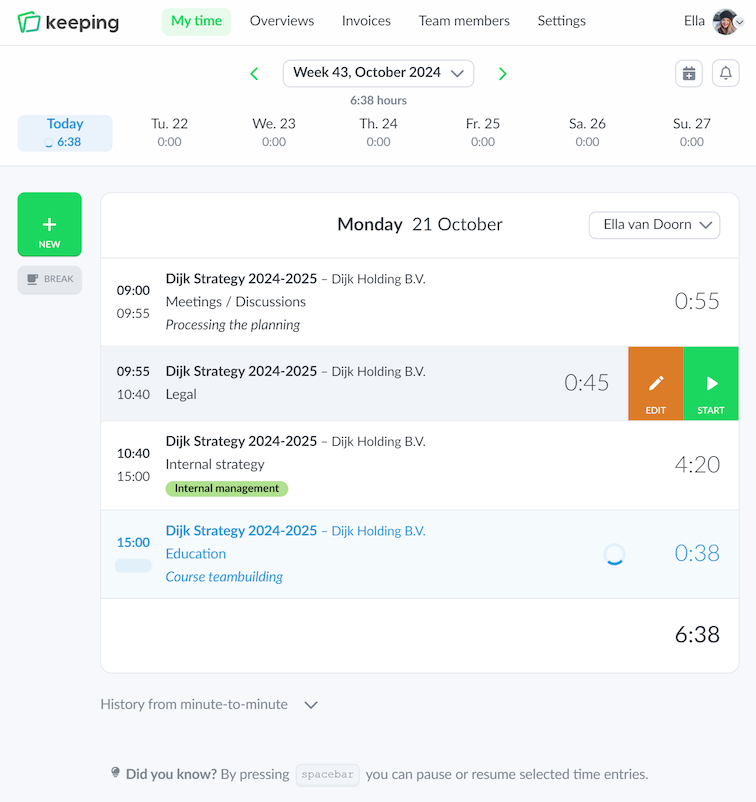
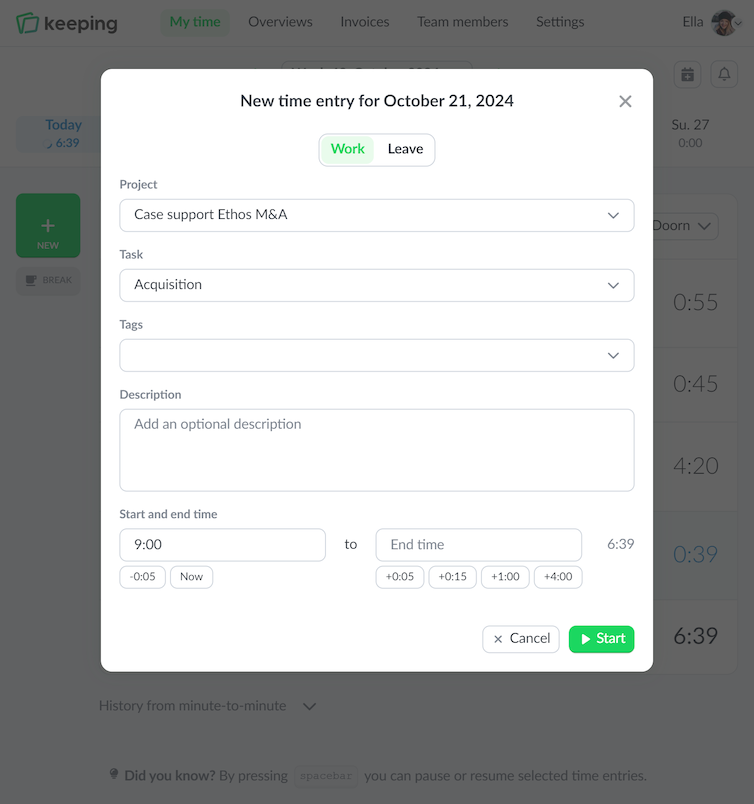
Overview of hours logged on a specific day in the web version of Keeping
The time card with minute-by-minute tracking in Keeping
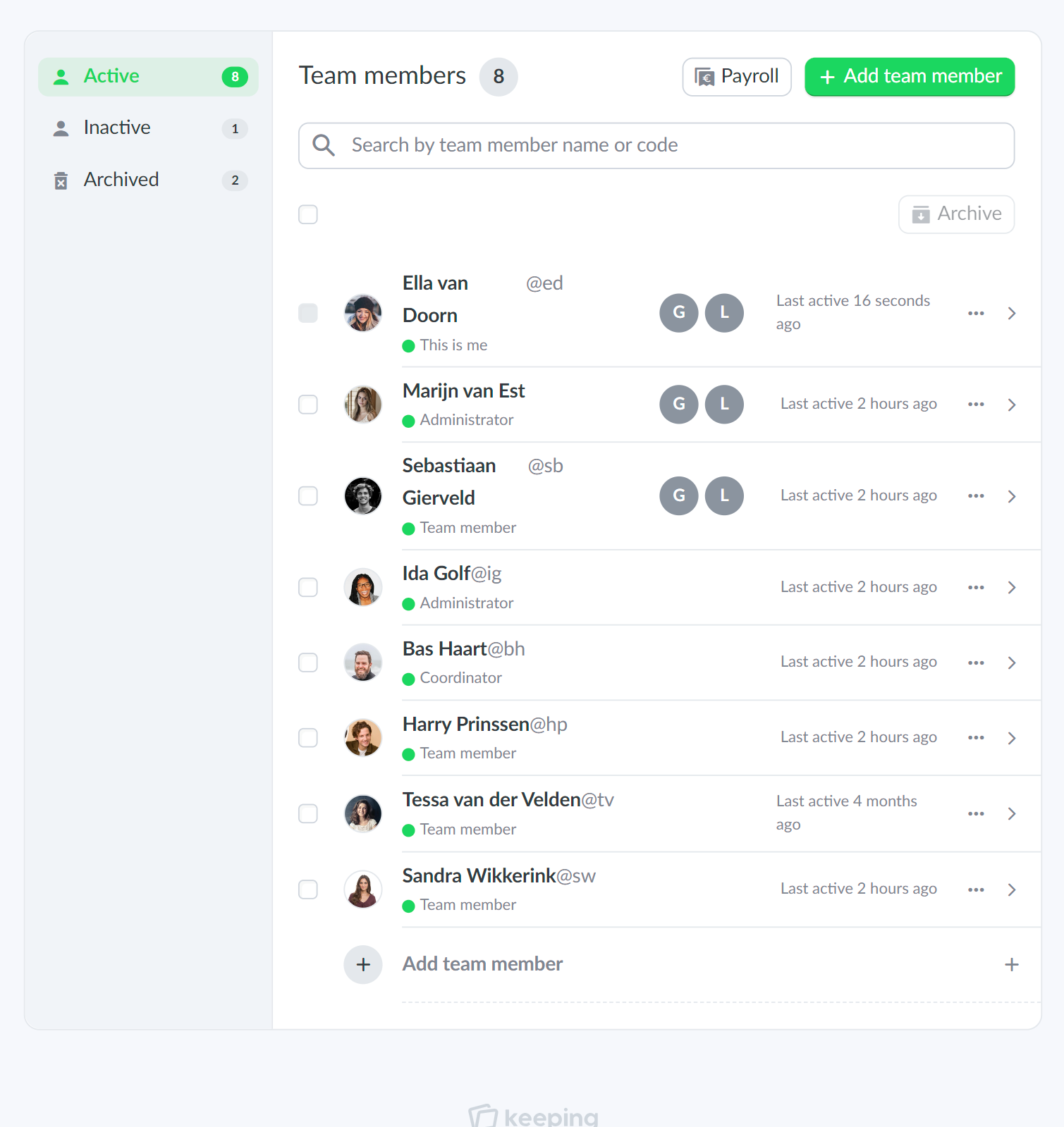
An example of the team overview from Doorn Consultancy
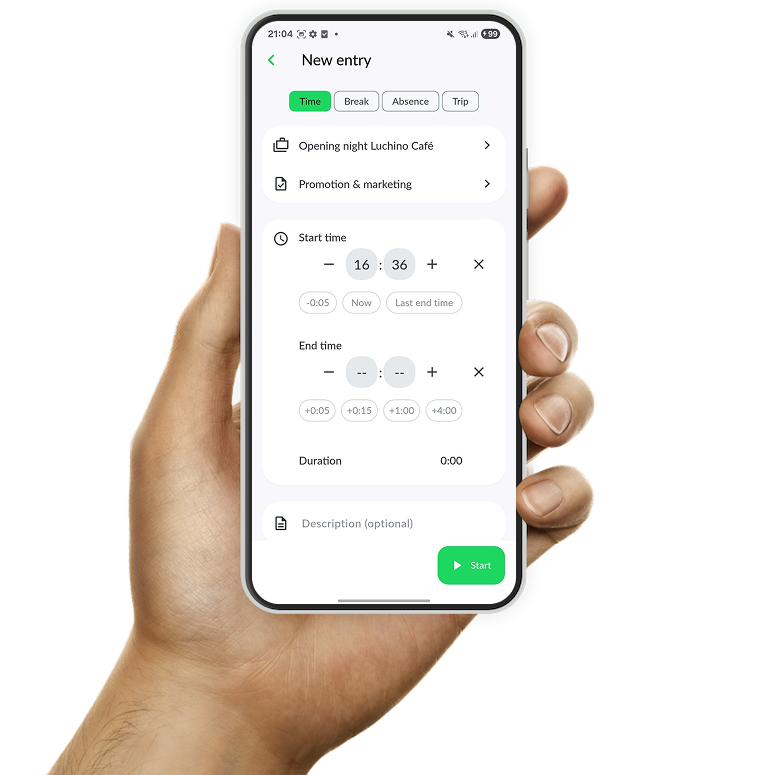
The Android app of Keeping

As You're Used To

Your Workday is Flexible, So Your Time Tracking Should Be Too

If you structure your workday flexibly, you should be able to log your hours flexibly as well. Wherever you are, you can always log your hours easily. So if you start working later in the day, your time tracking shouldn't be an issue. The same goes for work done late at night.

With Keeping, you're not tied to a fixed start time or a single location to log your hours. Convenient if you're on the go and suddenly have a brilliant idea during a train ride that you want to work on immediately.

Stay Organized

Clear Time Tracking per Project and Task

You work for multiple clients. Some assignments take more time than others. Some have just one task, while others involve multiple tasks. With Keeping, you can see exactly how many hours you spend on each task. Keeping includes built-in functionality for project-based work.

With this feature, you can track your working hours separately by client, project, and task—keeping everything well-organized. It also offers various reporting options, giving you insight into which clients require more of your time and which require less. With this knowledge, you can plan your workday more efficiently. Additionally, the reports help you determine how much time you typically need for each type of task, making it easier to estimate future projects.

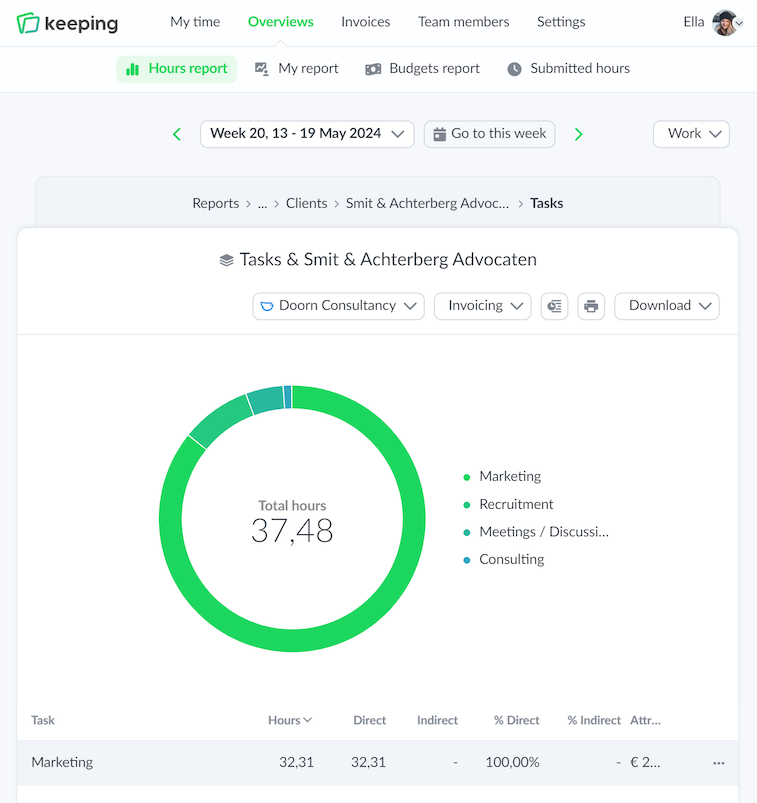
Overview of time tracking specifically set for hours per task Graphic character supporting the main image

With Accuracy

Time Tracking That Is Always Precise and Correct

When recording work hours, accuracy is crucial. You don’t want to undercount your hours and reduce your earnings. At the same time, you also don’t want to overcharge your client by logging too many hours. Accuracy is essential.

With Keeping, tracking your working hours accurately is easy and intuitive. Thanks to its clean design, you won't get lost in overwhelming functions like in Excel. Try Keeping for free today!

Track Hours for Your Design Projects with Keeping

Insights, reports, and much more.

Stopwatch to clock hours illustration