Pro Track Illness and Absences

Easily track illness and absences with the convenient leave and absence tracking feature.

With the leave and absence functionality, you can track absences and various types of leave hours. This can be done both as a team member and as an administrator: leave tracking is easy through the same input as worked hours, but also via the details of a team member.

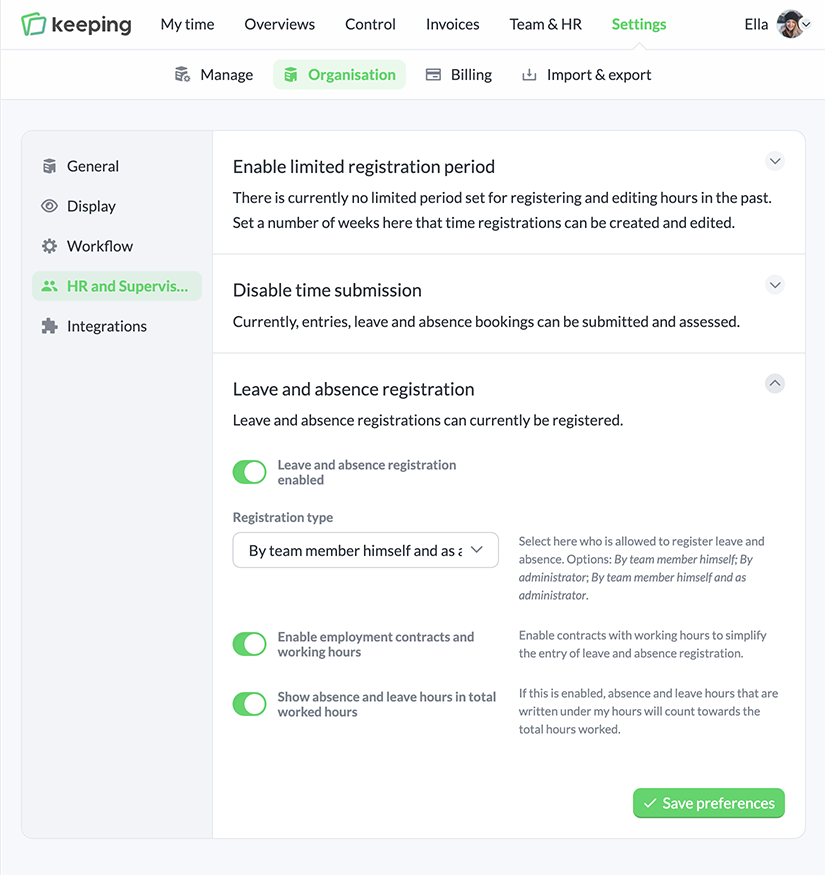
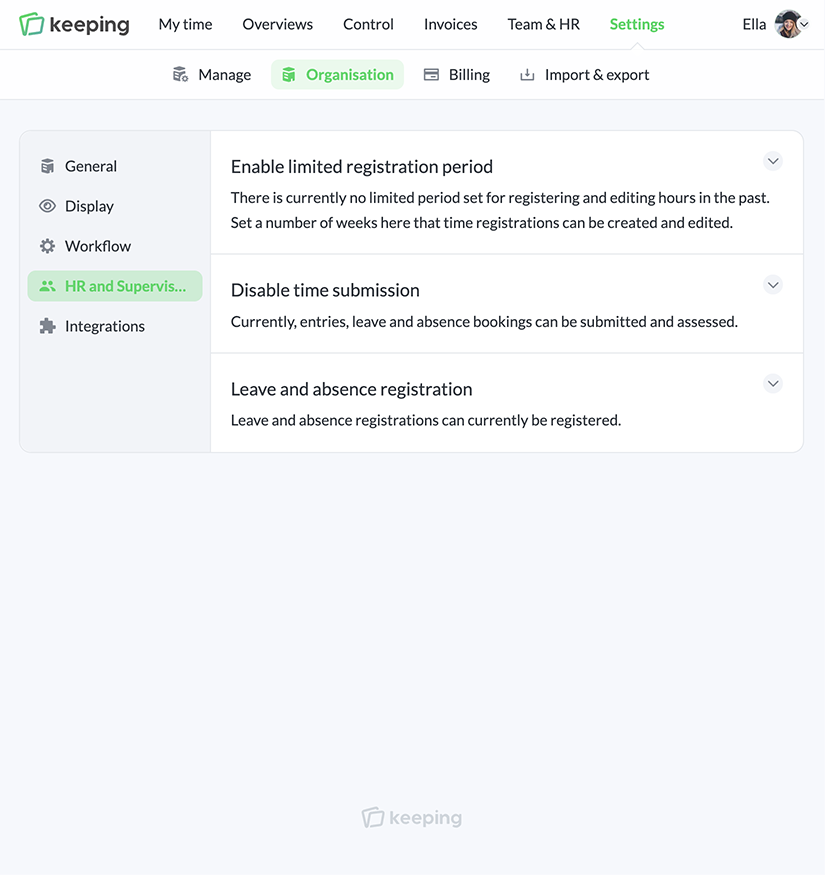
Through the "HR and Control" settings, you can choose how leave and absence tracking should be done. This ensures that the tracking of illness and absences seamlessly fits the working methods of different organizations.

  • Simple tracking of leave and absences; By the team member themselves, or as an administrator.
  • Efficient tracking of leave and absence periods available; By using the contracts feature.
  • Request and manage leave; In combination with time control.
Settings for HR and control
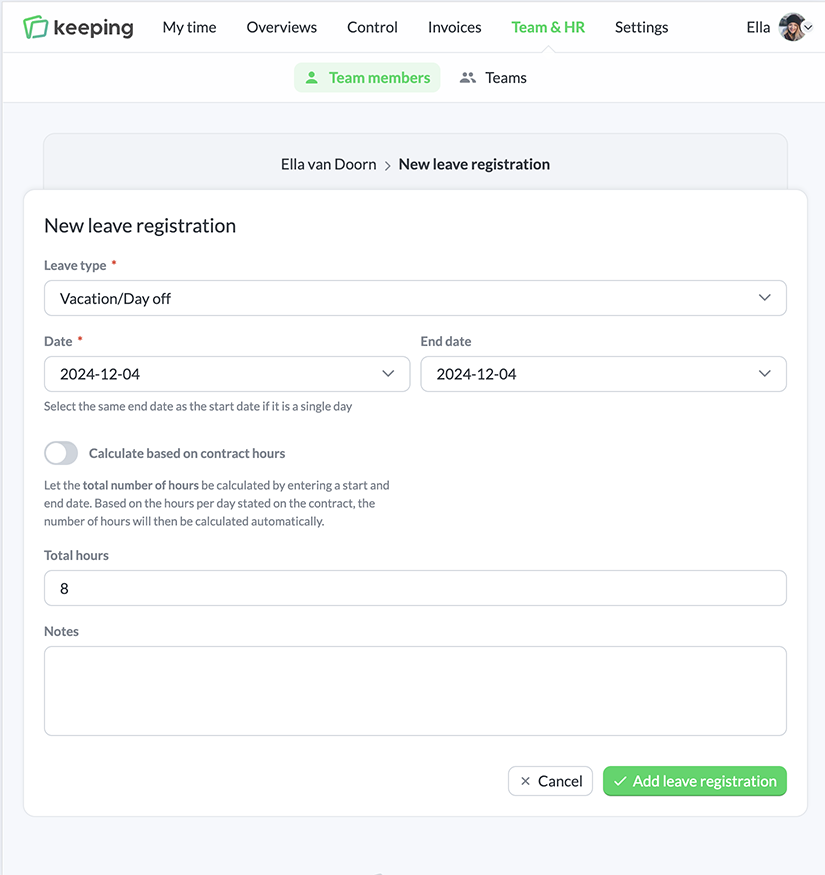
New leave entry
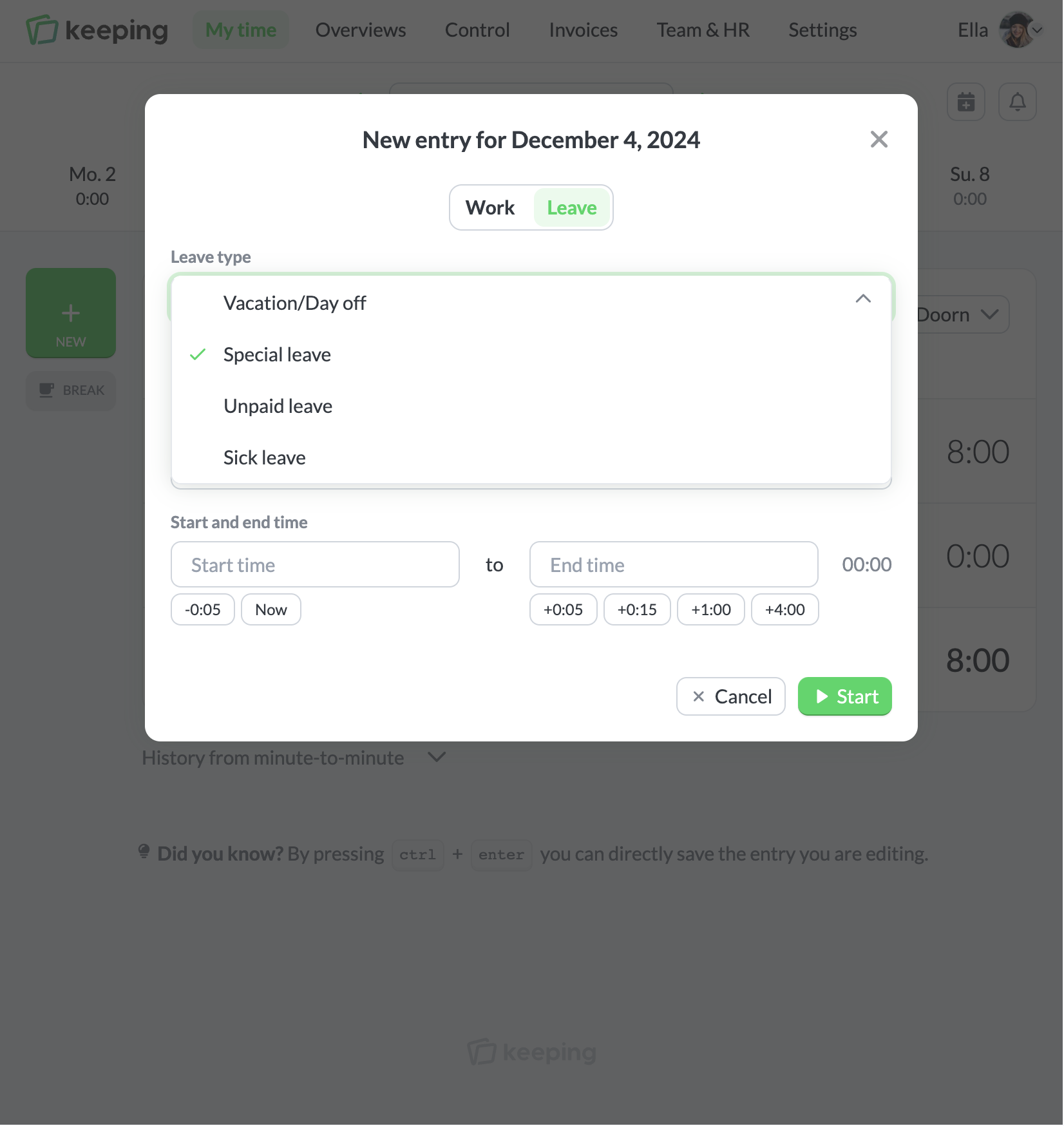
Entering leave via the timesheet

Easy Entry

Entry as a Team Member, Administrator, or Both

If a team member is allowed to register their own leave and absences, leave can be added either as a time entry or via the team member's details. Adding leave as a time entry can be useful when an employee takes a few hours off and is allowed to log it themselves.

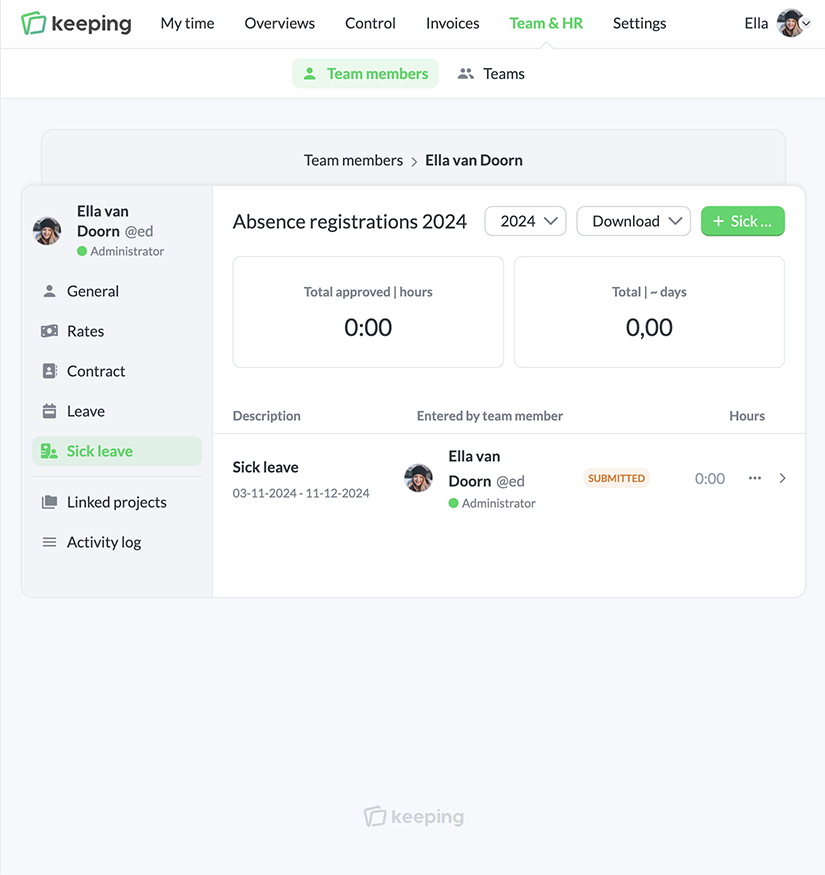
As an administrator, you have the option to register both leave and absences for team members. If a contract is set up, you can easily input a longer period of leave or absence. The system will take contract hours and days into account.

  • Easily register leave and absences by the team member; As a time entry or via a leave booking.
  • Automatically fill in with contract hours; Book leave in just a few clicks according to contract hours and days.
Contracts

Contracts for Automated Leave Accrual

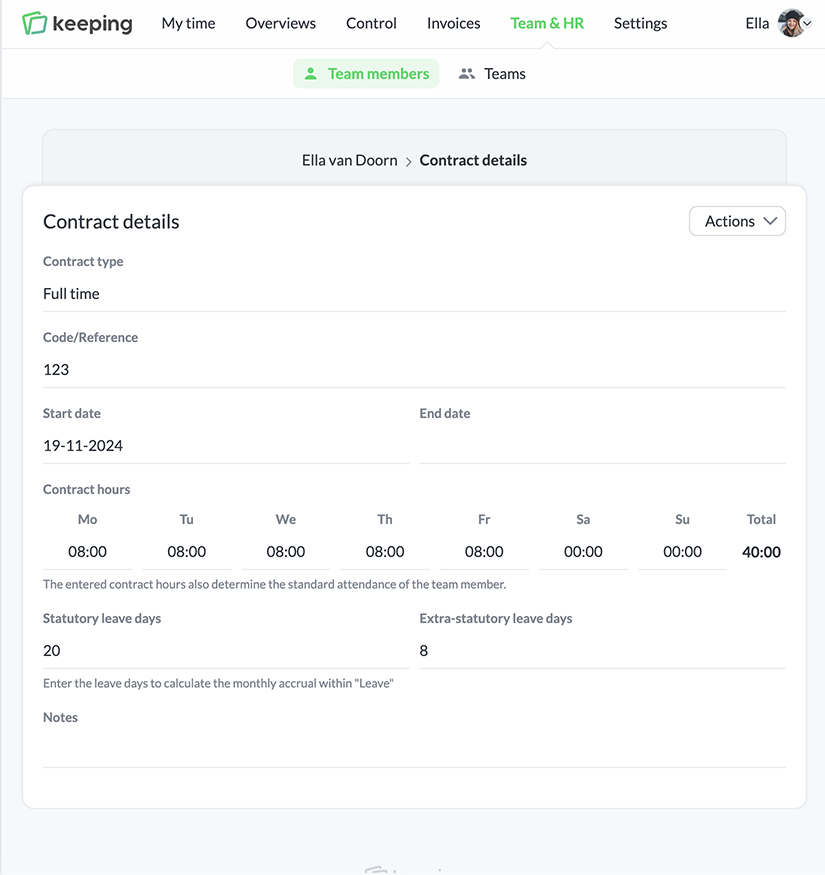
Under the team member settings, the general details of an employee's contract can be added. This information is used to easily register longer periods of leave or absence. When you register leave, Keeping automatically fills in the working days based on the contract hours.

  • Clear input of contracts; Enter the key details of a contract such as contract hours, start date, and working days.
  • Statutory and additional leave for the contract; This data is used for calculating leave accrual.
Editing and viewing contract details
Overview of contracts
)
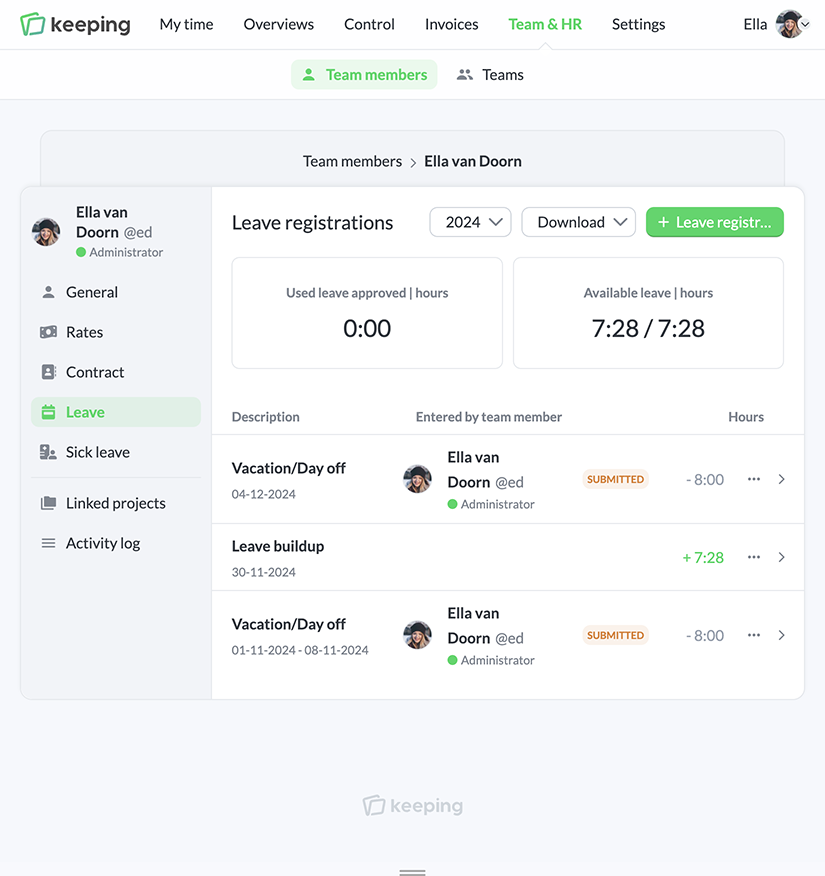
Overview of accrued leave
Overview of absences

Everything Automated

Clear Automatic Leave Accrual

When using contracts, the statutory and additional leave accrual is automatically calculated per month, providing a current balance. This accrual takes into account changes in the contract and the number of contract hours.

  • Up-to-date insight into the accrued leave of the team member; Thanks to a clear display.
  • Accurate with contract hours and days; Thanks to the link with contracts.

Reports

Leave and Absence Booking Reports

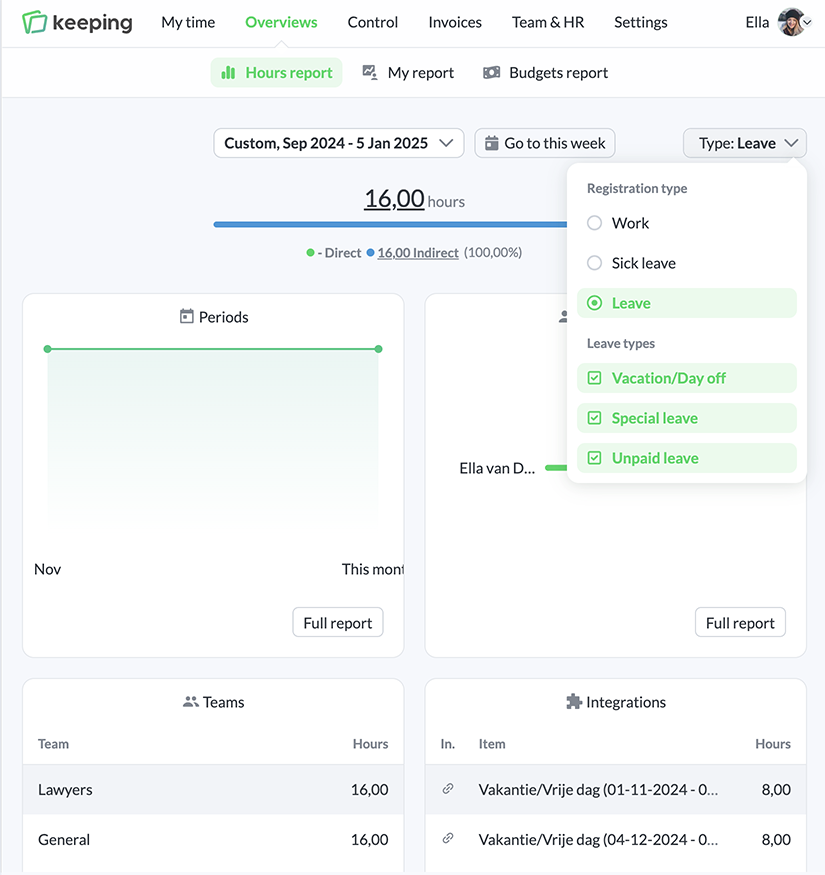
Leave and absence bookings for all team members are visible within the overviews by selecting the type of time registration. This allows you to view the added leave and absence hours in one overview. Within the reports, you can easily switch between registered hours, leave, or absence bookings.

  • Full integration with reports in Keeping; Switch from hours to leave and absence with a single click.
  • Easily switch between different leave registrations; Easily switch between types of leave or absence registrations.
Overview of leave and absence report
Overview of team report
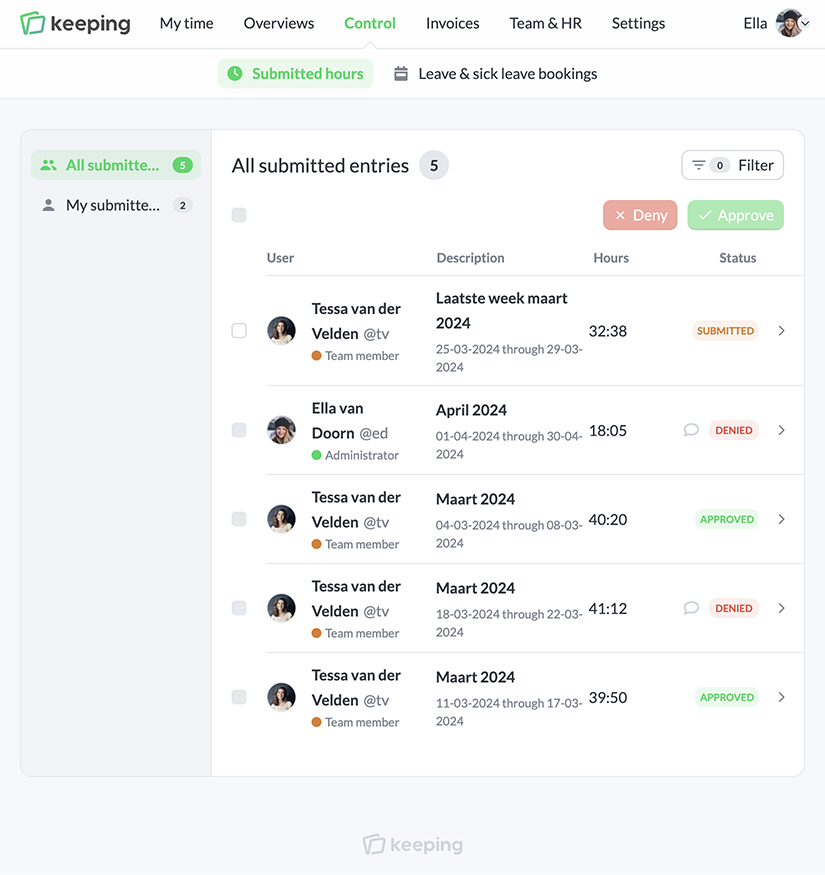
Approve submitted leave as an administrator
Enter leave yourself via the timesheet

Easily Submit Leave

Leave Requests

Leave entries added via the timesheet by a team member can be submitted together with worked hours when Time Control is enabled.

Bookings entered by the team member are automatically submitted when time control is enabled and can be reviewed by the administrator. These can include past as well as future entries. This way, it is possible to request leave.

  • Review leave requests; Administrators can easily process all leave requests.
  • View your own leave requests in your personal overview; Always have clarity about your request as a team member.

Track hours from your Android or iPhone

Easily switch between web and mobile, log hours on the go, and view them.

Stopwatch to clock hours illustration