
Your own hours

Insight into your own hours with personal reporting in Keeping

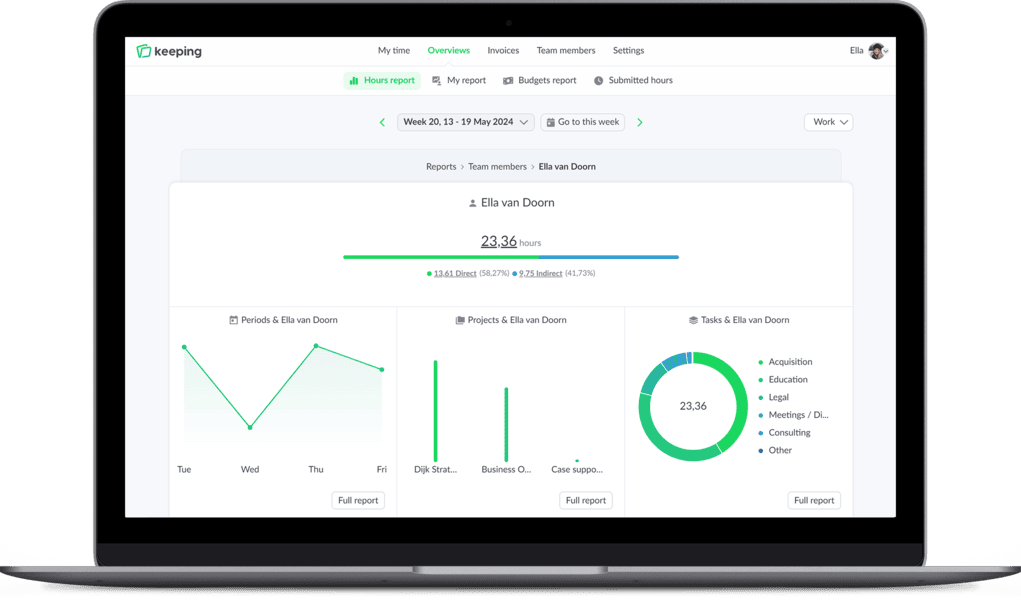
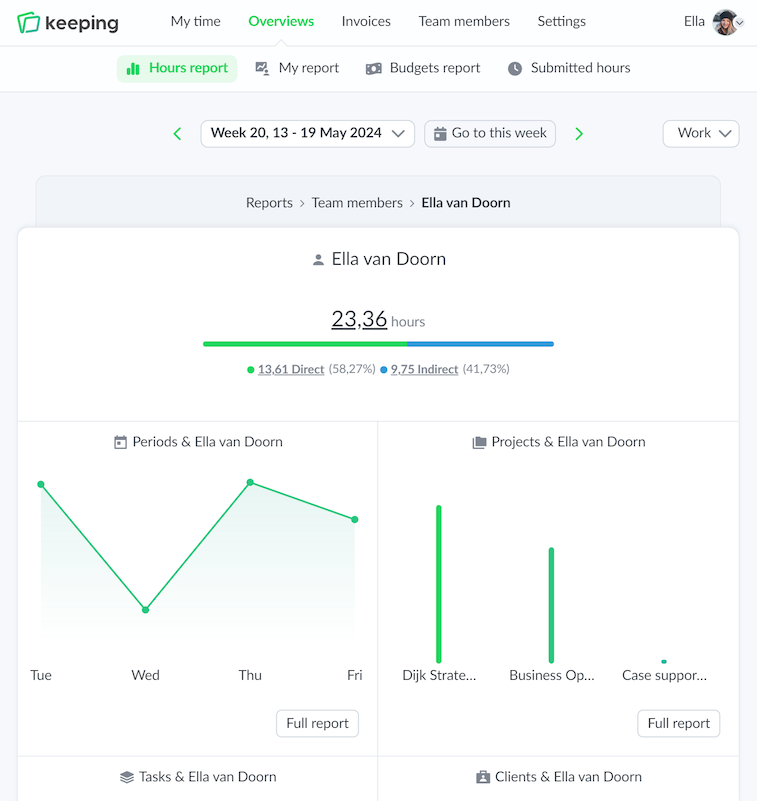
Keeping offers a personal reporting dashboard. With this dashboard, you can view and analyze your personally tracked hours. The dashboard provides insight into clients, projects, and tasks, depending on the organization settings.

Personal time report from Keeping Graphic character pointing at an invoice of hours in Keeping

Personal reports

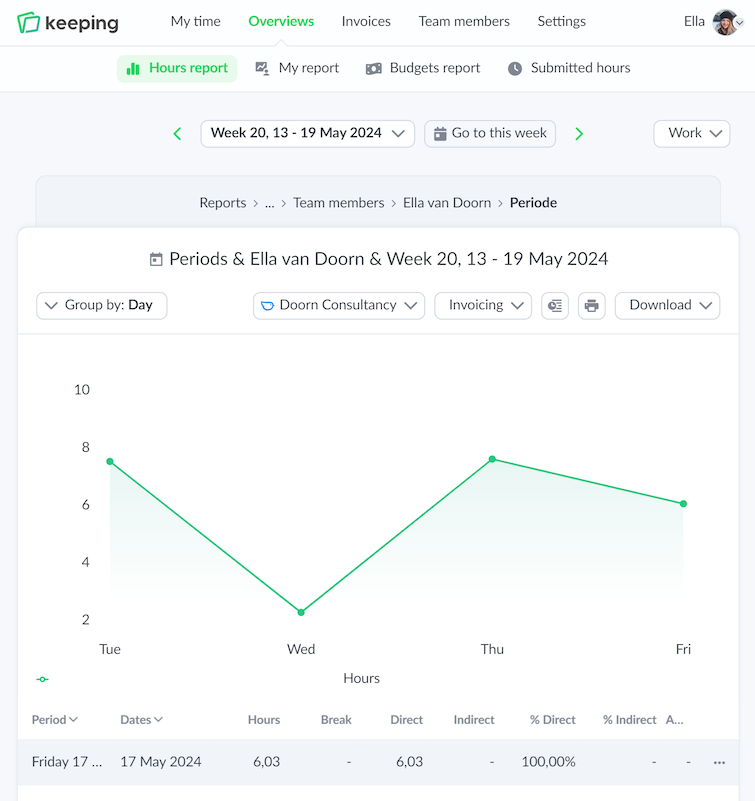
Personal report of time registrations

With the period report, you can easily see which time registrations have been made in a period, such as a week or month. From this report, you can click through to the underlying time registrations, allowing you to view the precise hours.

This overview can be downloaded in an export.

  • Overview with underlying time registrations; Know exactly where the hours have been spent.
  • Export to PDF, Excel, or CSV files; Easily download reports.
Personal overview of time registrations per week
Personal overview of time registrations
Personal overview of projects
Personal overview of time registrations

Personal reports

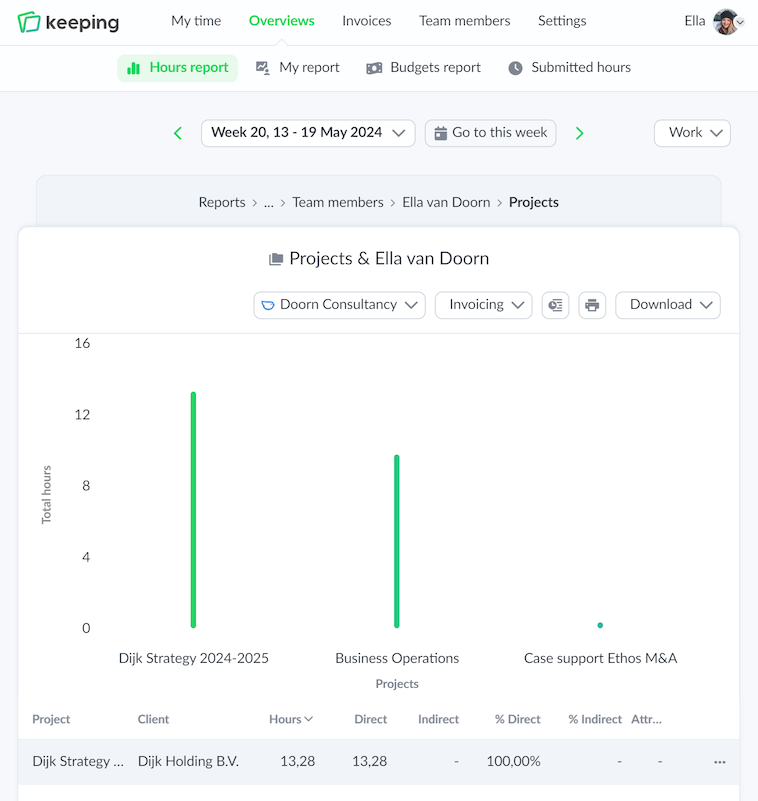
Personal report of projects

The projects report shows all information about projects that have been worked on. This way, you can easily see the proportion of time spent on projects, for example, in a week or month. When direct and indirect hours are set up, their ratio can be viewed.

This overview can be downloaded in an export.

  • Overview with underlying time registrations at project level; Know exactly where the hours have been spent.
  • Export to PDF, Excel, or CSV files; Easily download reports.
Improve your time tracking with Keeping

Starting with Keeping is free. Discover it yourself.

Stopwatch to clock hours illustration

Personal reports

Detailed task report

The task report provides insight into how many hours have been spent per task when working with tasks. Thanks to this report, it is clear to see the ratio between different tasks, such as client tasks and internal tasks.

The task report can be downloaded in various formats for sharing purposes.

  • Overview with underlying time registrations at task level; Know exactly where the hours have been spent.
  • Export to PDF, Excel, or CSV files; Easily download reports.
Personal overview of time registrations per week
Personal overview of time registrations

