Simple and everywhere

Discover how you can take your time tracking to the next level with Keeping.

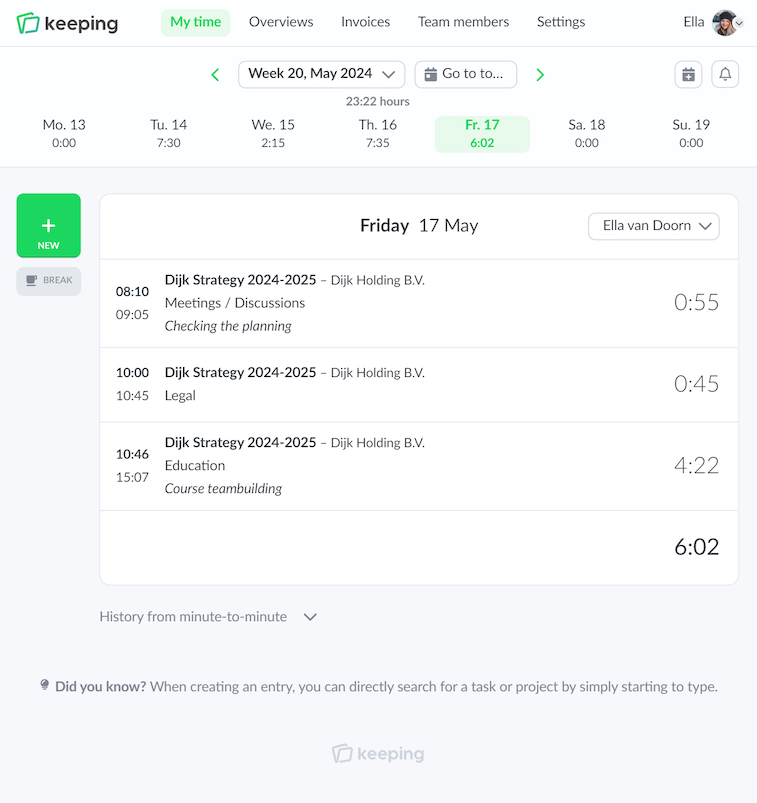
Time tracking isn't second nature for everyone. With Keeping, we make time tracking simple and accessible. This gives you more time for your work, while as a manager or business owner, you maintain overview. Does that sound like music to your ears?

Simple and ubiquitous

Track time anywhere

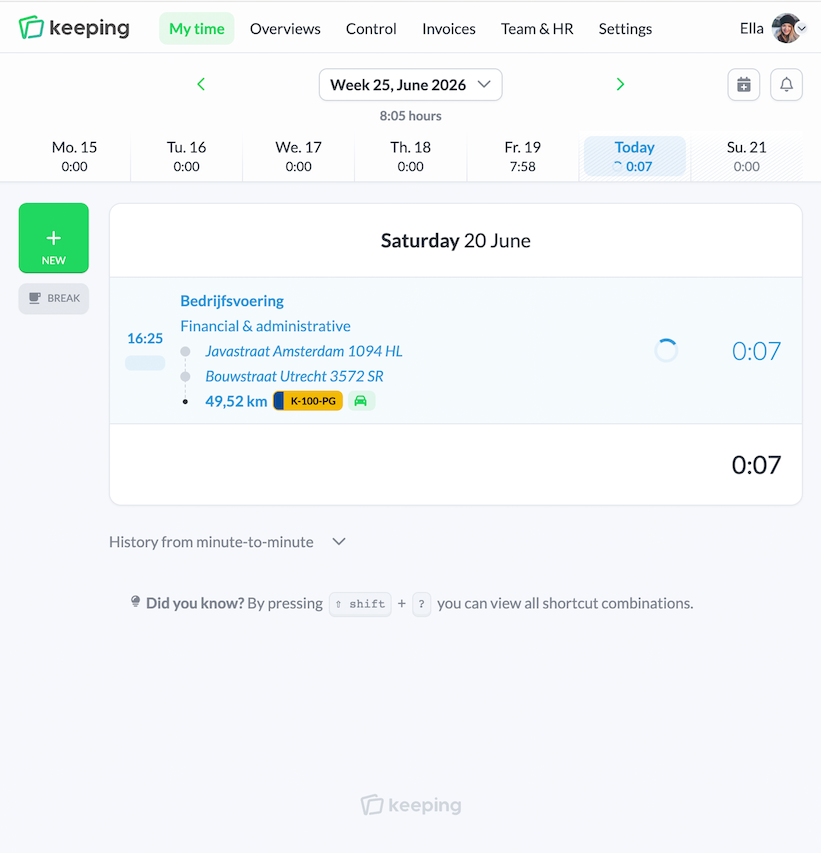
You can easily track your time with the mobile apps and the web application, your hours are always in sync.

This allows you to start a time entry while working and stop it later in the app, giving you flexibility.

Graphic character supporting the main image

Project management

Simplify your management

For effective project management, it’s important to have insight into the hours worked. With Keeping, you can easily link time entries to projects, tasks, or labels, so that you can adjust in time.

Additionally, you can approve your team's hours.

Organized

Handy real-time reporting dashboards

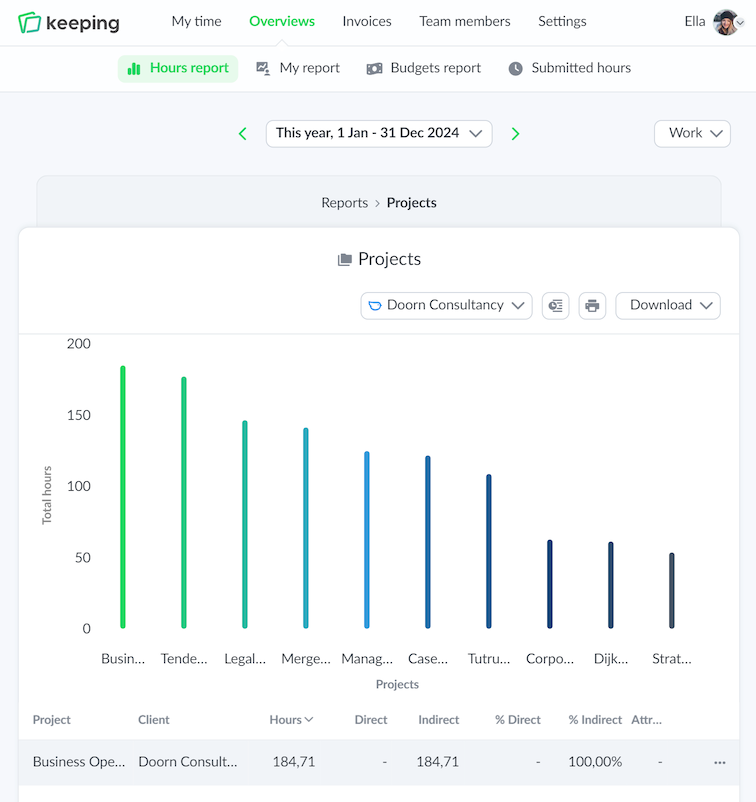
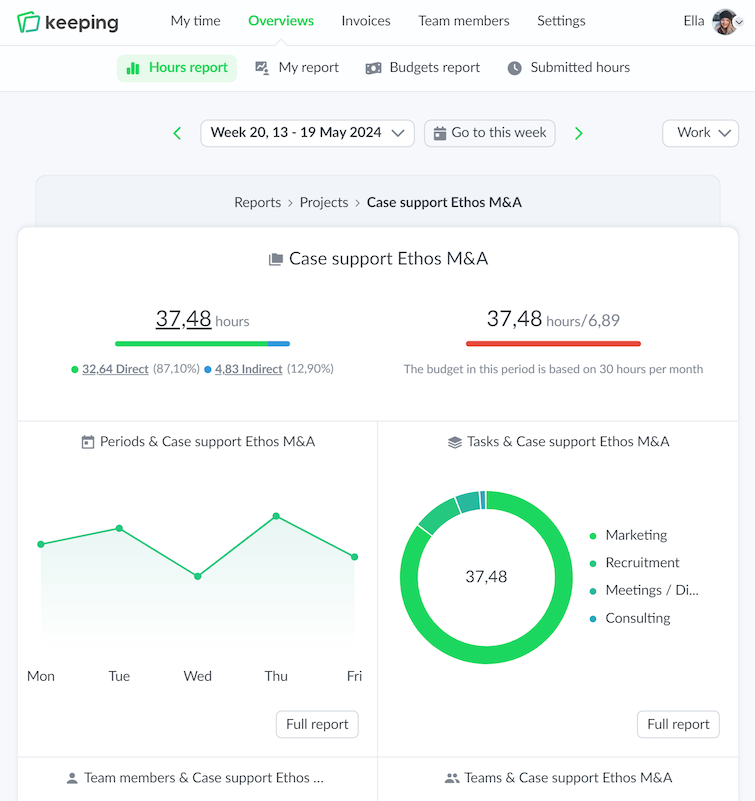
You can view the time entries through various reporting dashboards, so you get instant insight into recorded hours and budgets.

https://doorn-consultancy.keeping.nl/

Simple and everywhere

Track time anywhere

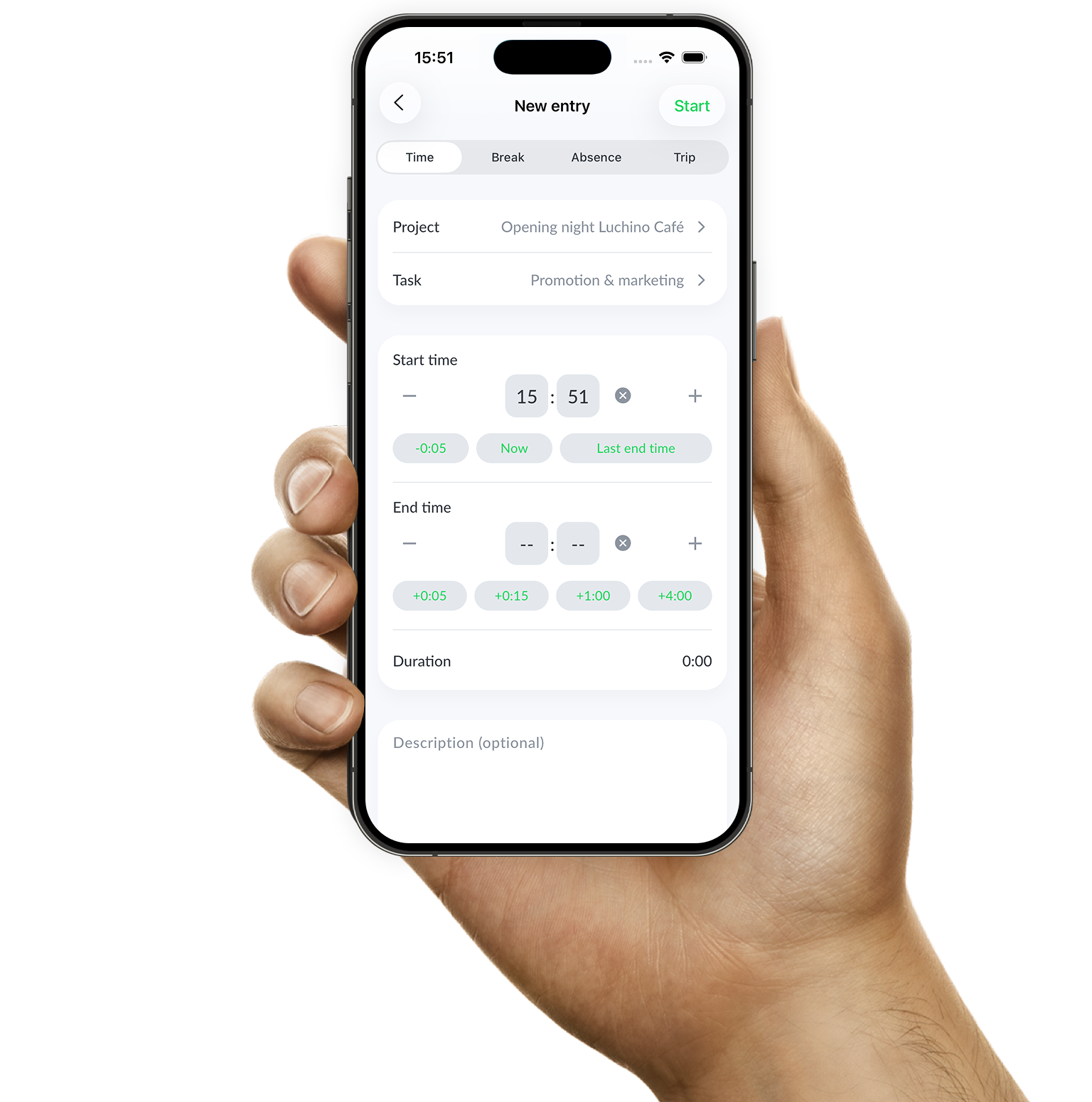
The hours app for iPhone and Android is designed so that you can flexibly track time, wherever you are. You can quickly browse through your time records to view or update the time entries for a specific day.

  • Simple to use; Quickly and easily track your time.
  • Start and stop time tracking anywhere; Track your time wherever you are, at any time.
  • Easily switch between client, project, or label. Easily stop or modify active time entries.
Quickly switch dates by pressing the date in the iPhone time tracking app of Keeping

Start today and take your time tracking to the next level with Keeping!

Keeping can be tried free of charge for the first 14 days without limitations.

Stopwatch to clock hours illustration
Overview of time registration specifically set for hours per task

tracking hours

The dynamic time sheet

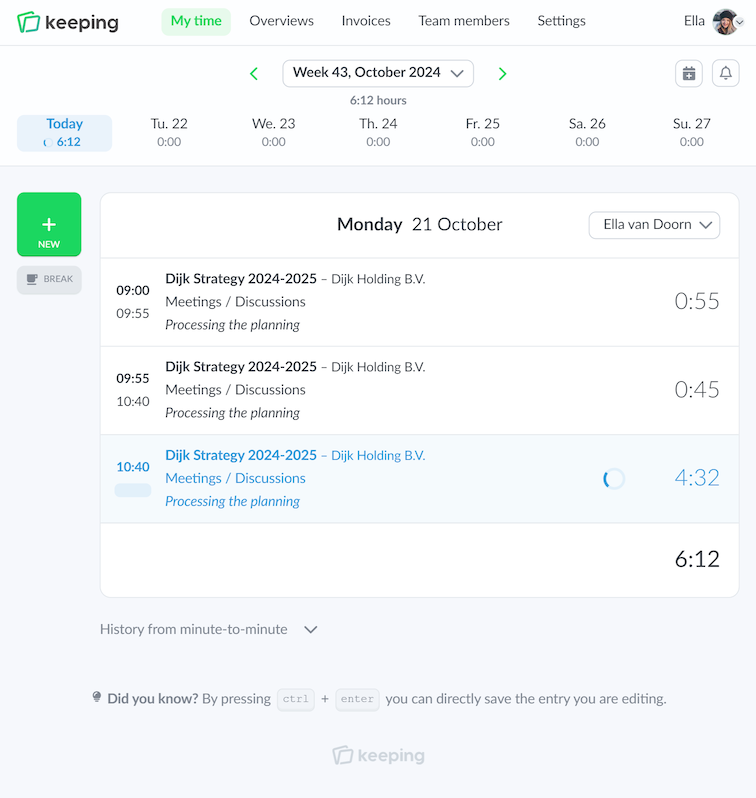
Not everyone tracks their hours in the same way. That’s why at Keeping, we offer different methods for your time registration: per minute or per day. When you track hours per minute, you enter a start and end time each time. This allows for very accurate time tracking. Are you working all day on various projects or tasks? You can easily create consecutive time entries; Keeping takes the end time from the previous entry as the start time for the next one.

If you prefer to enter hours retrospectively, you can choose to track hours per day. This way, you can fill in time blocks. In both methods of entry, you can link the time registration to a project, task, or labels, depending on how you've set up your workflow.

  • Enter time registration per minute; Accurate time tracking with consecutive time entries
  • Enter time registration per day; Easy time registration (retrospectively) by filling in time blocks

Clear overview

Handy reporting dashboards

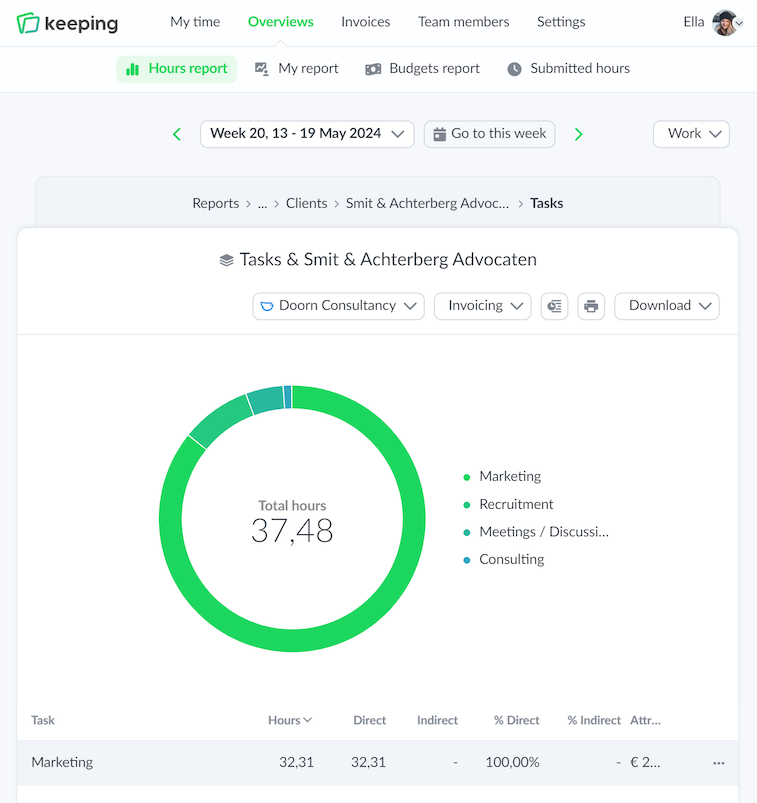
Keeping offers comprehensive reporting dashboards that allow you to zoom in on the tracked hours. Depending on the selected settings that align with your workflow, there are reports per client, project, task, team member, label, and integration. You can enhance these reports with budgets, so you can see at a glance whether a project stays within budget. Additionally, these budgets can be linked to rates, allowing you to maintain a financial overview alongside a time budget.

  • Targeted zooming in on specific reports; Intuitive navigation from report to report.
  • Direct (financial) insight through project budgets; Recognize budget overruns at a glance.
  • Export to PDF, Excel, or CSV files; Share reports easily with the team.
  • Manage access to reports within your organization; Limit access to parts of the team as needed.
  • Personal report for each Keeping user; Always up-to-date.
Overview of time registration specifically set to hours per task
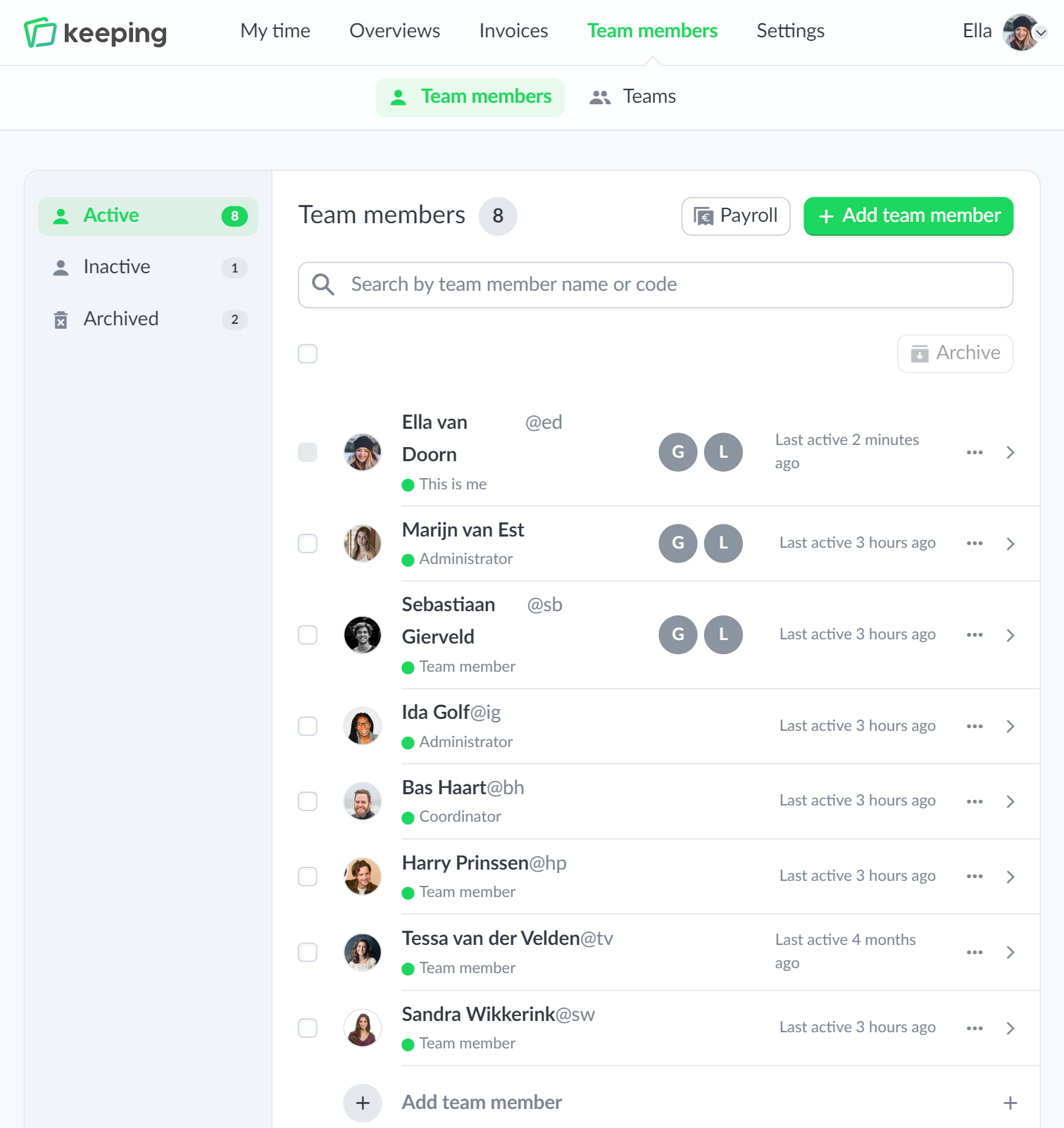
Team overview from Doorn Consultancy, for example, to view a team member's hours
Overview of time registration specifically set to hours per task

Project Management

Insight into your projects

Good project management requires insight into the hours that are being worked. To gain that insight, you need information tailored to your workflow. You can fully customize Keeping to your workflow; keep track of your time for clients and projects, or by task or activity. Because Keeping can be set up according to your workflow, it is a valuable resource for making accurate estimates for future assignments based on previously recorded hours.

Smart integrations

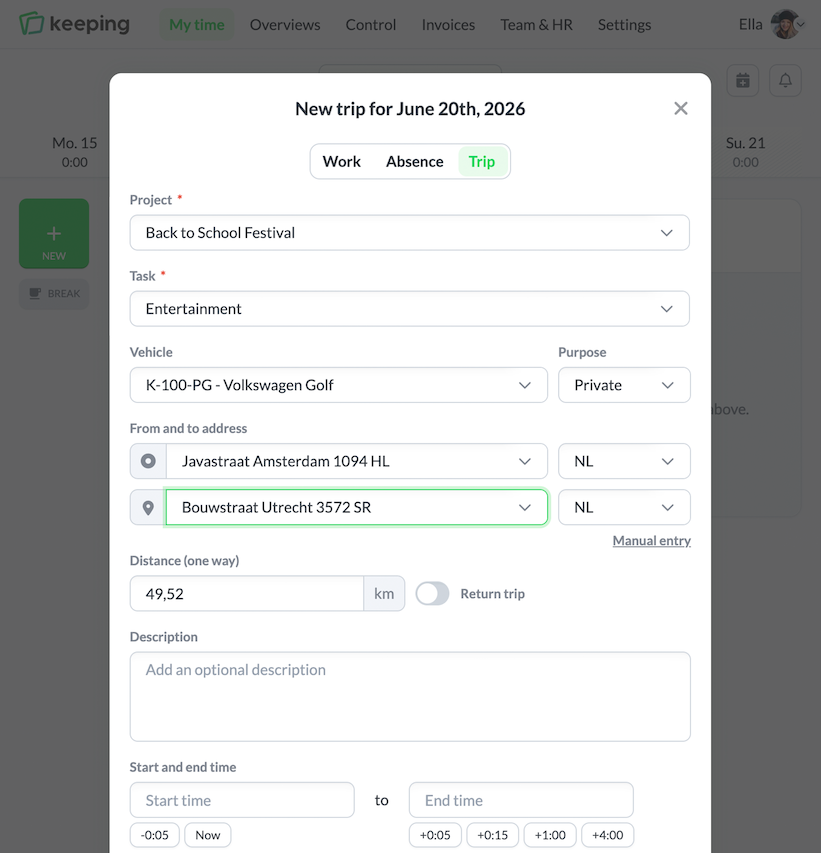
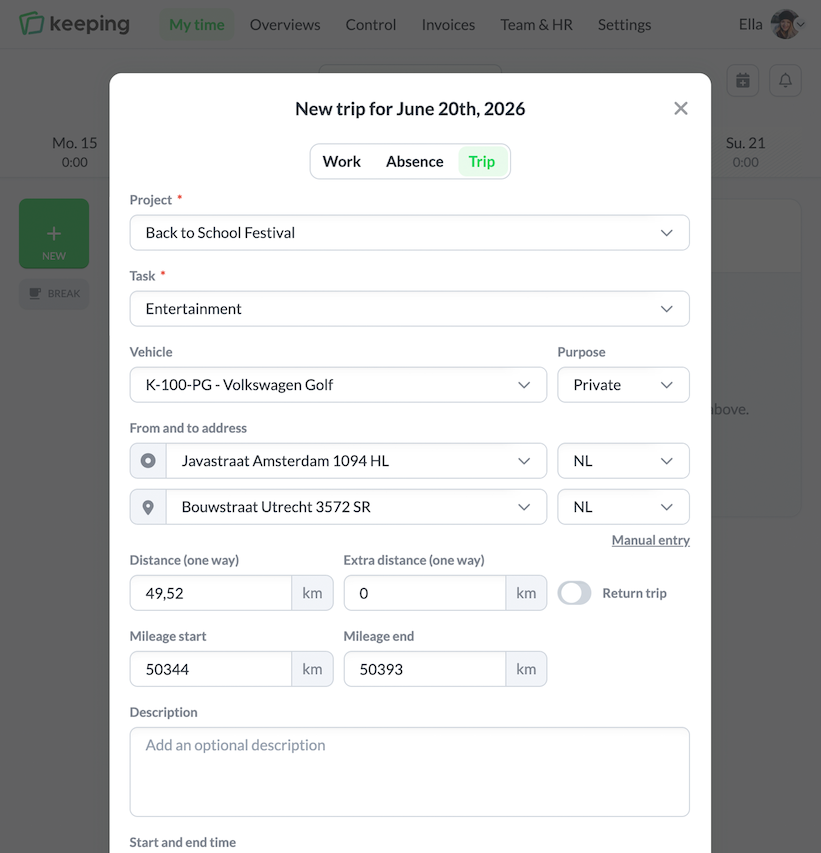
Additionally, Keeping integrates with various project management tools such as Asana, Atlassian Jira, Basecamp, Trello, and other project management tools. This adds depth to your time registration by allowing you to link specific time entries.

  • Fully customizable to your workflow; Quickly set up Keeping with projects, tasks, and labels.
  • Detailed time tracking; With extensive reports in various dashboards.
  • Insight into project bottlenecks.

Day and night

Dark-mode support

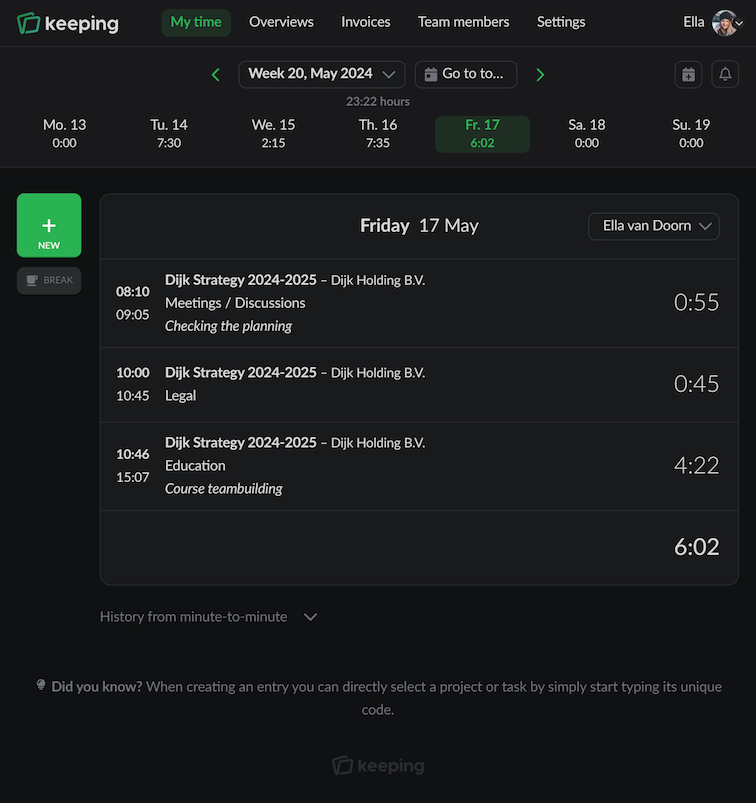
Time is tracked throughout the day. For moments when a lower contrast UI is preferable, Keeping offers a "dark mode".

Dark mode provides a high-contrast and soothing display, which can be easier on the eyes, especially in low-light environments.

Perfect when working in twilight or simply because you prefer a darker interface!

  • Automatic switching on and off; Syncs with your device's dark mode settings.
  • High-contrast and soothing display. This can be easier on the eyes.
Dark mode settings
The team overview of Doorn Consultancy, for example, to view a team member's hours

Do you track your hours well?

Try Keepingfor free without limitations for the first 14 days.

Stopwatch to clock hours illustration