Pro Easy team management

Manage team members easily with Keeping

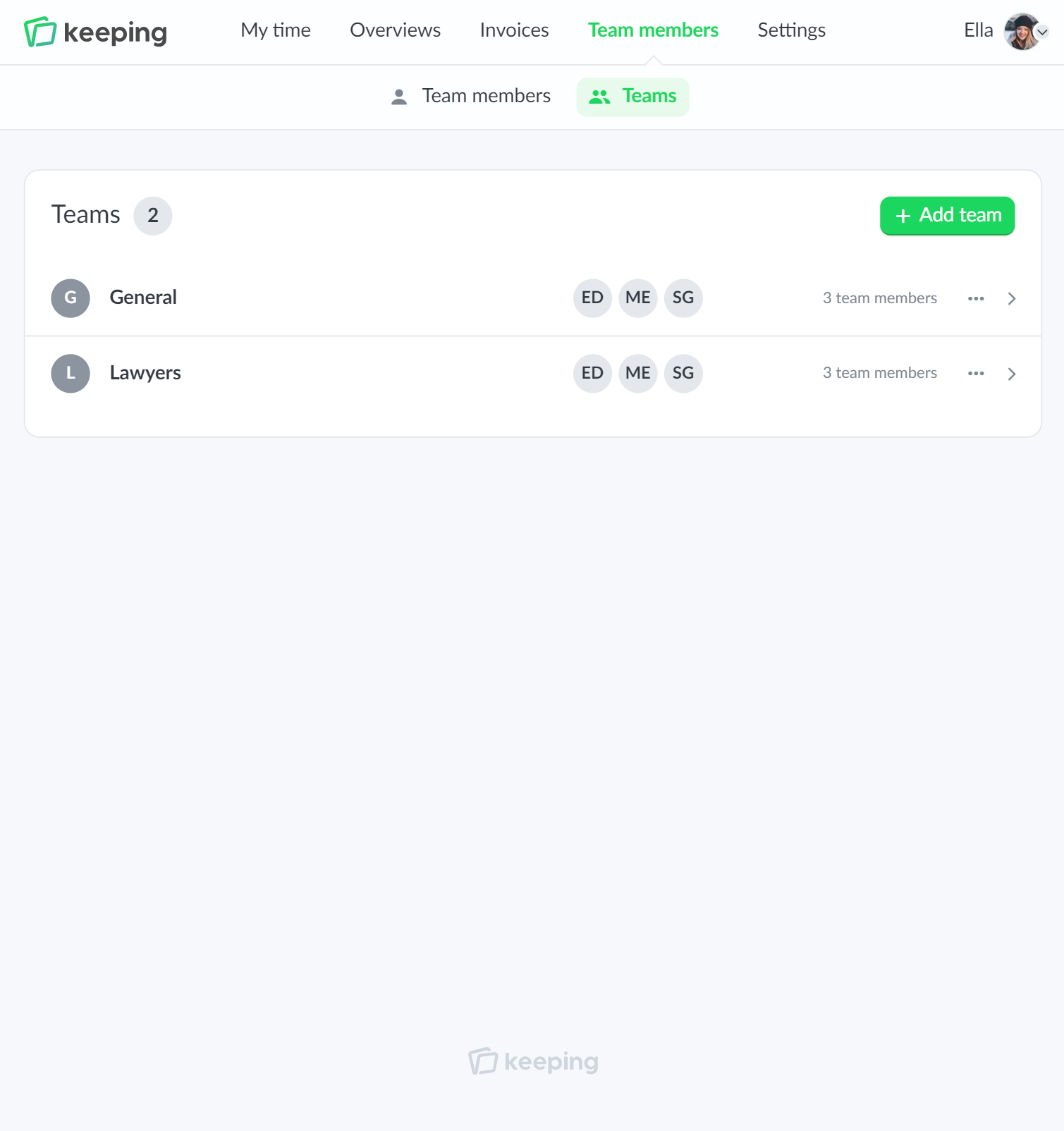
As your workforce grows and consists of more people, it can be helpful to quickly associate team members with projects. The teams feature allows you to easily link multiple team members to a project.

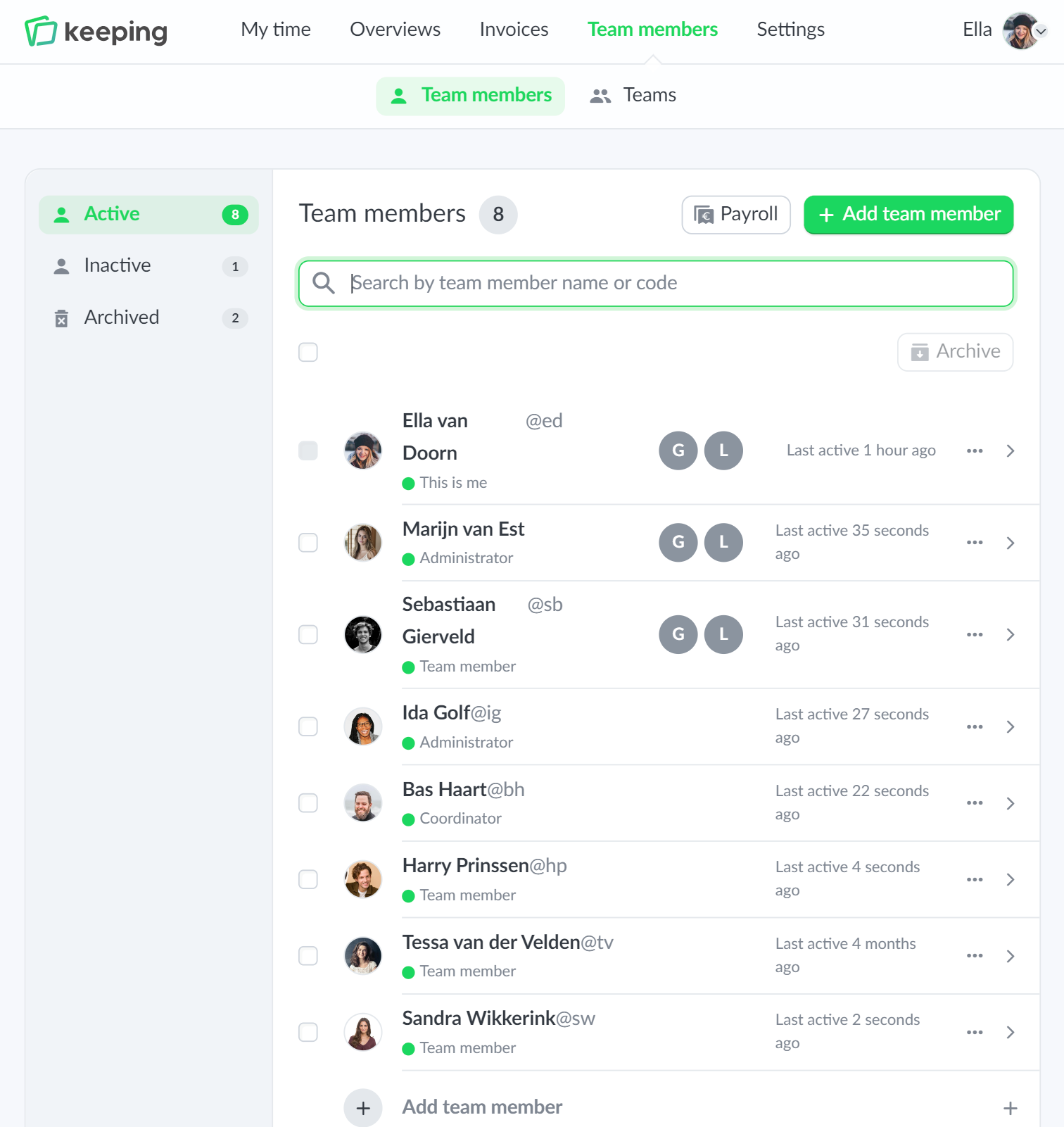
The member overview clearly indicates which teams they are linked to. This way, you can always see at a glance which teams your staff belong to.

  • Clear at a glance; See which teams your staff are assigned to
  • "Batch" actions when linking teams to projects; Link multiple people with one click.
Overview of team management in Keeping
Overview of hours registration specifically set for hours per task
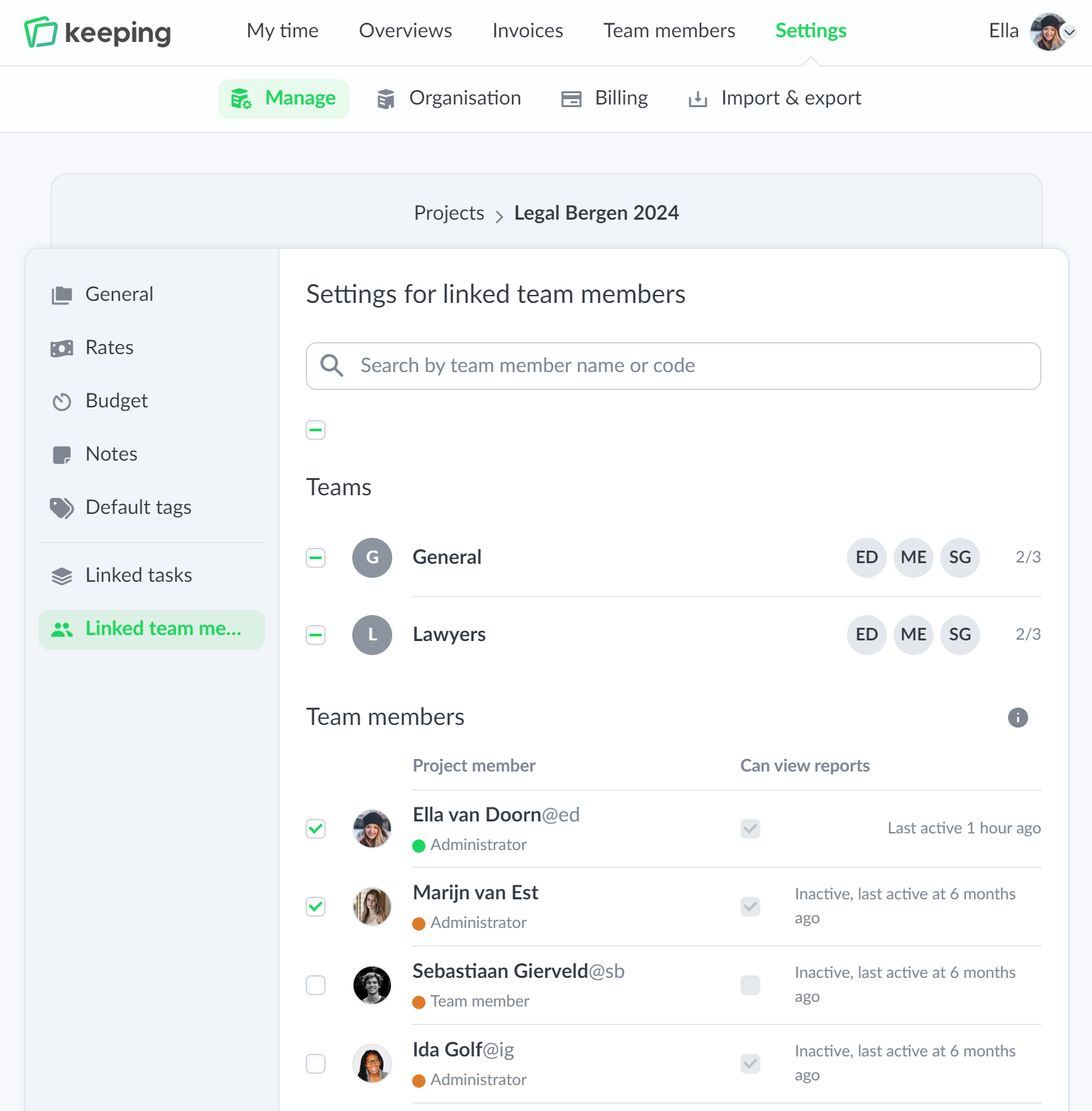
Linking teams within projects
Overview of team management

Pro one-click linking

Easy management of team or staff

When using teams, you can easily link teams to projects. With one click, you can link all team members within the team to a project.

Want to make exceptions for some team members? In the same overview, you can uncheck the team members that should not be linked.

  • Easily link team members to projects; With one click.
  • Clearly displayed; You can immediately see which teams are linked.
Pro Reports

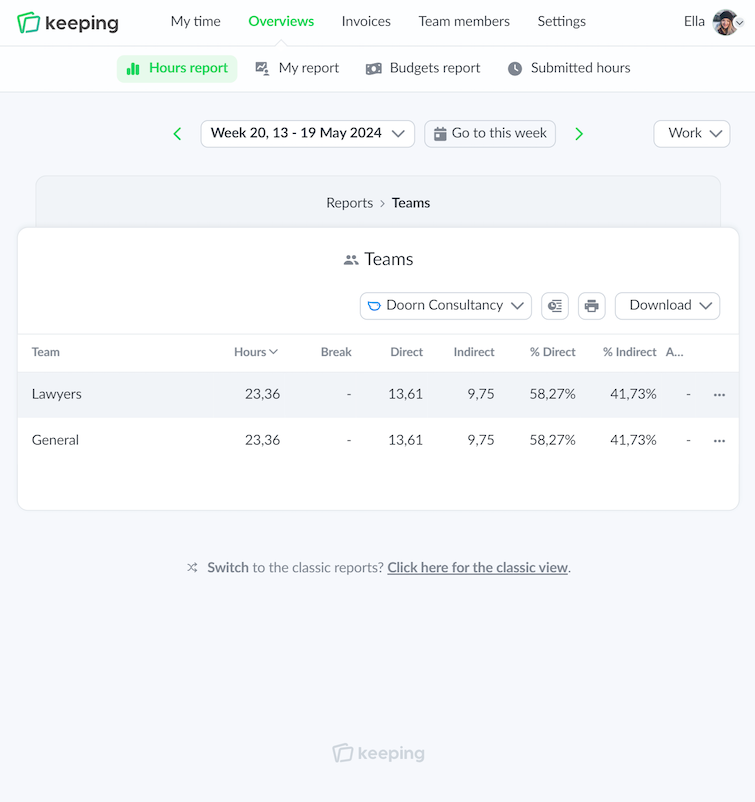
Team report

With the team report, you can see exactly what your team has worked on. You can click through to underlying entries. The underlying entries can be downloaded as a PDF, Excel, or CSV file within Keeping.

  • Click through from all reporting dashboards; Easily export reports.
  • Export to PDF, Excel, or CSV files; Easily download reports.
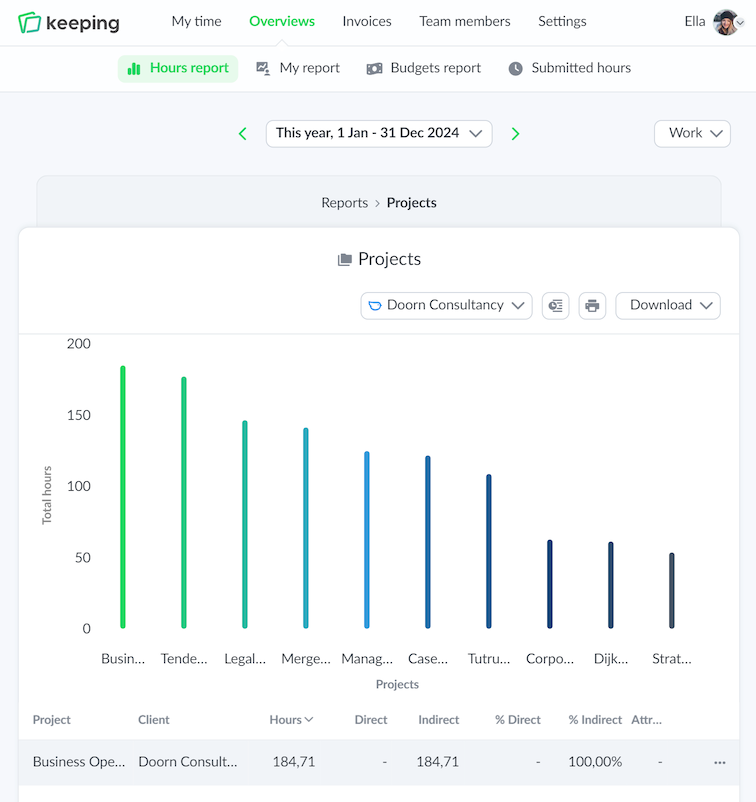
Overview of time registration specifically for teams
Overview of time registration specifically set for hours per task

Improve your time tracking with Keeping

Starting with Keeping is free. Discover it yourself.

Stopwatch to clock hours illustration