Clock in on the go

Time-tracking app for iPhone

You will always have an overview of hours at hand with the time-tracking app for iOS.

On the web, you set up all your projects, tasks, and clients so they are ready for use on the go. Especially handy if you occasionally forget to clock out at the office.

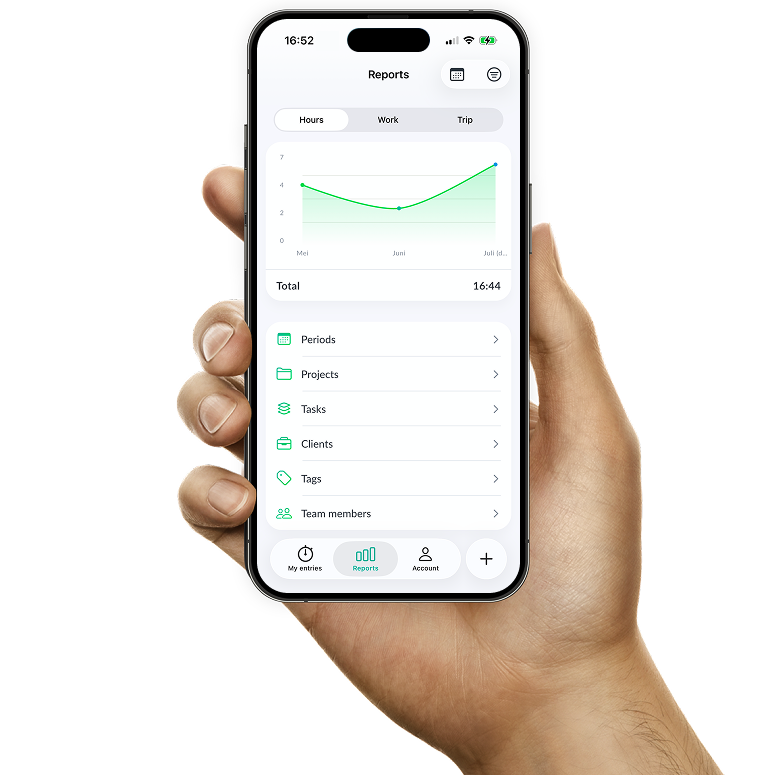
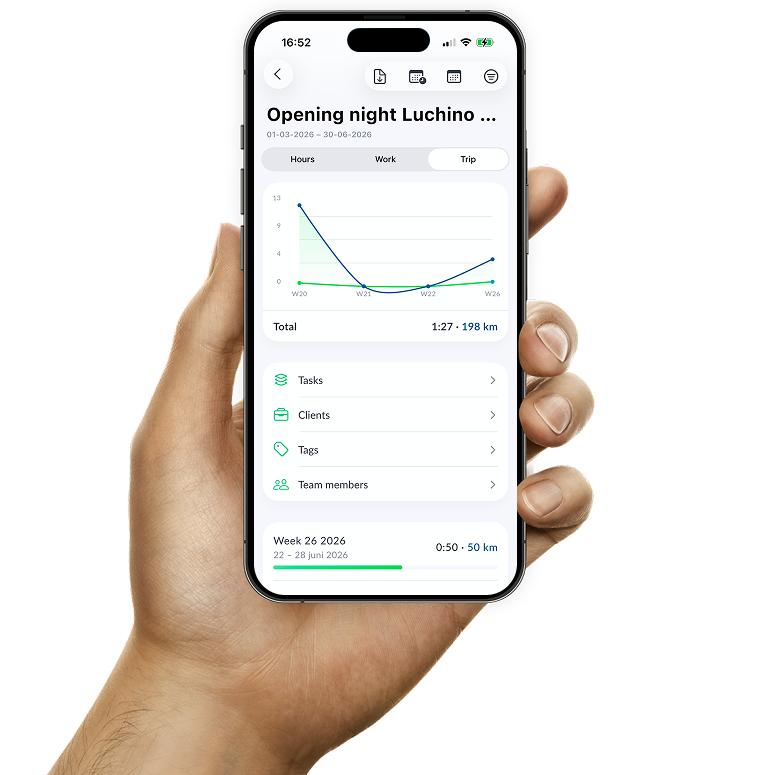
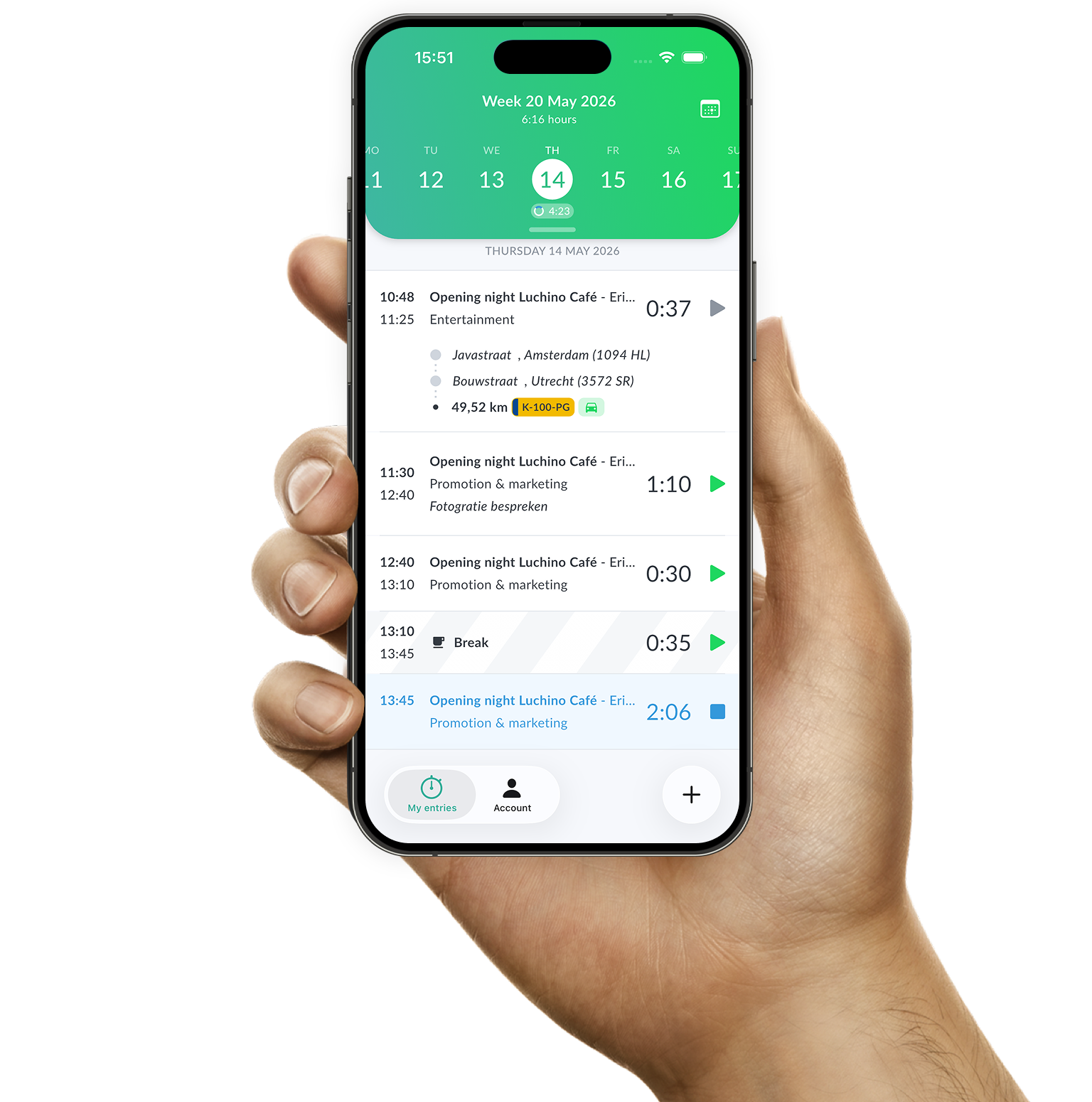
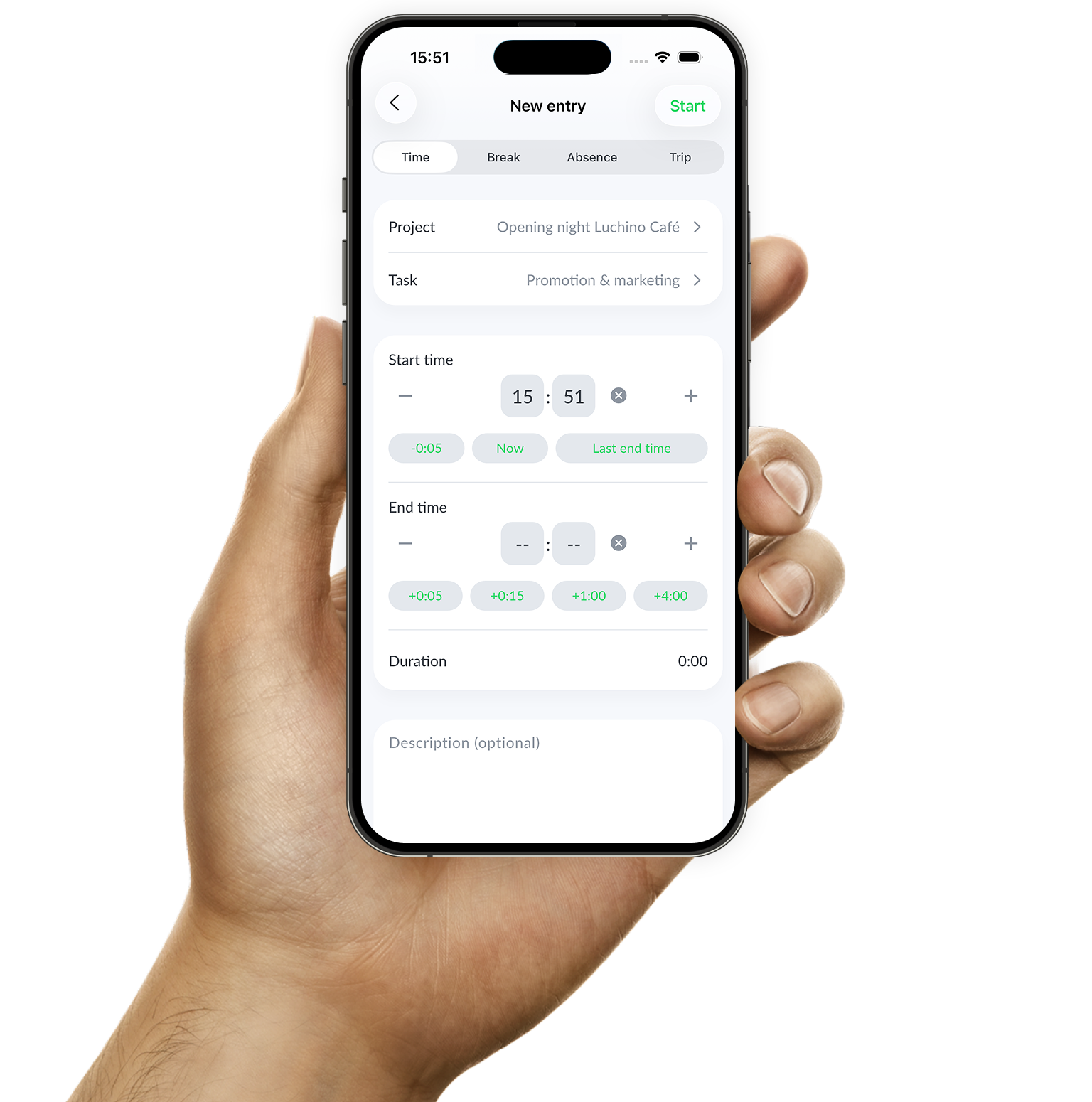
Example of time tracking with the Keeping iPhone app
Quickly change the date by tapping the date in the Keeping iPhone time tracking app

Discover

Time at your fingertips

The time-tracking app for iPhone is designed to allow you to register time flexibly, wherever you are. You can easily browse your time management to view or update the time tracking for a specific day.

  • Simple to use; Quickly and easily keep track of your hours.
  • Start and stop time entries everywhere; Track hours wherever you are, at any time.
  • Easy to switch clients, projects, or tag. Effortlessly pause or stop active time entries.
Mobile and web collaboration

Modern time tracking

The time-tracking app complements the web application. All web settings are seamlessly transferred to the iPhone app.

The mobile application serves as a companion app for the website, meaning they complement each other rather than completely replace one another. So, you have the most essential features for time tracking available on the iPhone app.

Manage your organization in the web application

Add new clients, projects, tasks, and team members through the website. The clients, tasks, and projects you add become immediately available in the mobile application. This way, you can quickly switch between web and mobile.

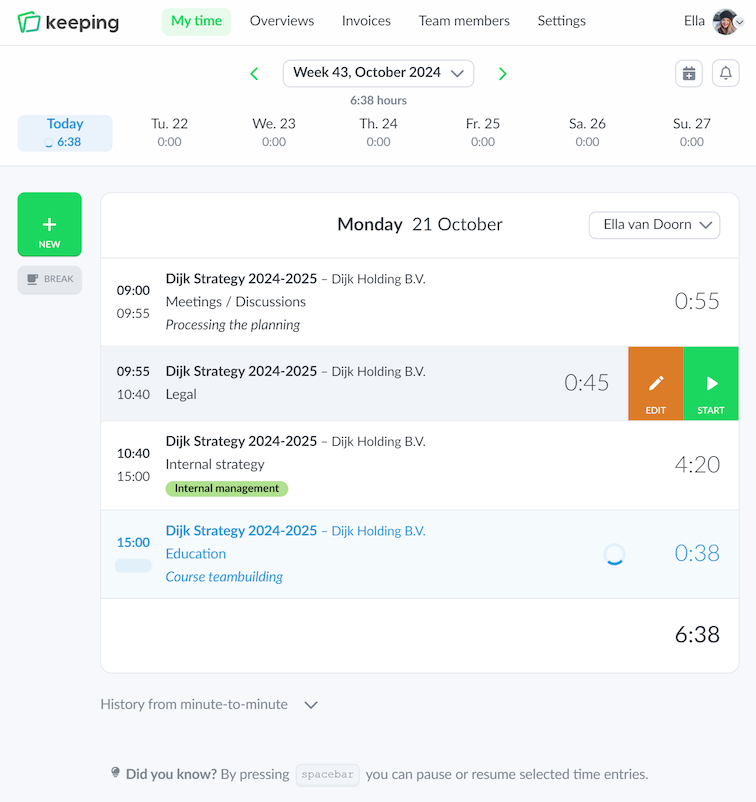
Time entries on web and mobile are always synchronized online, meaning that if you make any changes on mobile, they will also be instantly reflected on the website.

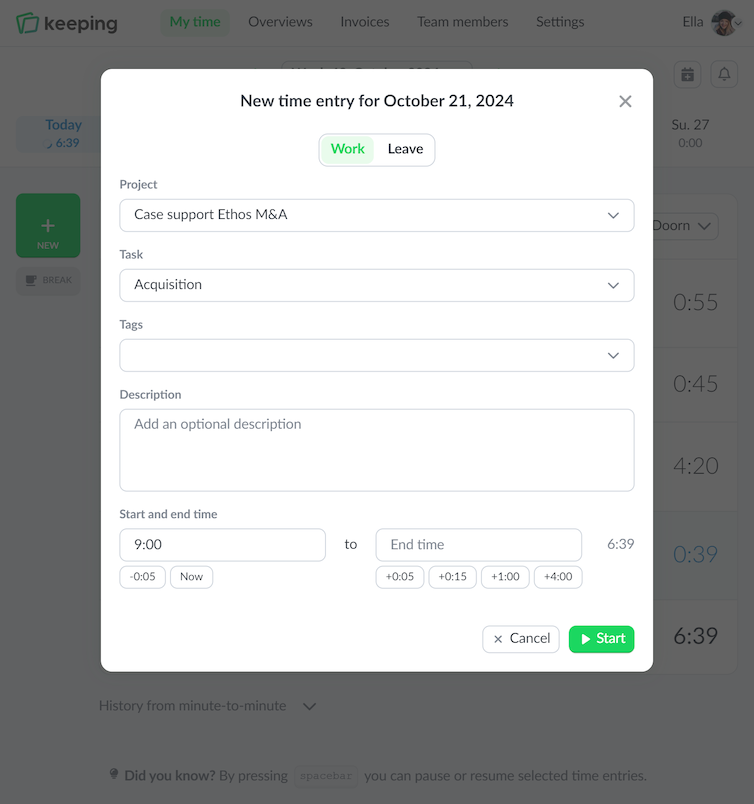
Overview of hours registered on a specific day in the web version of Keeping
Entering time by minute in Keeping
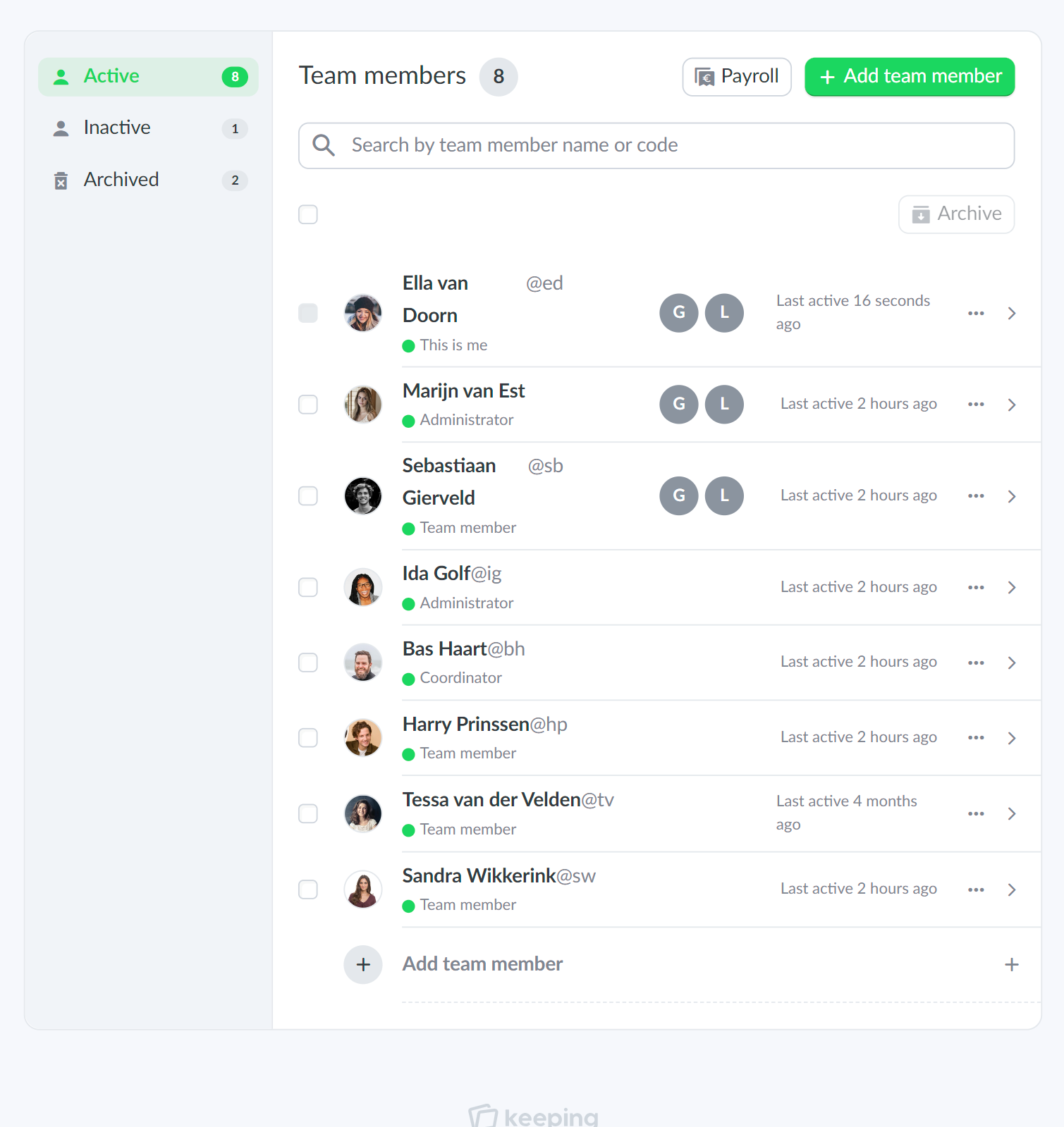
An example of the team overview from Doorn Consultancy
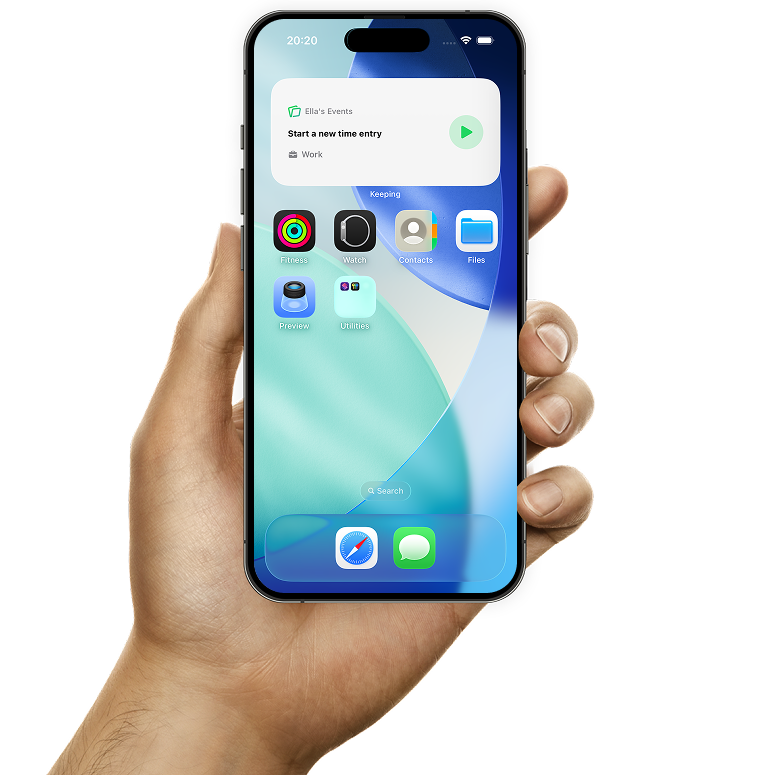
Quickly start a new time entry or stop an active one with the Keeping widget

Widget

Start and stop time entries faster with the widget

On iPhone you can add a widget to your home screen. Use it to quickly start a new time entry or stop an active one.

You can also add a small widget to the lock screen to do the same without unlocking your phone.

Additionally, you can display a live activity for a running time entry, which can also be stopped directly.

  • Home screen widget for quick start and stop; Handy on the go or when you use the mobile app frequently.
  • Lock screen widget available; Start and stop time entries directly from your locked phone.
  • Easy overview of active time entries. With live activities, your time entry is always visible on screen.

Start tracking your hours today

Over 25.000 entrepreneurs are already using Keeping to make time tracking easier for them and their team. Sign up below and start using Keeping for free.

Stopwatch to clock hours illustration