
Discover Keeping

Time Tracking in Excel Can Be Simpler, More Organized, and Free.

Tracking your hours is essential when you want to gain insight into the number of hours worked and how you spend your time. Additionally, time tracking is often linked to a payroll slip or invoice, ensuring that payments are made fairly and accurately. Many freelancers and startup entrepreneurs use Excel as a time tracking system.

Excel is a simple and inexpensive program that allows you to customize your administration to your needs. However, in the long run, using Excel for time tracking is often not the most efficient solution, given the time it takes to set up and maintain. That's why we developed Keeping, a time tracking tool that saves you valuable hours.

Are you a freelancer? Then you can use Keeping for Free.
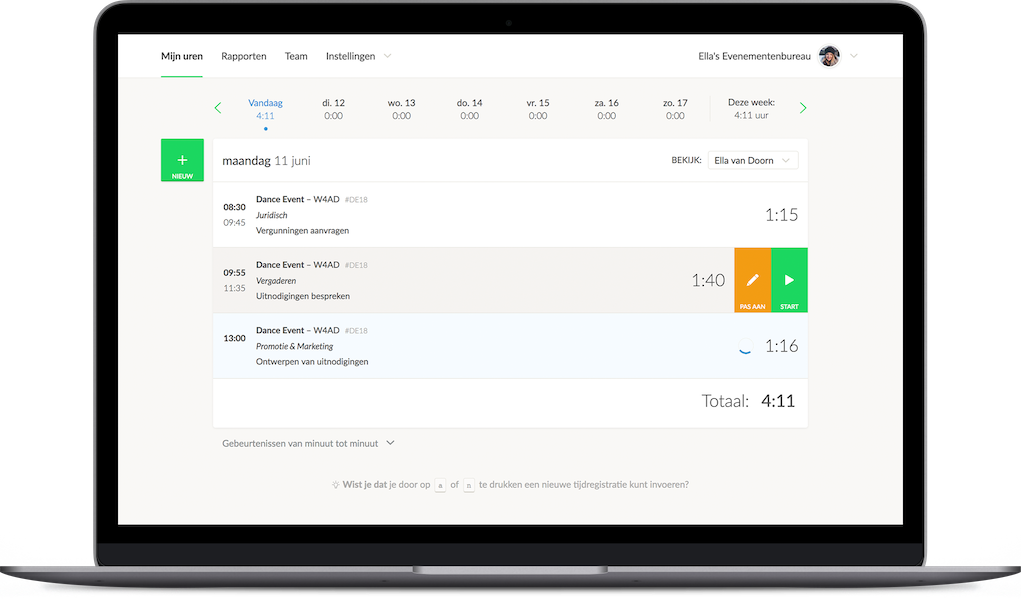
Example of time tracking on a specific page via the website Character pointing at something on the computer

Getting Started with Ease

Excel Time Tracking – A Good Choice or Not?

Excel is often used for tracking worked hours simply out of convenience, but is it really the best choice? Most entrepreneurs start their administration in Excel. The spreadsheet program is practical, and almost everyone has it on their computer. When considering how to record your work hours, there are many options available.

Because many people already have Microsoft Office, they don’t need to invest in a new system. Additionally, there are plenty of online bookkeeping templates available, making Excel easy to use. If you're already familiar with Excel's functions, you don’t have to learn a new system with different features. However, in the long run, you may encounter limitations when continuing to use Excel for time tracking.
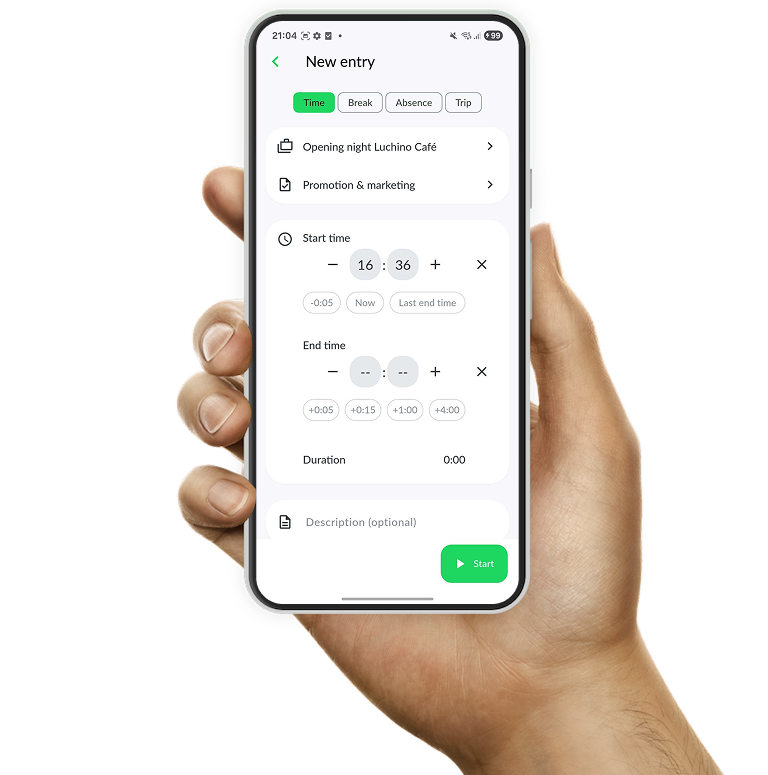

Examples of

The Disadvantages of Using Excel for Time Tracking

At first glance, Excel seems like the perfect way to track your hours for free. But are there drawbacks to using Excel for time tracking?

  • Excel is certainly manageable in the beginning, but as your business grows, keeping track of everything becomes harder. The number of Excel files, sheets, and formulas increases, and errors are easily made. Additionally, formulas are sensitive, and even a small mistake can have significant consequences for your bookkeeping. As soon as you start linking your Excel hours to projects or tasks, creating an overview becomes a time-consuming task.
  • An Excel file is not very flexible. If you’re often on the go, you won’t always have easy access to your time records. Additionally, Excel is typically limited to one user at a time, making it unsuitable for businesses with multiple employees.
  • You don’t know if your file meets the tax authority’s requirements. This is important because the amount of tax you pay is partly based on the number of hours you work. Keeping accurate time records can help avoid financial issues. A small error can lead to significant costs, which you definitely want to prevent.

We invite you to try Keeping for free. You can test the Keeping time tracking system with one user at no cost, allowing you to evaluate our platform for yourself. Are you a freelancer? Then you can always use Keeping for free. We’d love to hear your feedback.

Discover the benefits of the Keeping time tracking app

Best in Its Class

A Free, Better Alternative to Excel: Keeping

Keeping is a flexible and organized alternative to Excel for tracking your worked hours.

  • The timer function ensures a detailed time log;
  • The time tracking app allows you to log hours while on the go or on-site;
  • Everything is stored in the cloud, accessible from any device with an internet connection.

A New Way to Track Time

Improve your time tracking with Keeping.

Stopwatch to clock hours illustration
