
Gain More Insight into Your Organization's Productivity

Create a Time Log with the Keeping App

A time log is a list of worked hours, often linked to a specific task or project. In other words, it’s a ‘basic time tracking system.’ Keeping a time log helps you understand how much time you spend on your work and ensures you receive fair compensation. A time log should provide a clear overview of the hours spent on a specific task, client, or project.

Many freelancers and entrepreneurs use Excel to create a time log, but a lot of time can be saved with a more efficient system. Keeping makes keeping a time log simple and organized. You can immediately see the profitability of employees, tasks, or projects and optimize where necessary.

Are you a freelancer? Then you can use Keeping for Free.
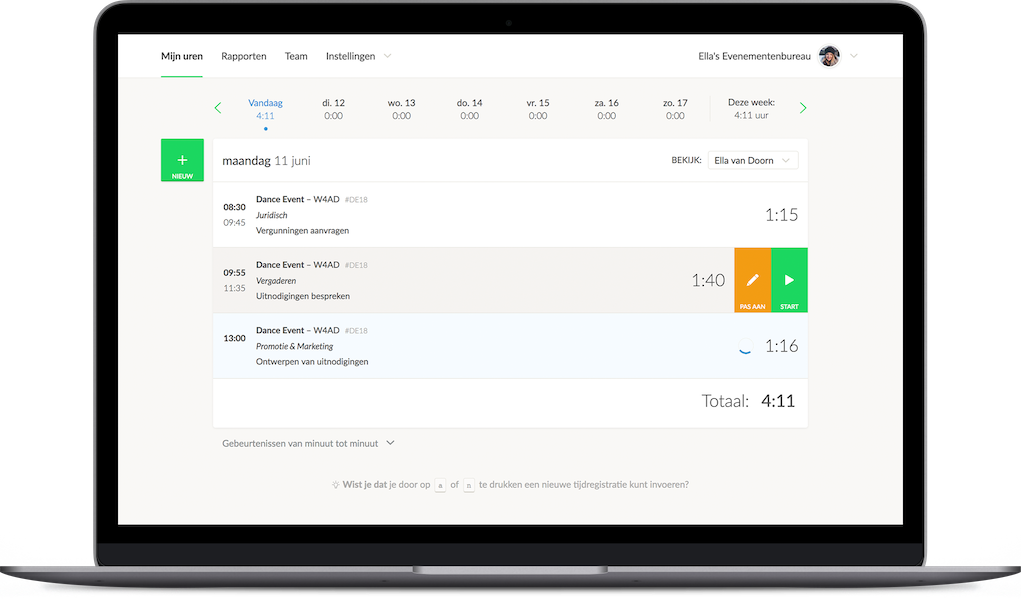
Example of time tracking on a specific page via the website Character pointing at something on the computer

Easily Track Your Time

Get a Better Overview with Time Logs from Keeping

Excel is often used for convenience to create a time log, but is it the best choice? There are many ways to manage your time tracking. If you have a Microsoft Office package on your computer and are familiar with Excel, choosing Excel may seem logical. However, an Excel file is not flexible because it is difficult to access on your phone and does not always sync in real-time. If you travel a lot for work, this can be inconvenient.

The Importance of an Accurate Time Log

Maintaining an accurate time log is crucial. It helps prevent losses on certain projects or tasks.

By understanding how much time is spent on a client, project, or task, you can make better-informed decisions regarding budgeting and progress tracking. Additionally, with Keeping, you can directly bill clients for these hours.

Start improving your time tracking, try Keeping for free.
All Benefits at a Glance

The Time Log App from Keeping

Since hours are often recorded retrospectively, inaccuracies in time logs are common. This can happen when people don’t remember their exact hours and can be worsened by procrastination and an inefficient system.

Keeping is the solution to outdated methods, loose papers, and complicated software used for tracking worked hours. Keeping makes time tracking much easier and more efficient through the following features:

  1. Flexible and Accurate The time log app from Keeping is available on Google Play and App Store. This makes the app accessible to anyone with a mobile phone. Additionally, it can also be used on a computer or tablet. You can easily clock in when starting a task and clock out when finished. Modified employee time entries can be reviewed in one overview, making it a reliable and accurate system.
  2. Synchronization The time log is securely stored in the cloud, ensuring instant access across all your devices. All you need is an internet connection.
  3. Organized A time log can be based on a specific task, client, or project, keeping it well-structured.
  4. Tax Benefits for Entrepreneurs Tax deductions depend on the number of hours you invest in your business as a self-employed entrepreneur. That’s why it’s essential to maintain a complete time log. With Keeping, you are guaranteed accurate record-keeping.
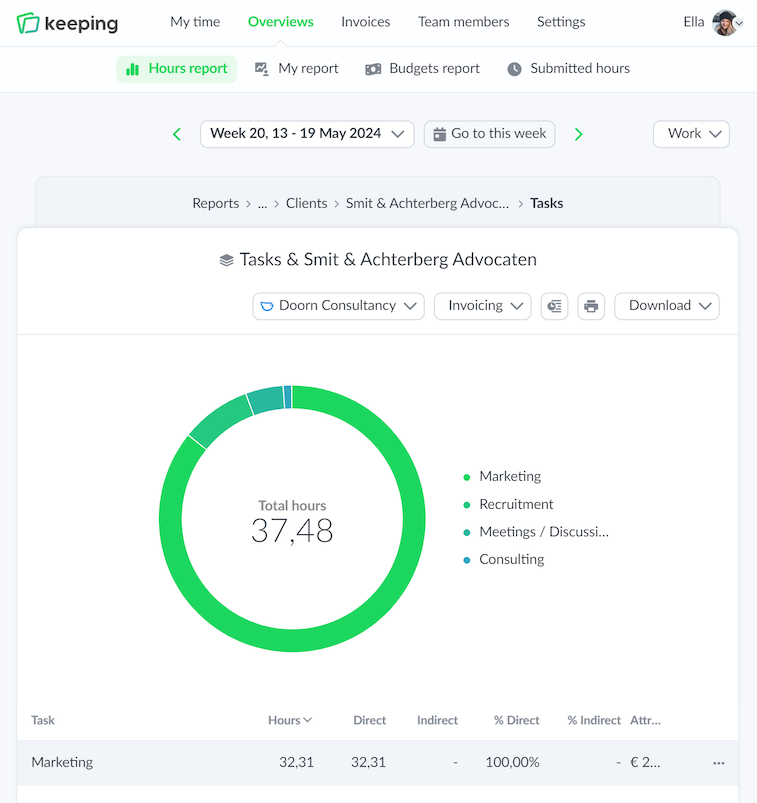
Overview of time tracking specifically set per task Graphic character supporting the main image
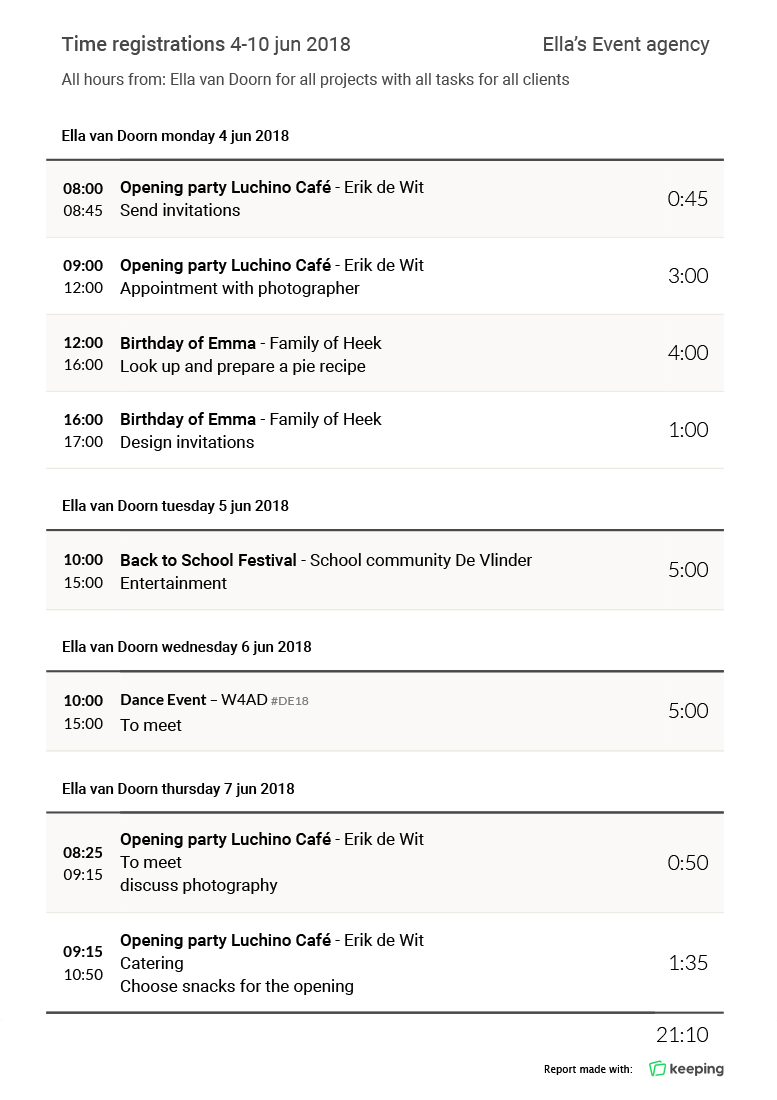
Details of a time tracking report downloaded in PDF format

Easily via the Keeping App

Avoid an Inaccurate Time Log

In the past, time logs were often created in an Excel file. Thanks to time tracking with Keeping, that is now a thing of the past. The only action you or your employees need to take is pressing the start and stop button. Hours can be assigned directly to a task or project. This makes the time log much more accurate than when hours are recorded later on paper.

Keeping offers all these features and more!

Keeping offers a flexible app that is easy to use

Track your working hours accurately and adjust them whenever and wherever you want. The time log from Keeping is simple, flexible, and well-organized.

Stopwatch to clock hours illustration