
Cloud-Based

Online Time Tracking with Keeping

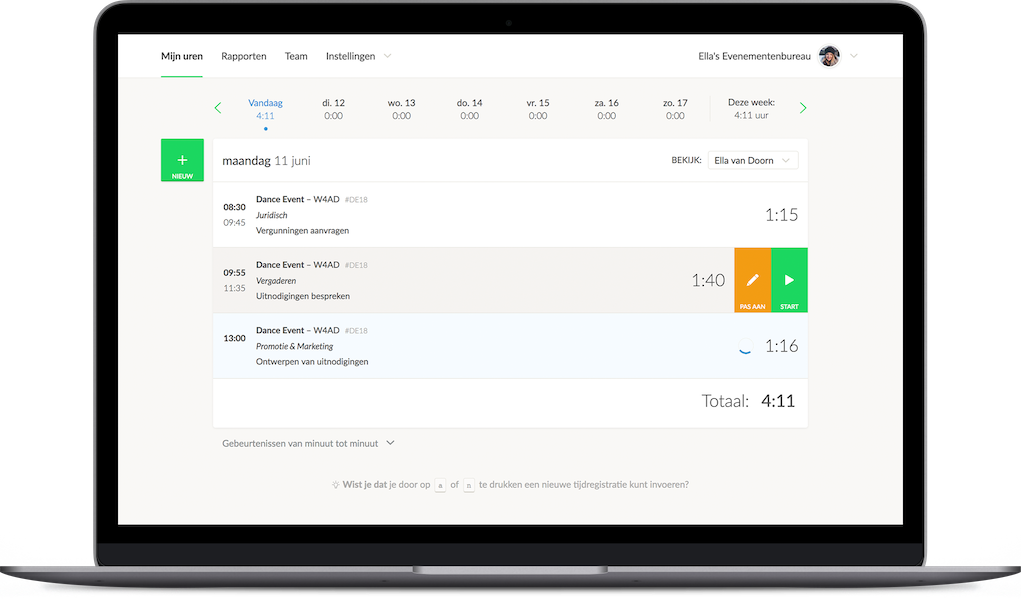
Time tracking has become an integral part of many businesses. While it was once done primarily on paper, today, there are many digital solutions that make tracking work hours easier. Keeping provides a simple, intuitive way to log your hours online.

Are you a freelancer? You can use Keeping for free.
Example of online time tracking with Keeping Illustration of a character pointing at a computer screen

Accurate & Versatile

Proper Time Tracking

Keeping makes time tracking simple, structured, and highly accurate. For both employers and employees, proper time tracking comes with key benefits:

  • Employees can instantly see how many hours they have worked;
  • Employees can immediately check if they qualify for leave based on overtime;
  • Employers gain real-time insights into work hours per project and task;
  • Employers can use past projects to make better time estimates for future work.

Common Time Tracking Issues

Although time tracking is beneficial for both employers and employees, mistakes are common. Many workers fail to track their hours accurately, often because they don’t consider it a priority. After all, the time spent on logging hours could be used for the actual work being billed.

As a result, hours are often logged retroactively, increasing the risk of errors due to forgotten work periods. What steps can businesses take to improve time tracking? Let’s take a closer look.
Use Keeping for free or try Plus free for 14 days.
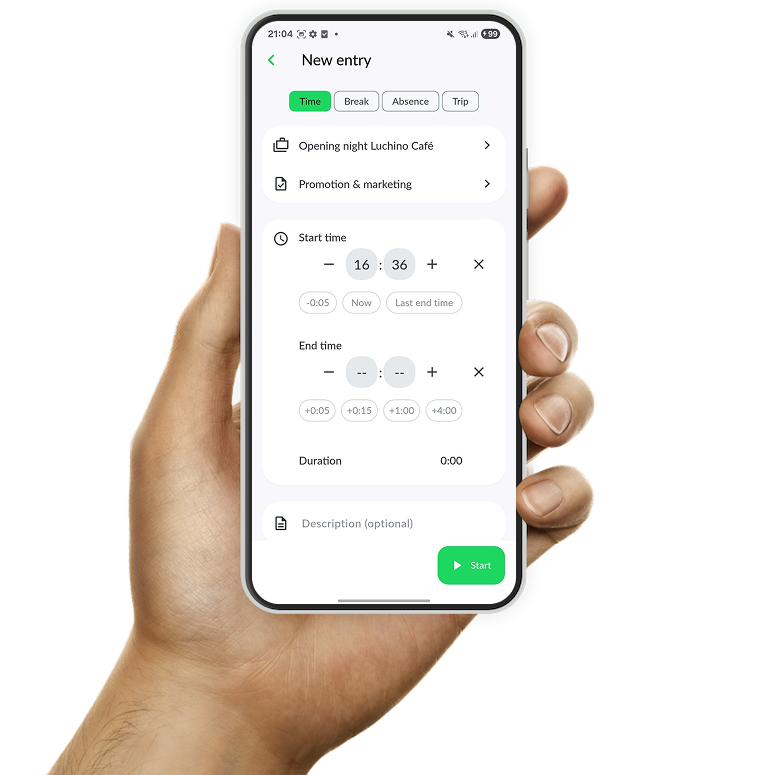
Keeping time tracking app, available for both Android and iPhone

Includes a Time Tracking App

Track Hours on the Go with Our Mobile App

Time tracking should be as effortless as possible for employees. Freelancers, who are often busy working for clients, don’t want to deal with excessive administrative tasks. Fortunately, today’s technology offers plenty of solutions. The most effective ones are mobile and online apps that simplify time tracking.

These apps are easy to use and incredibly fast. All an employee needs is their smartphone. Keeping has developed a user-friendly app for both iOS and Android, making time tracking a breeze.

The Audit Log

Monitor Time Entries in Real Time

Improving time tracking is not just about making it easier for employees—it also requires monitoring whether hours are actually being logged and tracking how many hours are assigned to specific projects. Keeping provides full transparency into how much time is recorded per project or task. This helps detect areas where an unusually high or low number of hours are being logged.

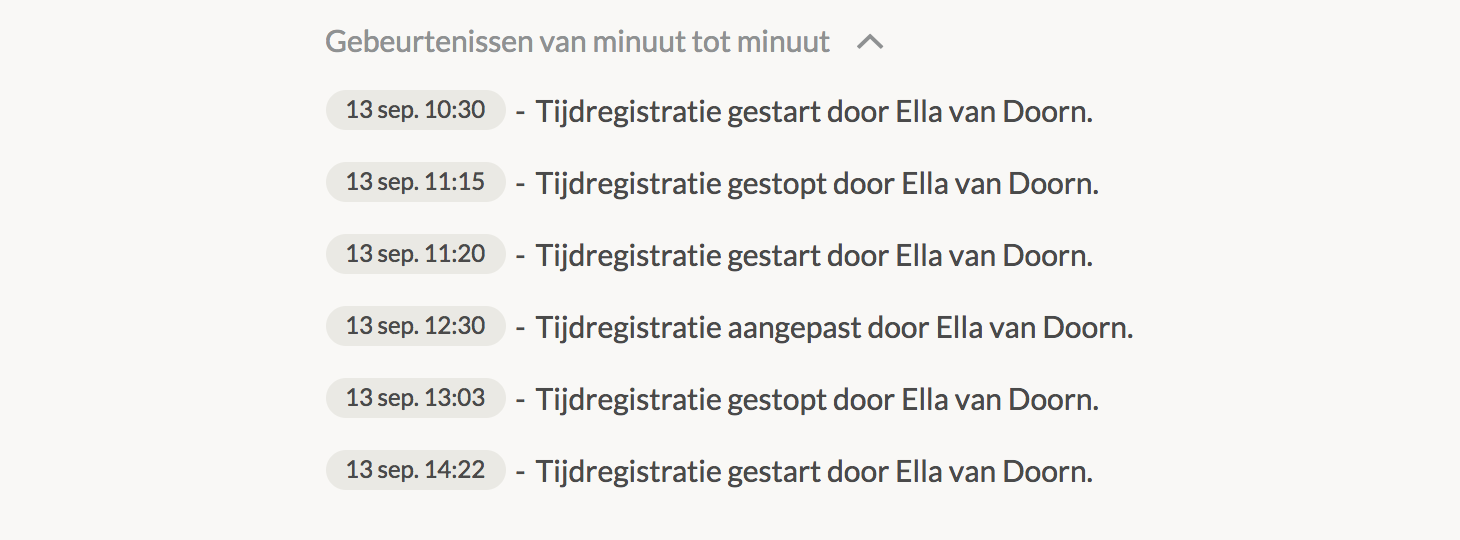
Overview of time tracking events

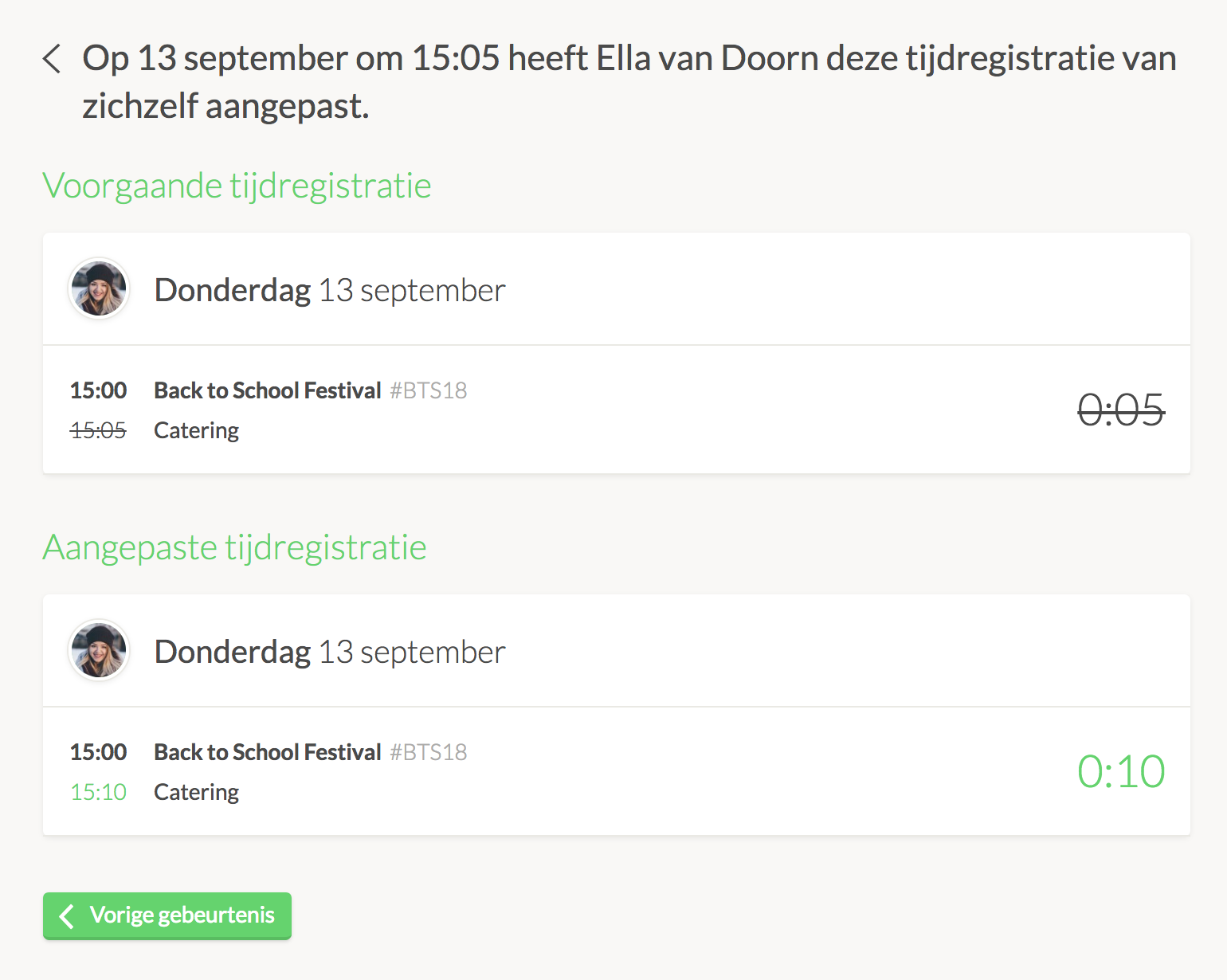
Events show when a time entry has started, including its start time and details. They also log any modifications made to existing time entries. This allows organizations to not only track whether employees are logging hours but also see how time is distributed across ongoing projects. Reporting work hours has never been easier.

Comprehensive Time Tracking Software

With Keeping, logging hours, monitoring activity, and generating reports can all be done in a single platform.

Details of a time tracking event

The app simplifies time tracking administration with an interactive and user-friendly experience. It is available on desktop, smartphone, and tablet, allowing users to log hours anytime and anywhere—down to the exact minute.

Have you been tracking time elsewhere? No problem. With Keeping's import functionality, you can transfer historical data to the platform in just a few clicks. Experience how Keeping helps improve accuracy in time tracking—try it for free today!

Teams require a Plus subscription.
You can try this plan for free for the first 14 days.

Log Hours Accurately

Discover how Keeping can improve time tracking for your business. Try it for free.

Stopwatch to clock hours illustration