Try it for free now

Keeping: smart and simple time tracker

Tracking your worked hours provides insight into how much time you have spent on your work or a project. Keeping track of worked hours is known as ‘time tracking’ in English. The time tracking app from Keeping offers an overview of the total hours spent per task, client, and project.

By using the Keeping time tracker effectively, you can easily generate reports that provide insight into your organization's efficiency.

Are you a freelancer? Then you can use Keeping for free.
https://doorn-consultancy.keeping.nl/

An alternative to Excel

More overview with the time tracker app from Keeping

Excel is commonly used for time tracking, but is it really the best choice? There are many ways to manage your time registration. If you have the right knowledge of Excel, using it for time tracking may seem like an obvious choice, as there is no need to invest in a new system. However, be aware! An Excel file is not very flexible. It is difficult to share with others, and accessing an Excel file on your phone can be inconvenient.

If you travel frequently for work, this can be problematic, as hours may end up being recorded later. This can lead to inaccurate time tracking data. Keeping ensures that time tracking is efficient, allowing freelancers, organizations, and teams to stay focused on their work. This way, time tracking remains clear and simple for everyone via the time tracker app.

The importance of the right time tracker app

Using a time tracking tool like Keeping is an easy way to comply with the European Court of Justice ruling, which requires all European companies to track working hours. Besides being mandatory, the time tracker from Keeping provides a clear overview that helps improve efficiency, productivity, and profitability per project. This, in turn, contributes to increased revenue for the company.

Start improving your time registration, try Keeping for free.

A few tips

The time tracker app from Keeping

If hours are recorded afterward, errors can occur in the time tracking data. This may be due to the inflexibility of a system or method, or simply procrastination.

Keeping is the solution for cumbersome workflows and time tracking programs. Keeping enables the following:

  1. Clear and flexible The time tracker can easily be based on a specific task, client, or project. Automatic suggestions and a smart UI ensure that everyone can quickly log time. You can enable or disable the use of projects or tasks, keeping the Keeping time tracker organized.
  1. Use anywhere The time tracker app from Keeping is available in the App Store and Google Play. This allows anyone with a mobile phone to use Keeping. When starting a task, you can easily clock in via the app, and once the task is completed, you can clock out. Modified time entries from employees can always be viewed in real-time in one overview, making it an accurate and reliable system.
  2. Tax benefits Income tax for freelancers and WBSO tax deductions depend on the hours worked by the entrepreneur or employee. To correctly justify these hours, it is essential that the time tracker securely stores all data. With Keeping, you are assured of this.
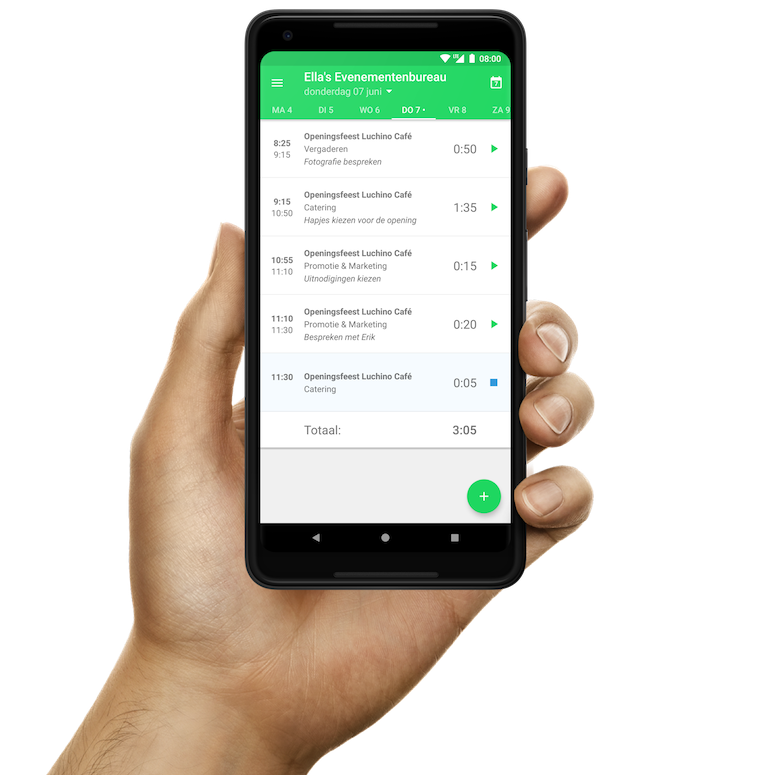
Daily overview of hours in the time registration app from Keeping

Accessible everywhere

Time tracker app on your phone

With Keeping, tracking your time registration is possible anytime, anywhere. In addition to our user-friendly dashboard on our website, we also offer the ability to track your hours via the Keeping app.

The only action you need to take is pressing the start and stop button. Hours can be assigned directly to a project or task, making time tracking much more accurate and flexible compared to recording hours later on paper.

Keeping provides an efficient time tracker

Track your work hours precisely and adjust them anytime, anywhere. The Keeping time tracker is simple, flexible, and easy to use.

Stopwatch to clock hours illustration