New: Trip Logging is Available in Beta!
It is now possible to log trips in Keeping! Both full and simplified trip logging are supported, and the feature is available in the Plus and Pro subscriptions.
Beta: feedback is welcome
Trip logging has been one of the most requested features over the past few years. Until now, because trip logging, or mileage tracking, is now available as a beta feature!
Why is it a beta feature? We have chosen this approach because this functionality introduces many related features for which we would love to receive feedback.
During the beta period for mileage tracking, we will also continue implementing improvements where needed.
Enabling trip logging
Trip logging is available in the Plus and Pro subscriptions and can be enabled via Settings > Features > Workflow > Enable Trip Logging.
As soon as at least one vehicle has been added under Settings > Manage > Vehicles, the feature becomes visible when registering hours.
Full and simplified trip logging
We decided to support both full and simplified trip logging. We make this easy by allowing you to specify per vehicle whether simplified logging is allowed.
During entry, you will therefore only see the fields that are relevant. Much easier that way.
Easy input
Although entering a trip requires quite a bit of information, we have made the process as easy as possible.
Address lookup uses auto-complete. Based on the selected address details, the distance between the two locations is automatically calculated using the most common route.
Driving further than calculated? Then you can manually adjust the number of kilometers. Is it a return trip? That can also be indicated.
For full registrations, the odometer readings before and after the trip are also required, along with any additional kilometers driven. The ending mileage is calculated based on the entered kilometers.
Do you often drive to and from the same addresses? Then these addresses will automatically be shown as suggestions, and the trip type will also be pre-filled based on the most frequently logged trip.
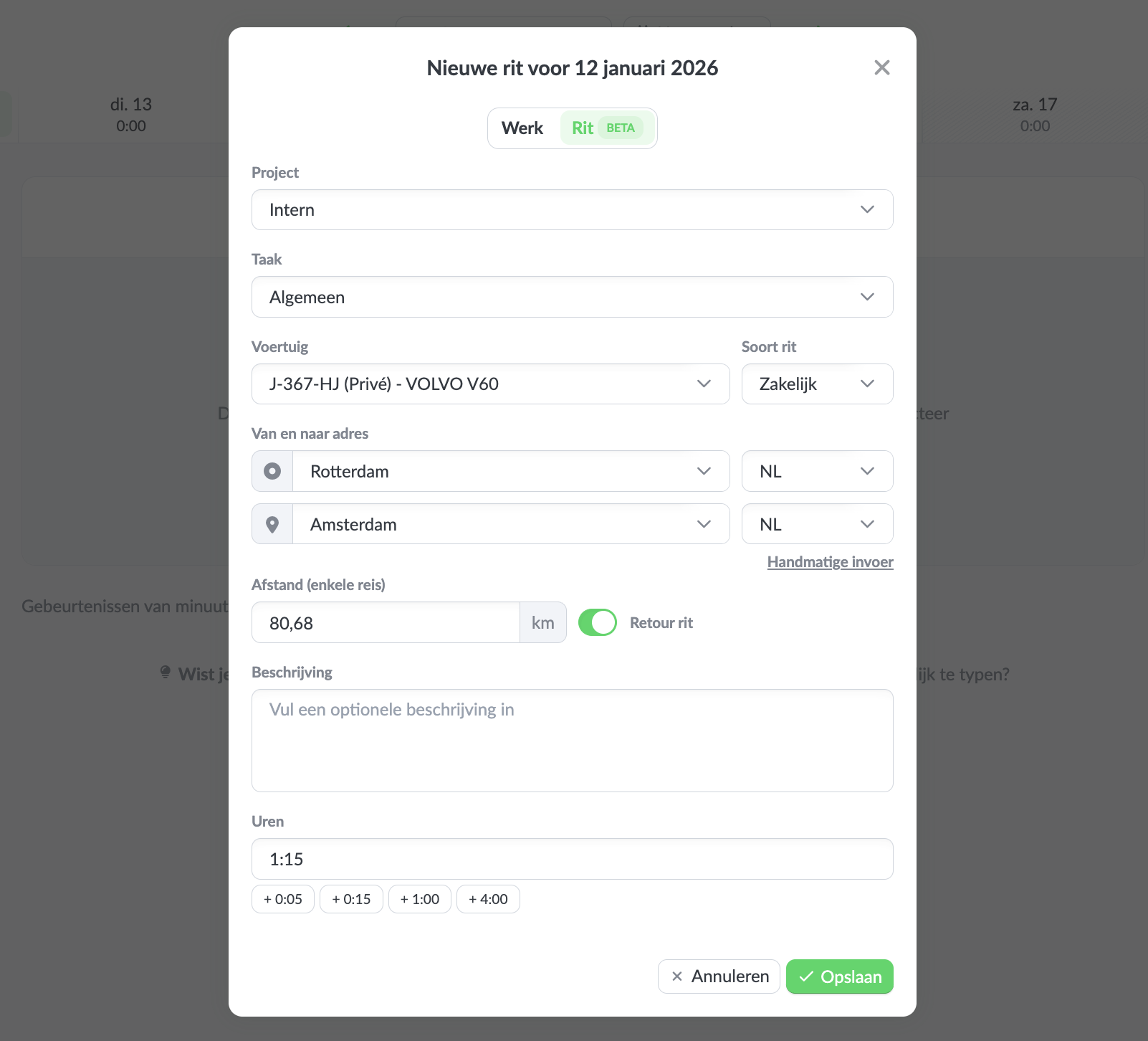 Entering a trip
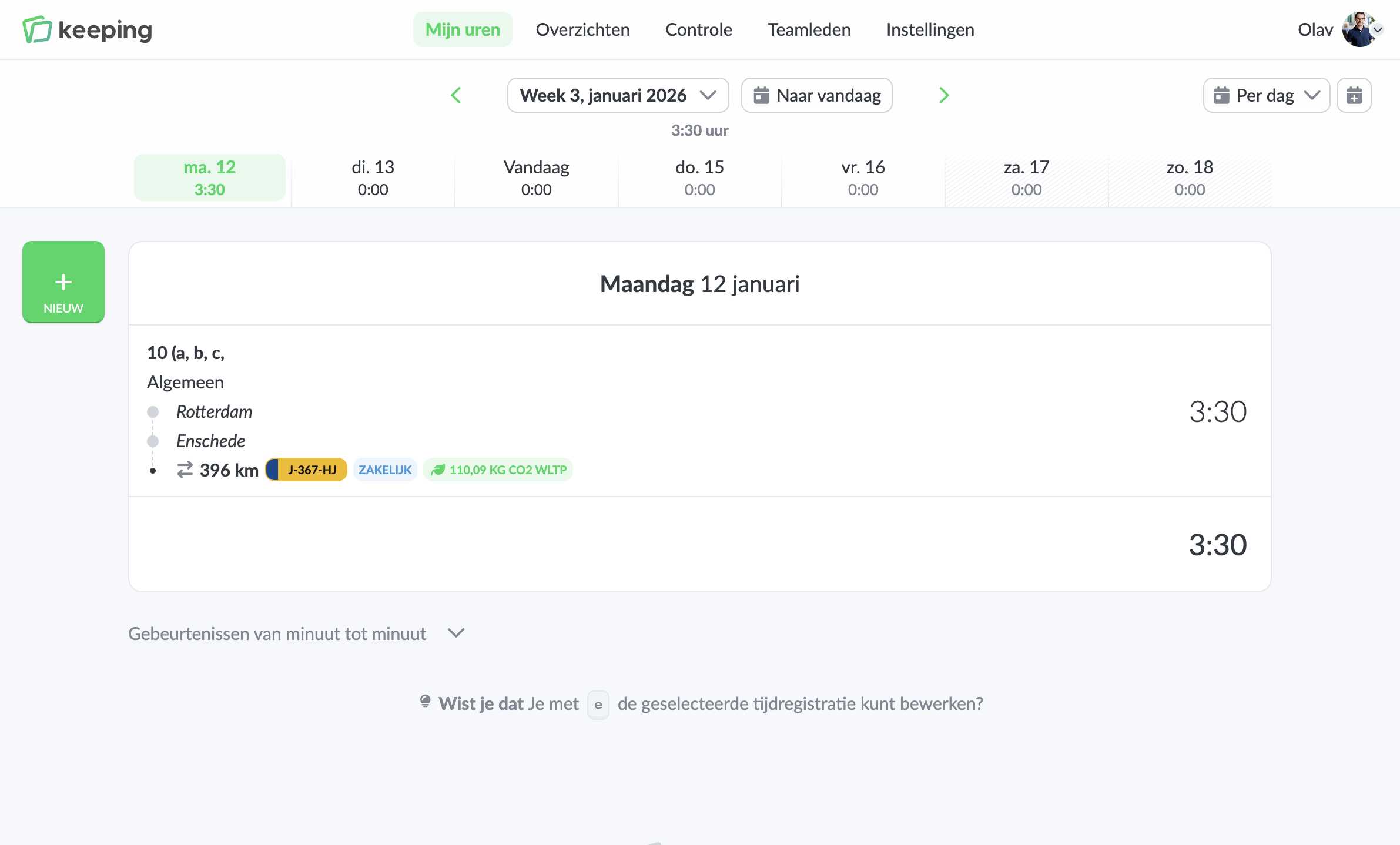 Trip registration overview
Bulk (weekly) entry
For vehicles that do not require full trip logging, it is possible to enter trips per week. This is only available when using the "number of hours" workflow for time entry.
Vehicle management
Trip logging also includes simple vehicle management. Vehicles can be added at the organization level, including a search integration with the RDW, so that only a license plate needs to be entered.
For each vehicle, you can also specify which team member is the primary driver. Vehicles for which a team member is the primary driver are shown first when selecting a vehicle for a new trip.
If no vehicles have been configured, trip logging will not be visible under "My Hours".
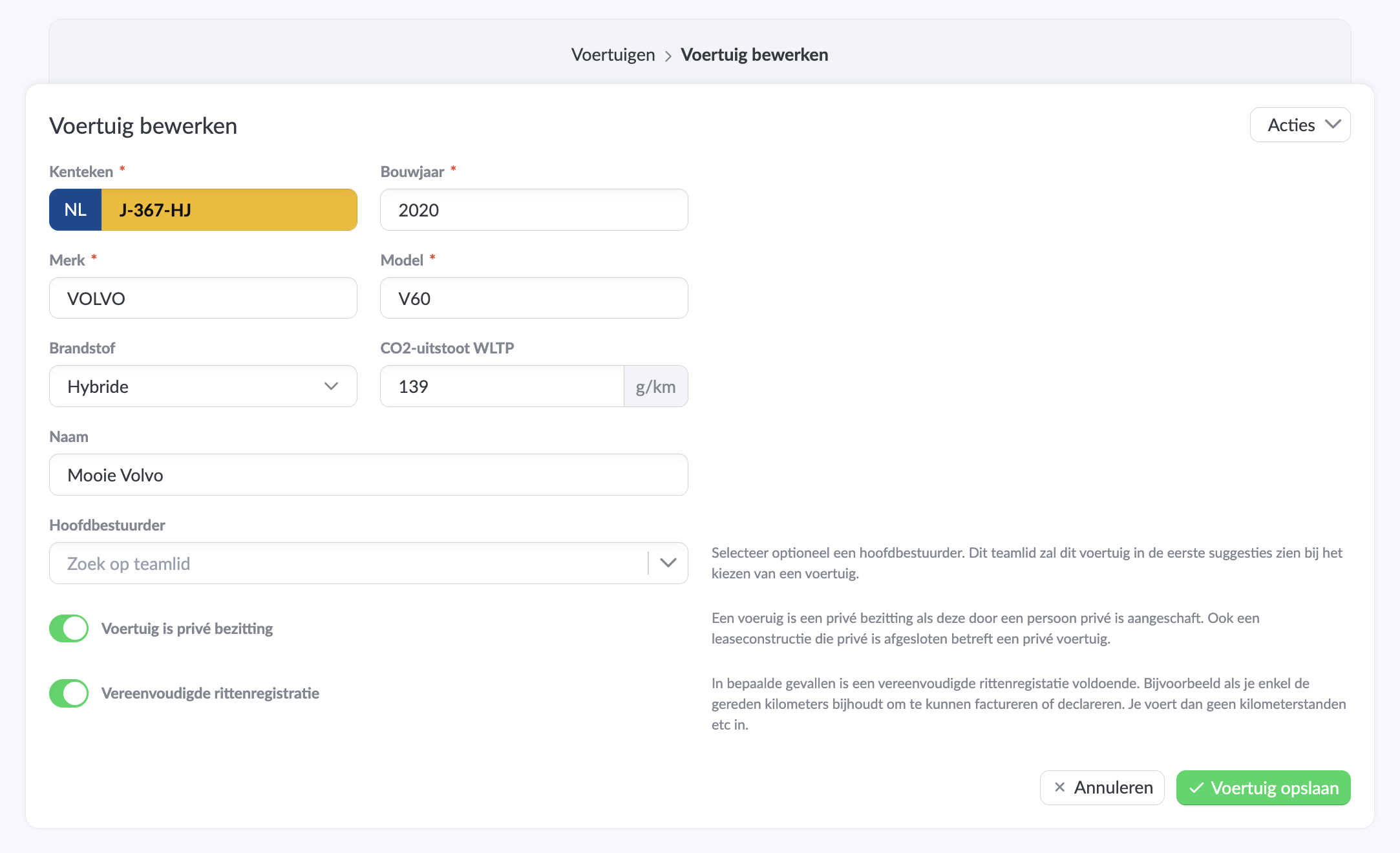 Entering a vehicle
Reports
The reporting features have also been expanded. All registrations of the type "Trip" can now be viewed, and the familiar project, task, and team member reports are also available.
Additionally, a vehicle report has been added to provide insight into the kilometers driven per vehicle.
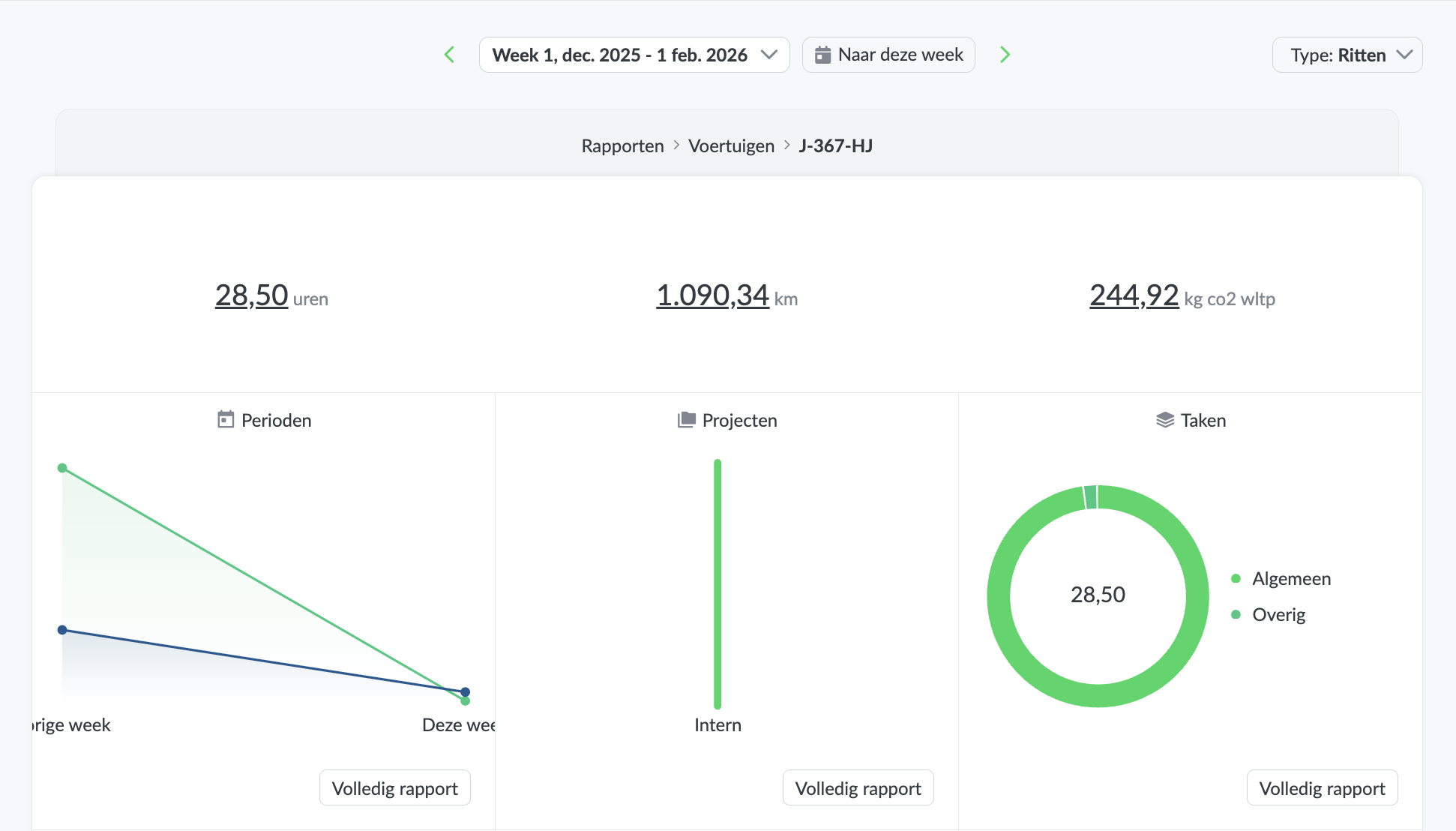 Example of a vehicle dashboard report
Next steps and future developments
The trip logging functionality now available in beta is just the beginning. Work on the iOS and Android apps is ongoing, and API additions for registering trips are already on our backlog.
Do you have suggestions? Let us know!
Start tracking your trips today
Start easily tracking your hours and trips today and save time. Sign up for Keeping and use the Plus or Pro subscription free for the first 14 days.

