Keeping Has a New iPhone App
Today we’re launching a brand-new iPhone app — version 2.0. Our previous iPhone app was essentially a wrapper for our mobile website, but this new app is fully native. It now includes features iPhone users expect in a native app, like long-press for more options, quick swiping between days, and support for dark mode.
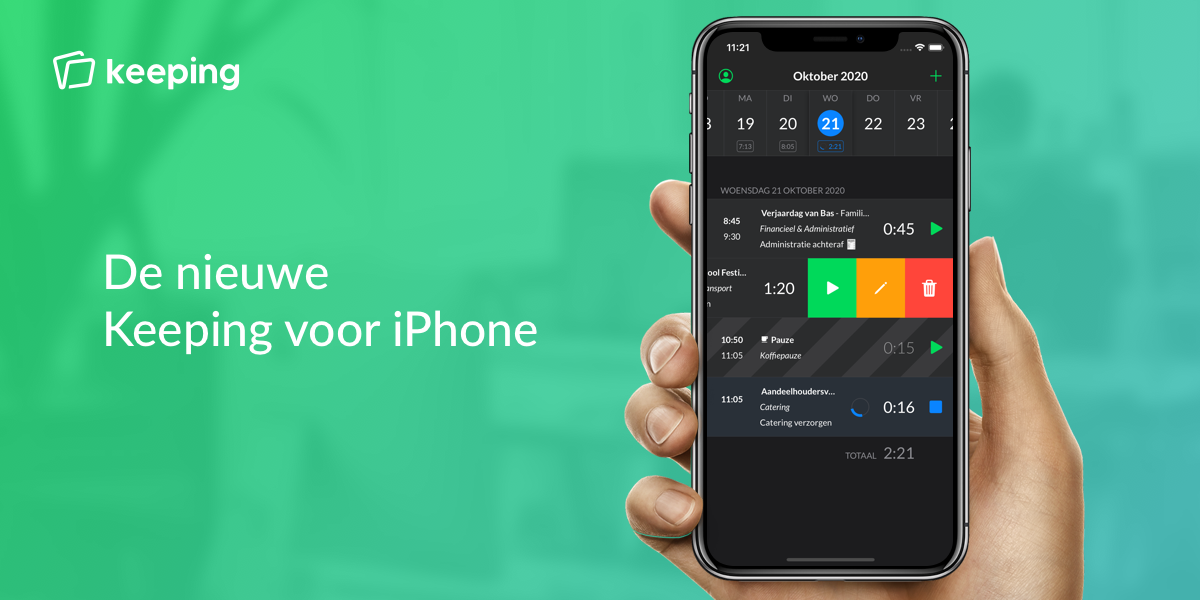
With Keeping for iOS, you now have your digital “timecard” right in your pocket. You can easily view time entries, pause current tracking for lunch, or start a new entry when joining a meeting. Any updates you make from your computer will sync instantly to your phone. All of this is presented in a smooth, intuitive interface familiar to iPhone users.
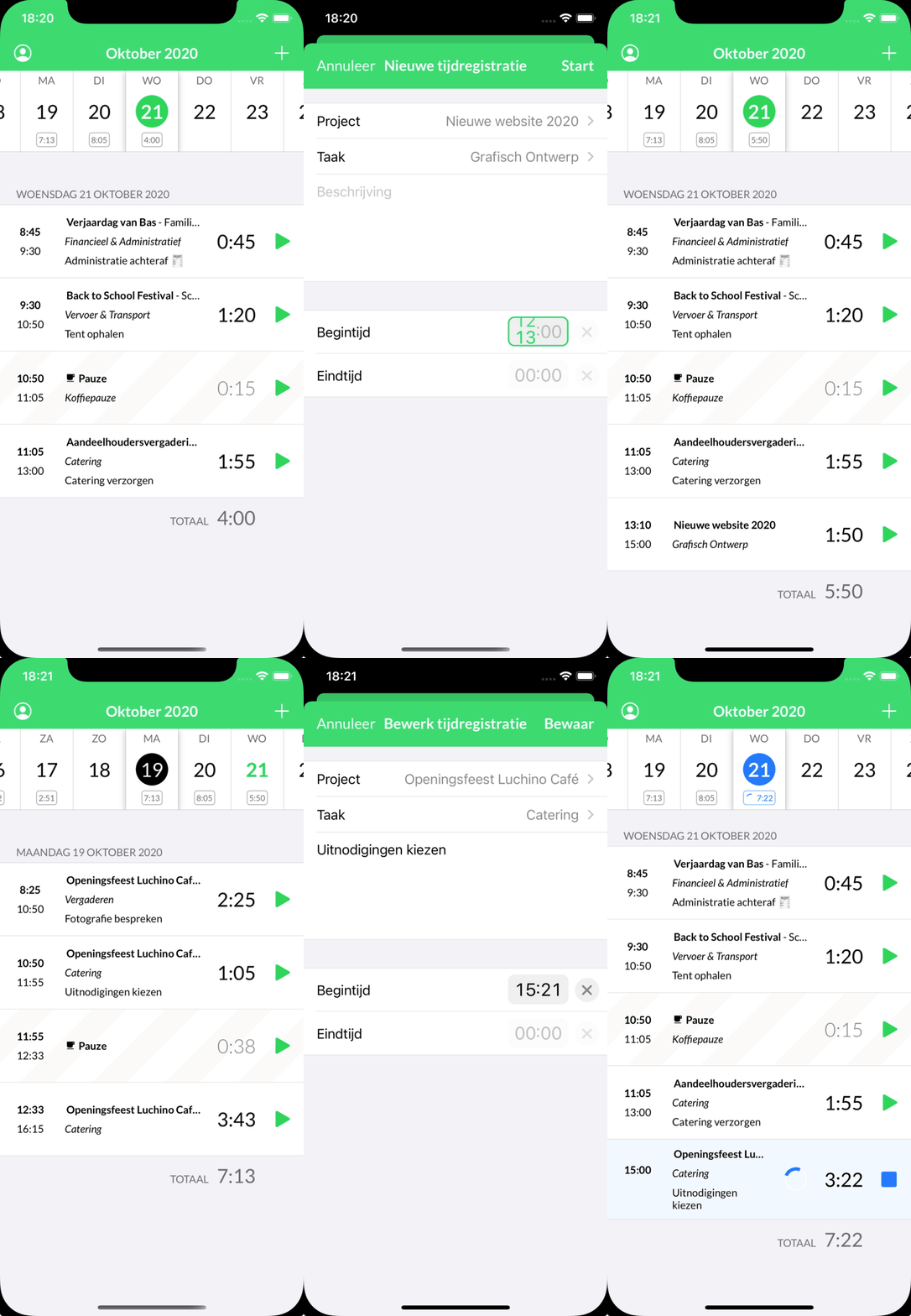
Smart New Features
As shown above, the app includes many clever improvements.
- Entering start and end times is now simpler, allowing you to drag times via rotation selection, while also providing the option to enter times manually.
- There’s a navigation bar at the top to quickly switch between days. To choose a specific date, tap on the month at the top, and a date selection wheel appears.
- You can still start a break by long-pressing the plus button in the corner, provided breaks are enabled in your organisation.
- Want to edit a time entry? Swipe right to reveal options, or press firmly on the screen for an overlay menu.
- Searching through tasks and projects is faster than ever, with results now sorted more intelligently.
- All actions feel smoother thanks to the use of native interface elements.
- Dark mode is now supported, which not only looks fantastic but is also better for battery life.
These small details combine to make working with Keeping even more enjoyable and efficient.
Ready to Track Hours on Your iPhone?
Keeping is a complete package, and it’s always free for freelancers! Experience the ease of seamless time tracking yourself.

