"My reports": get out exactly what matters to you
With "My reports" you decide yourself which data to show, how to group it and how to filter it. Once saved, the report is ready in your reports list and on the dashboard — you only need to pick a period.
What is "My reports"?
Standard reports are handy, but every organisation measures success a little differently. One wants to see how many hours were worked per project, another wants to keep an eye on the hours per team, and then per employee. That's why we built "My reports": reports you put together yourself, set up once, and then view again and again for a new period.
You build a report via Overviews > Hours report > My reports > New report. You choose a name, the data you want to see, how to group it and which filters to apply. Once saved, the report is ready in your reports list and as a tile on your dashboard — you never have to set it up again.
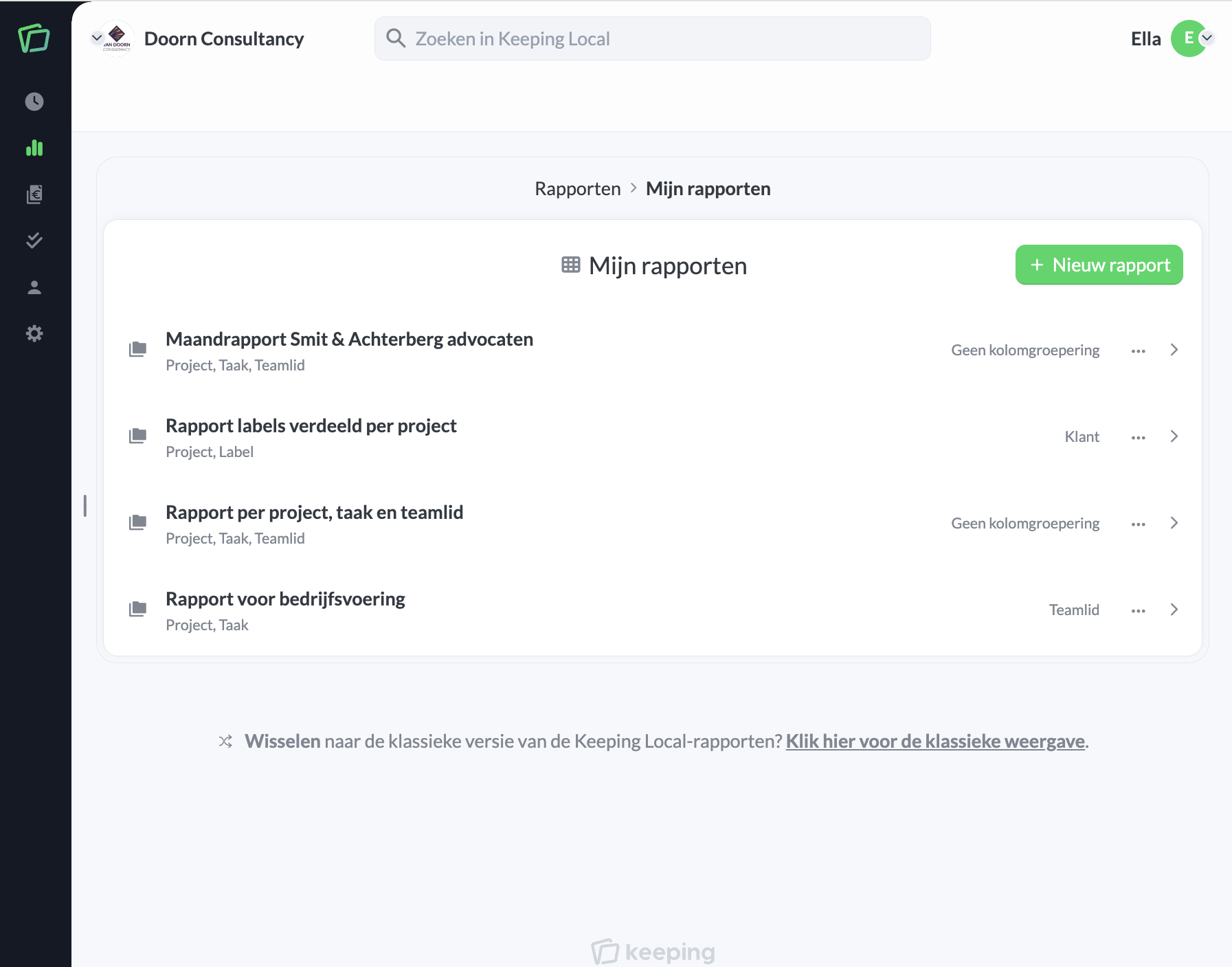
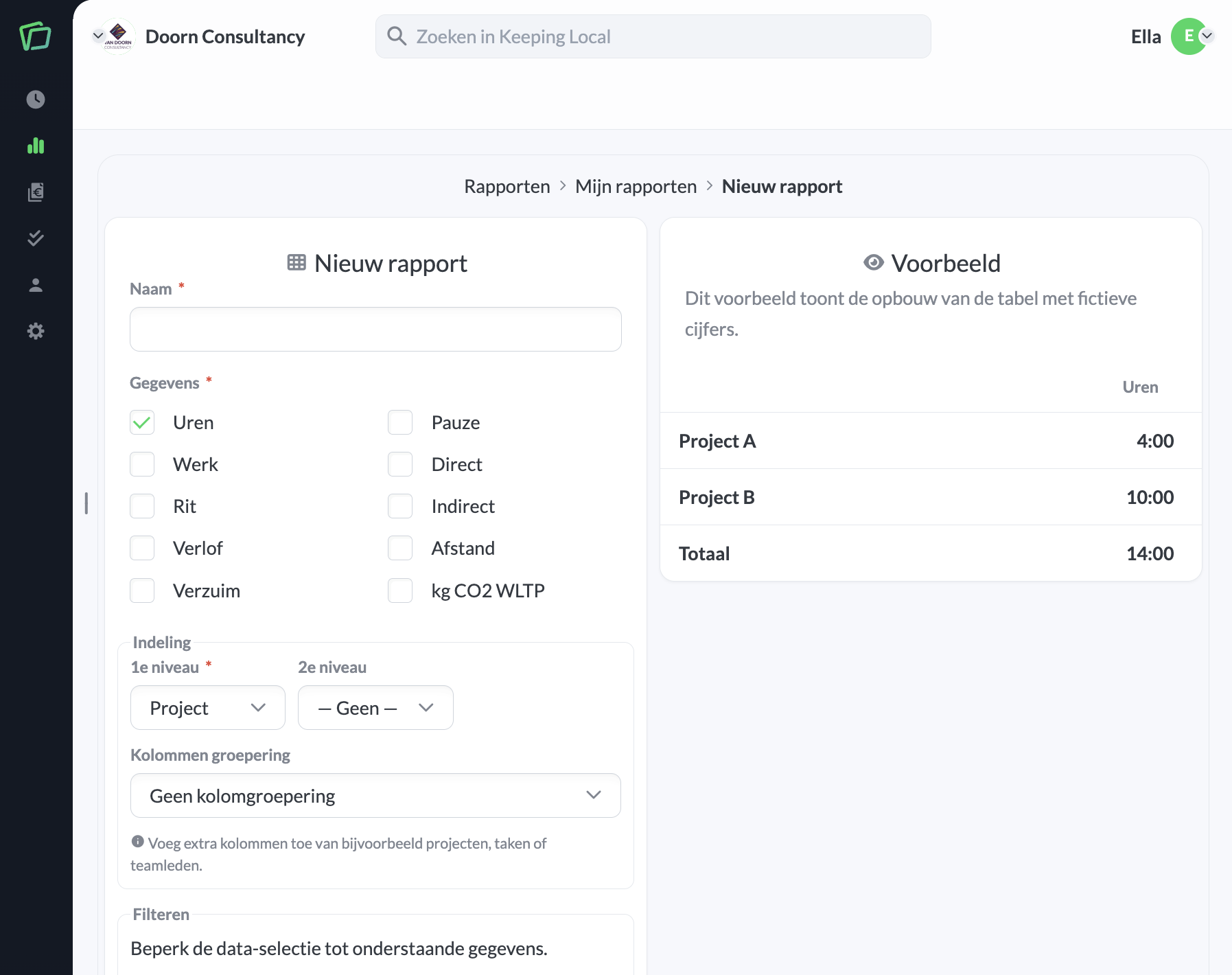
Group it the way you want
You choose up to three dimensions to group by — think project, task and team member — plus an optional extra column grouping for a cross-tab. You can group by, among others, project, task, client, team member, team, tag or vehicle. For each dimension, you can also restrict the selection to specific projects, team members or other data.
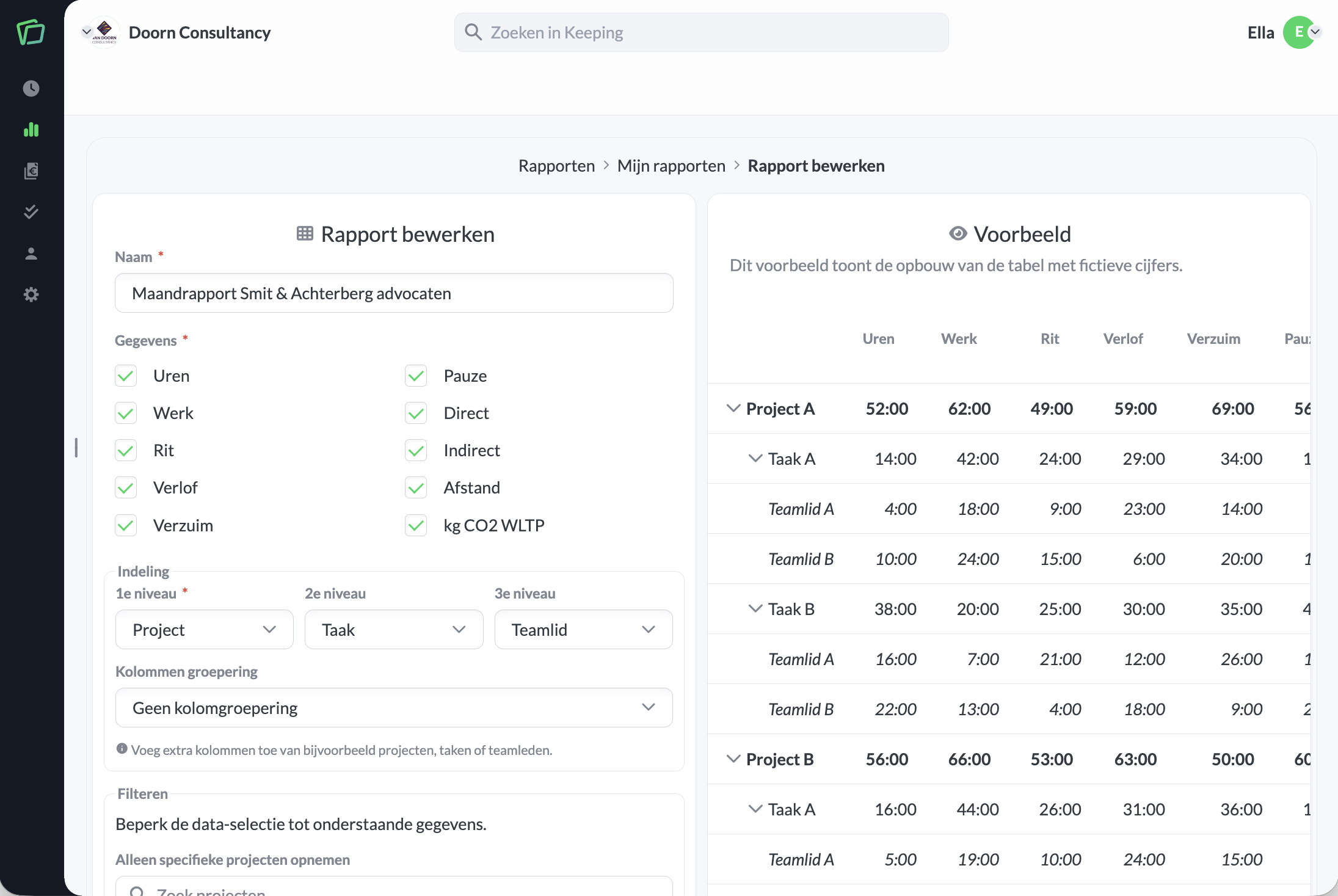
Besides grouping, you can also split the hours registered under tags. When multiple tags are linked to a time registration, these hours are divided proportionally across the tags.
View it your way
The result is a clear, expandable table with a total row, which you expand or collapse per level as you like. You can also view the same data as a chart, for example to see at a glance which project cost the most hours. Which chart is shown depends on the first dimension, and corresponds with the charts in the reports.
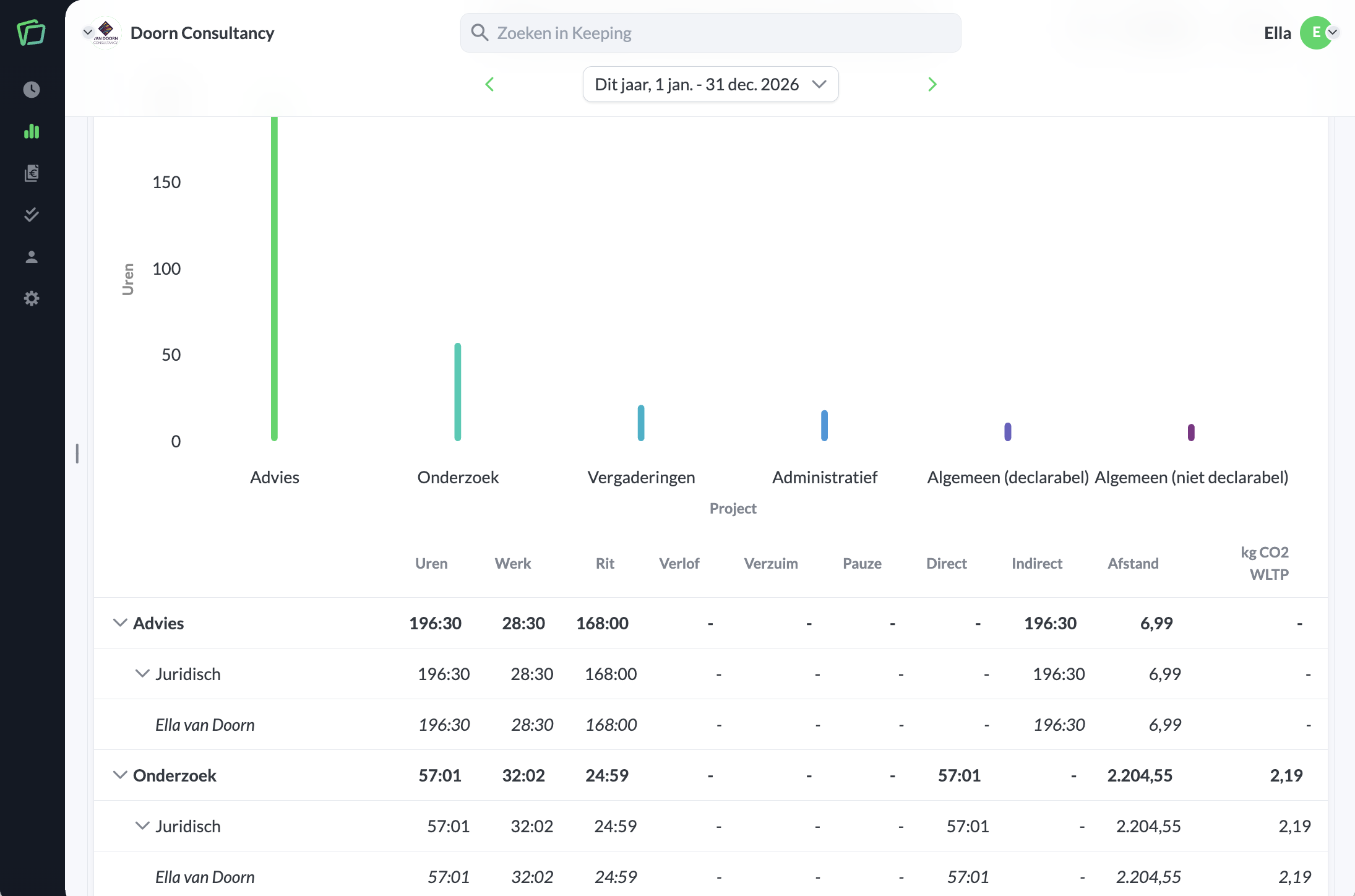
Reports are also visible to your whole organisation — only the creator can edit the report, but colleagues can view it.
The benefits of "My reports"
- Exactly the data that matters to you; From worked hours to distance travelled and CO2 emissions.
- Group and filter your way; Up to three dimensions deep, with an optional column grouping.
- Set up once, reuse every time; Simply switch periods without rebuilding the report.
Start today with tracking and analysing your hours. Register with Keeping and use the Plus or Pro subscription for free for the first 30 days.

