New: leave and absence registration. Register illness and absence
With our new leave and absence registration, you can quickly register leave and absence as both an administrator and a team member. There is also the option to set up contracts per team member, to easily and quickly add periods of leave and absence.
The leave and absence functionality
With the new leave and absence functionality, you can register absence and different types of leave hours. This can be done both as a team member and as an administrator: leave registration can be easily done via the same input as worked hours, but also via the details of a team member. This function is available for every organisation with a Pro subscription.
Input as a team member, administrator or both
Via the "HR" settings, you can choose how leave and absence can be registered. In this way, the registration of illness and absence can seamlessly connect to the working methods within different organisations.
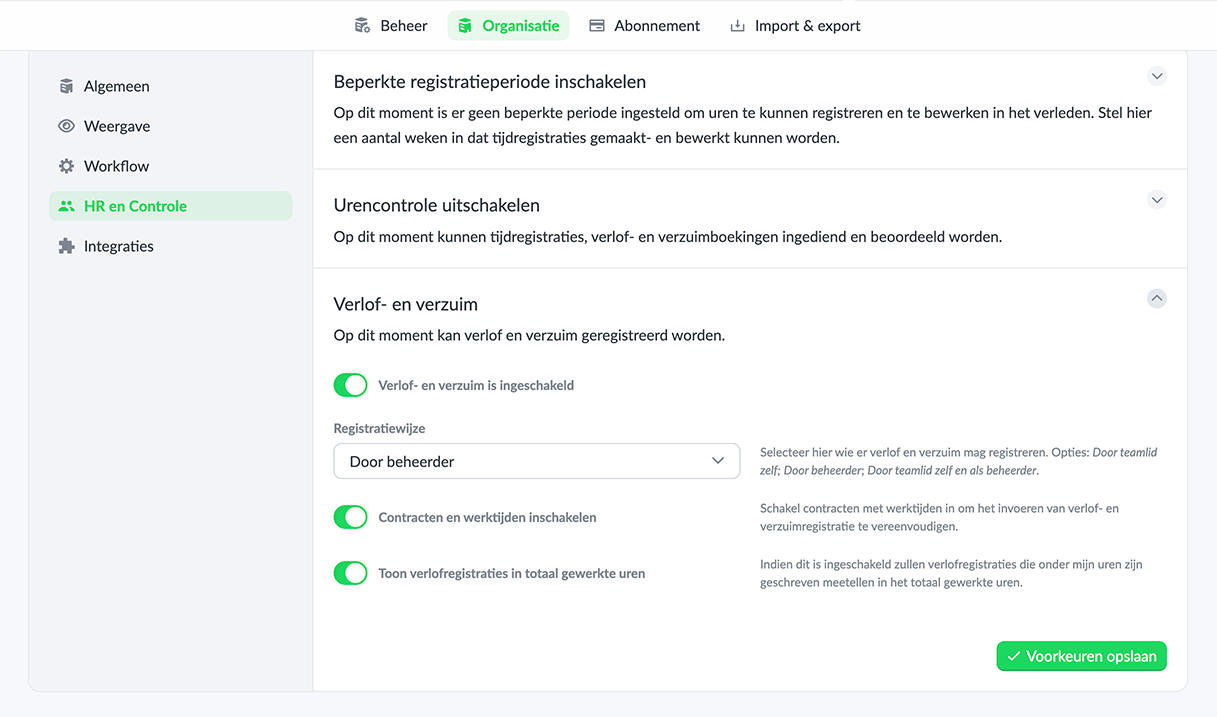
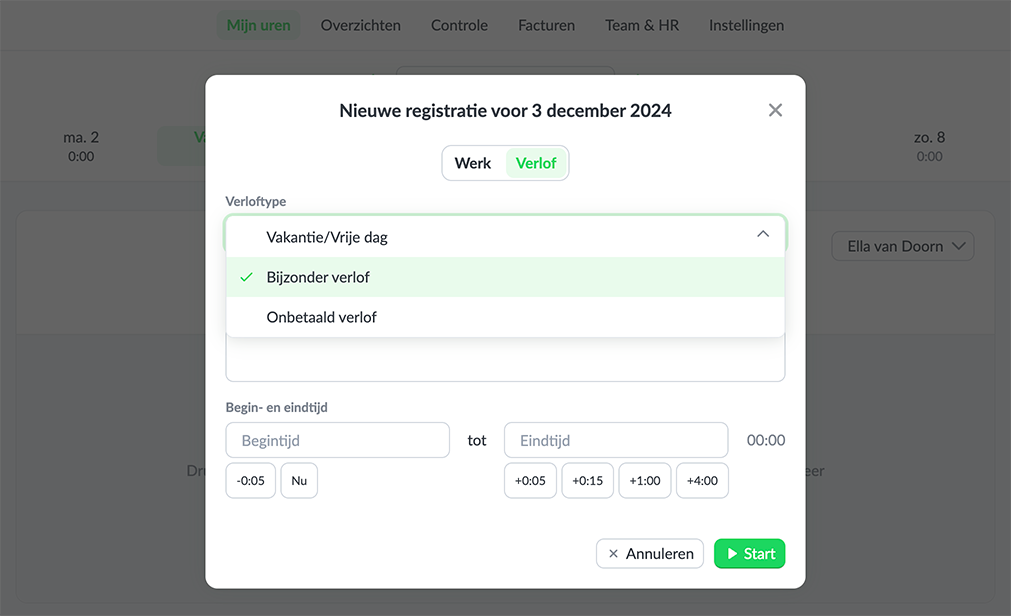
If a team member is allowed to register leave and absence themselves, leave can be added both as time registration, but also via the details of a team member. Adding leave as time registration can be useful if an employee takes a few hours of leave and is allowed to write them themselves.
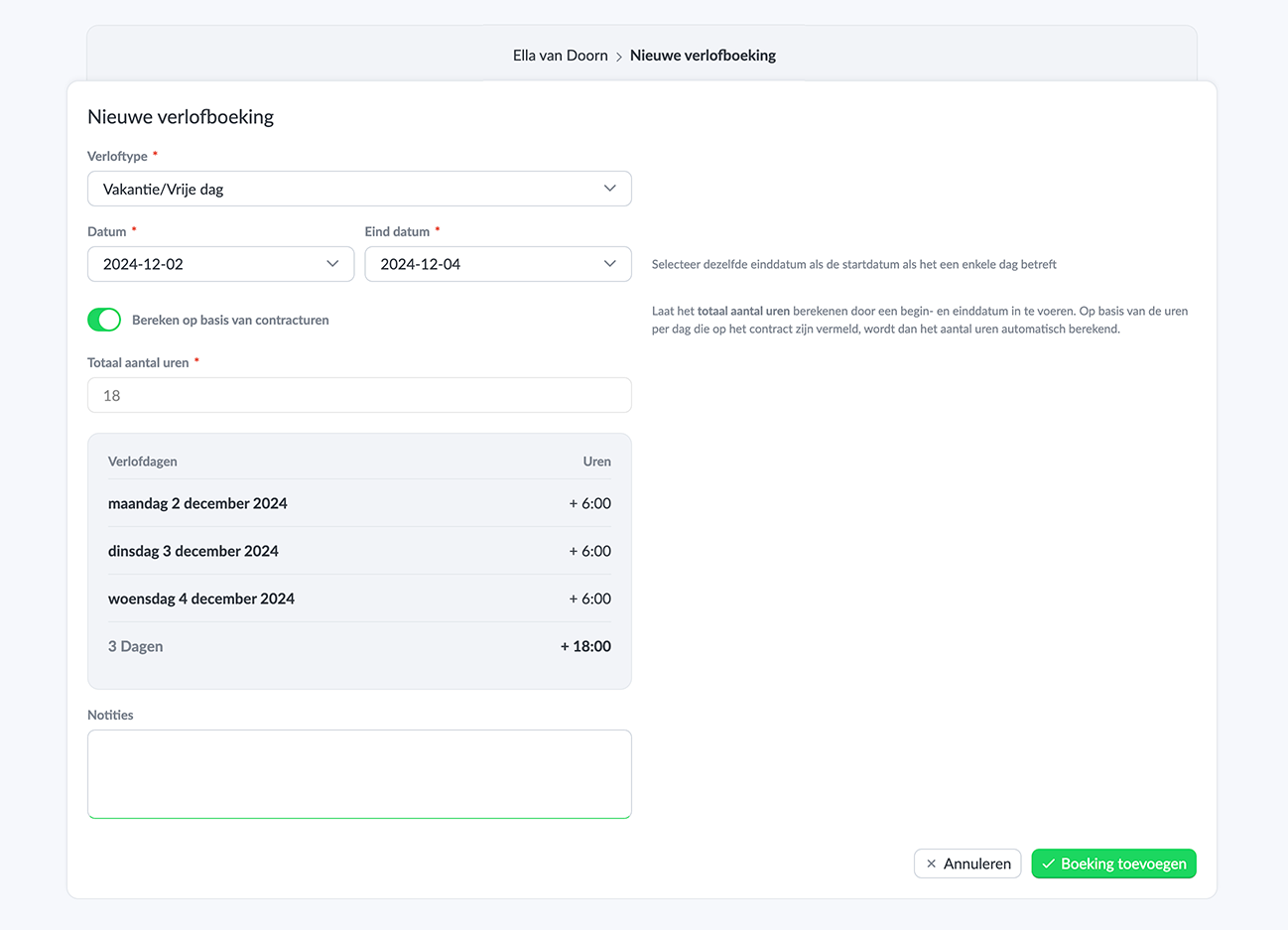
As an administrator, there is the option to register both leave and absence for team members. If a contract has been set up, a longer period of leave or absence can easily be entered. The contract hours and days are then taken into account.
Contracts
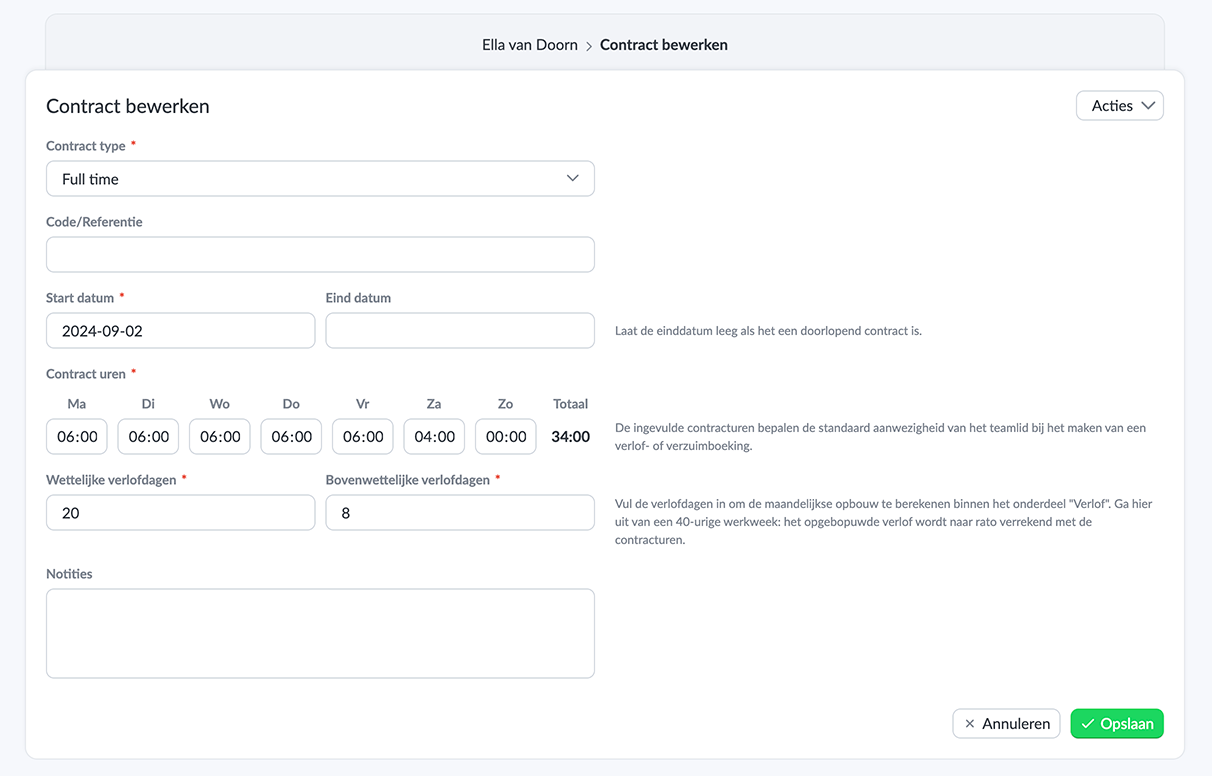
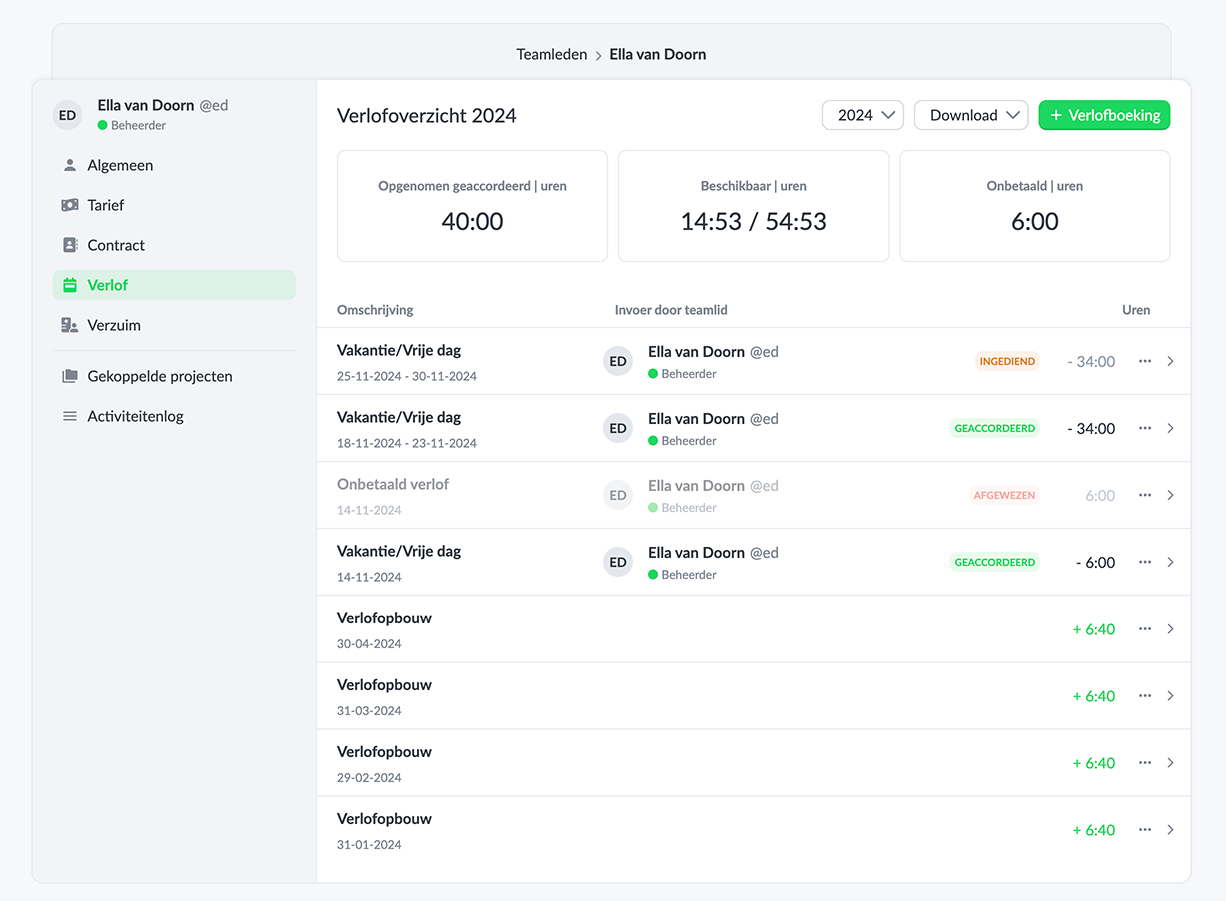
Under the team member settings, the main contract of a staff member can be added. This data is used to easily register longer periods of leave or absence.
Automatic leave accrual
When using contracts, the statutory and extra-statutory leave accrual is automatically calculated per month, so that a current balance is visible. This accrual takes into account changes in the contract and the number of contract hours.
Reports
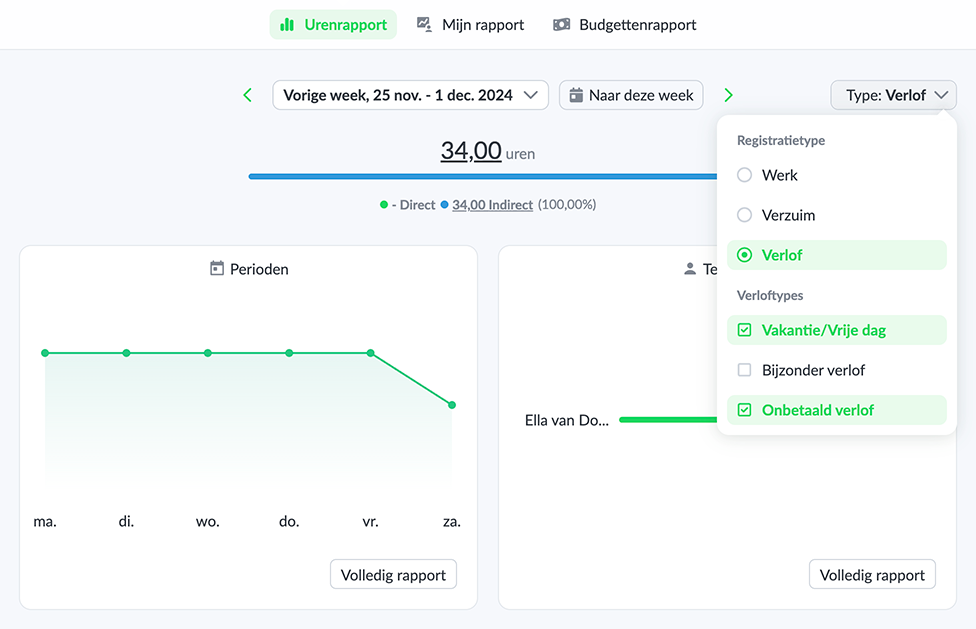
Leave and absence bookings of all team members are visible within the overviews by selecting the type of time registration. This way it is possible to view the leave and absence hours that team members have written themselves in one overview.
Leave request and submitting hours
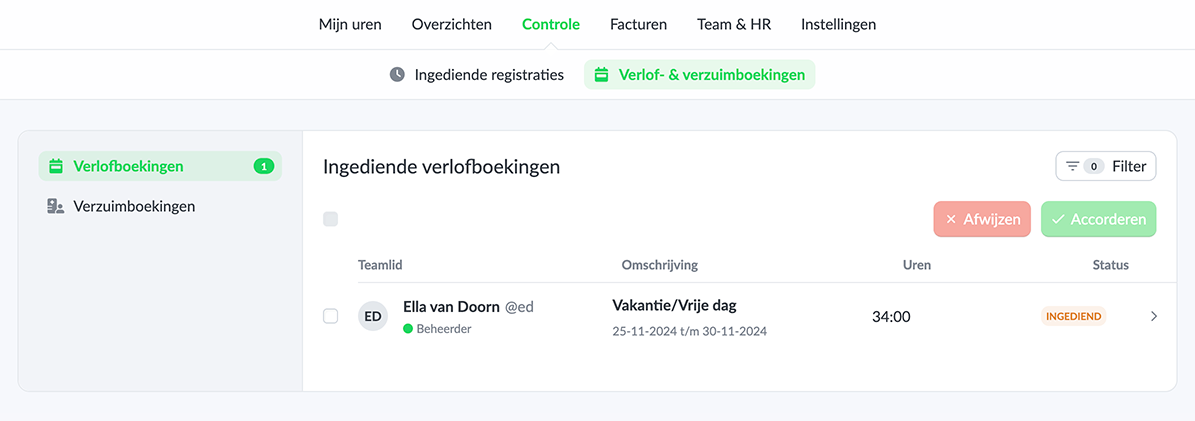
Leave registrations that have been added via the time card by a team member themselves can be submitted together with worked hours if Time control is enabled.
Bookings that have been entered via the team member are automatically submitted if time control is enabled and can be assessed via Control > Leave & absence bookings. These can be registrations in the past, but also in the future. In this way it is possible to request leave.
In addition, only approved leave bookings are included in the total leave taken.
The benefits of using the leave and absence functionality
- Easy registration of leave and absence; By the team member himself, or as an administrator.
- Efficient registration of leave and absence periods usable; By using the contracts function.
- Request and manage of leave; In combination with time control.
Start today with easily tracking worked, leave and absence hours and save time. Register with Keeping and use the Plus or Pro subscription for free for the first 14 days.

