Update: Submitting hours has been moved to the Control section
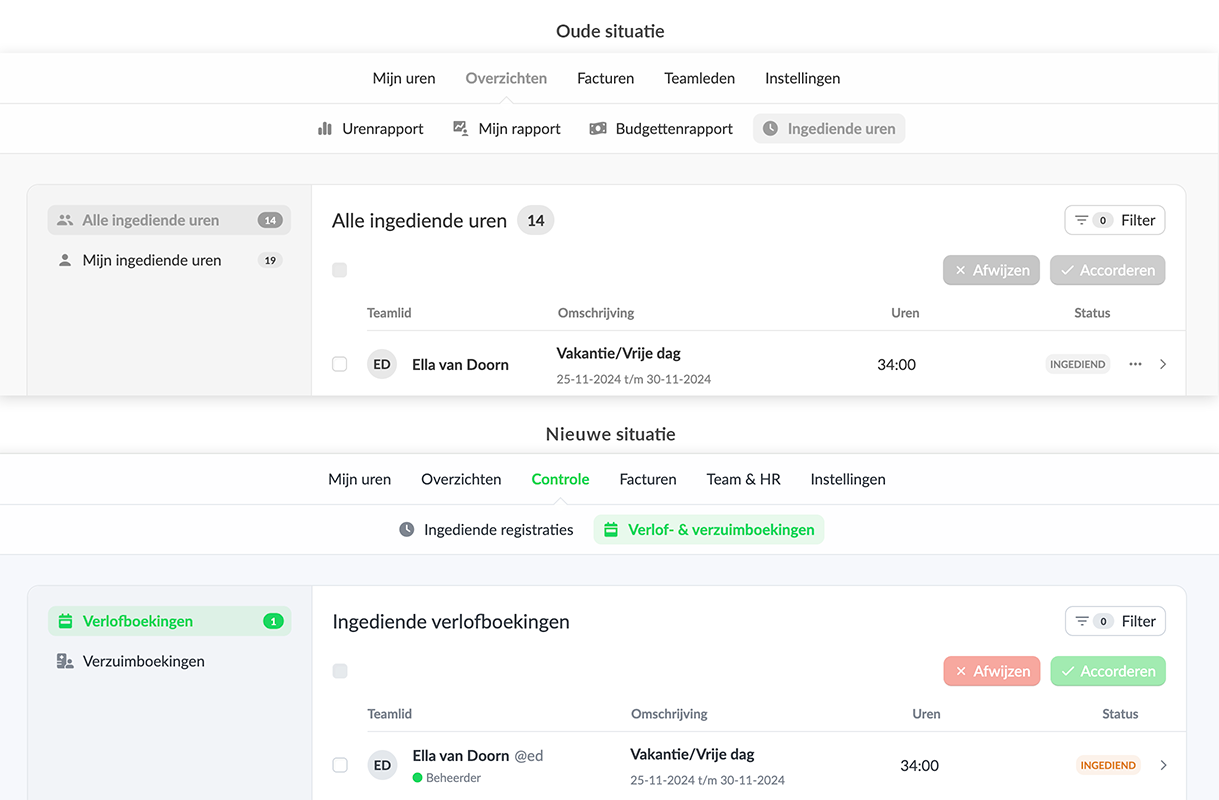
Submitting hours has been moved from "Overviews" to "Control". The name under the settings has also been changed to "Time control".
Faster checking of hours
By placing the checking of hours in the main menu under "Check", checking of hours can be found and opened faster. Where this was previously part of "Overviews", it is now a clear part within Keeping.
Relationship to leave and absence bookings
Moving and renaming the submitted hours is related to the introduction of the new functionality Leave and absence registration. Leave and absence bookings should be submitted just like hours worked, but it is clear to keep these data separate from each other. By introducing the components "Submitted registrations" and "Leave & absence bookings" under "Control", both types of registrations can be checked.
Start easily keeping track of hours worked, leave and absence today and save time. Sign up for Keeping and use the Plus or Pro subscription for free for the first 14 days.

