(Error)Notifications in payroll administration
To connect with a payroll program, you need at least Keeping Plus. A separate payroll program account is also required. Any necessary subscription for the payroll program is not included.
An inactive integration?
You may see a message indicating that the current integration is "inactive." This occurs when Keeping and the relevant payroll program cannot connect. This might be a temporary error that Keeping usually resolves on its own. If this does not work, you will receive a message under Settings > Features > Integrations regarding the respective integration.
Reconnect
It may also be that the permission from the external payroll program has been revoked. In that case, you can click the Try to reconnect button. You will then be directed to the permissions screen of the respective payroll program.

You may need to wait up to 5 minutes before you can reconnect.
Completely disconnect
If you do not want to reconnect, you can choose to disconnect an inactive integration. You do this by clicking the red Disconnect button. You can always reconnect later to send new hours via the integrations.
Other messages
Of course, there may be additional messages depending on your situation. Most messages are self-explanatory. For example, if you are trying to adjust an existing period or want to resend hours. Due to the operation of external payroll programs, you may occasionally need to process changes manually.
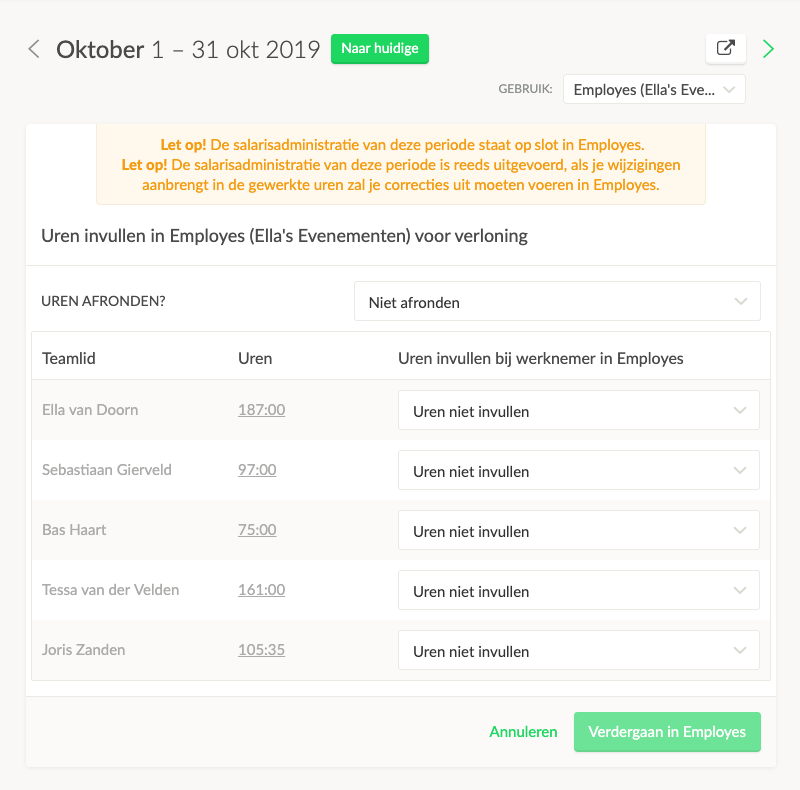 Example of messages

