Send worked hours to your payroll administration
To connect with a payroll program, you need at least Keeping Plus. A separate payroll program account is also required. Any necessary subscription is not included.
Type of Employee Payroll
Sending worked hours to a payroll administration package is the same for every supported package. It starts with setting the correct 'payroll types' for your employees in a payroll program. The concept of paying personnel based on hours worked is most relevant for employees who are paid based on a gross or net hourly wage.
How you set this up in your payroll program depends on which program you are using. For instructions, it's best to check the support page of your payroll program.
Example Video for Sending Worked Hours
In the video below, you’ll see an example of how to send hours to an external payroll program. In the video, we use Nmbrs, but the principle is the same for other payroll programs.
Example video of sending worked hours.
Sending Hours from Keeping
To send hours from Keeping to your payroll program, go to Team. In the team overview, you can then click on the Payroll button.
 The button with the ticket to the left of the text.
Matching Persons
Keeping can usually match the correct persons from Keeping with those in the external payroll program. If it happens that the settings are not automatically correct, you can manually choose which persons correspond to which hours.
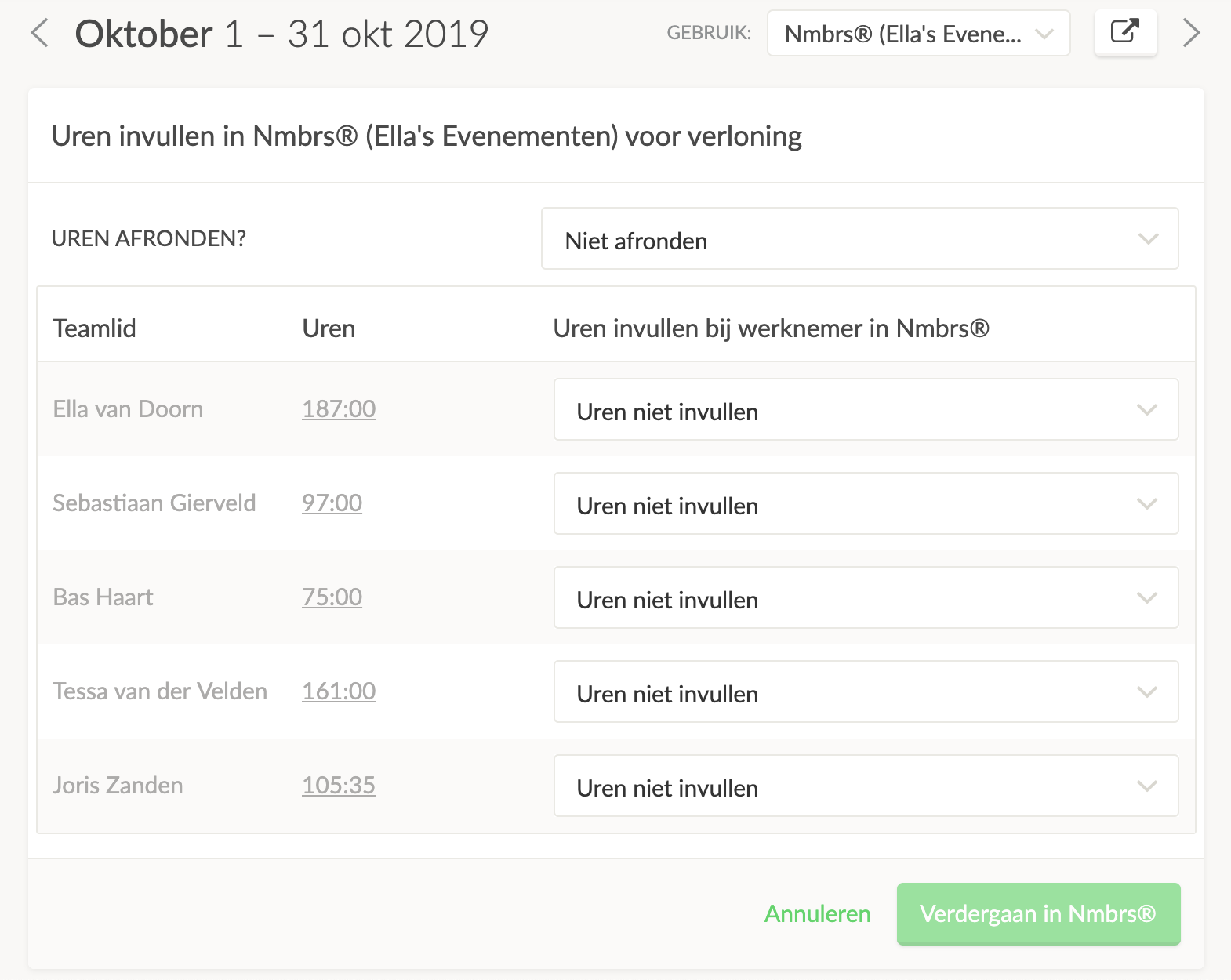 You can also choose to round hours (these will change live in the overview).
Rounding
Once you click Continue, the hours will be sent to your payroll program for the selected employees. After that, you will also proceed to the external environment of your payroll program.

