Integrate with Nmbrs
To connect with a payroll program, you need at least Keeping Plus. A separate Nmbrs account is also required. Any necessary Nmbrs subscription is not included.
With Keeping, it is possible to connect your organisation to one (or more) payroll administrations in Nmbrs. This allows you to easily forward hours worked by employees with flexible contracts to Nmbrs.
Note: Only the hours of employees with a zero-hour contract can be forwarded from Keeping to Nmbrs. Employees with a set number of hours in Nmbrs need to be processed within Nmbrs.
Starting the Connection
Navigate to the integration settings of your Keeping organisation via Settings > Features > Integrations > Payroll Administration.
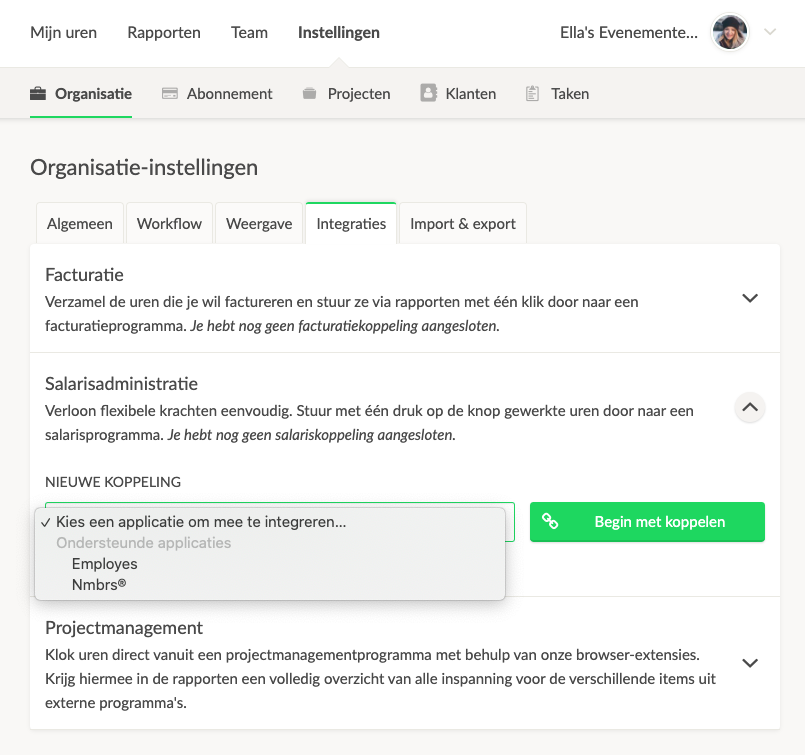
Enter Your Nmbrs Data
After clicking the green button "Start Connecting," a new window will appear where you can enter your Nmbrs data to connect with Keeping. Follow the instructions on the page to find your API token. Copy this into the field "NMBRS API TOKEN."
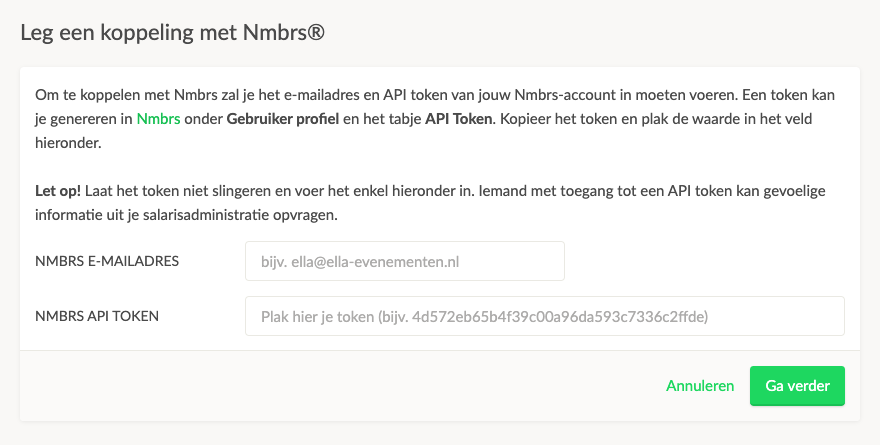 (Enter your details and click Continue)
Choose the Right Company to Connect
Once the data entered in the previous step has been verified, you will see a new screen. In this new screen, you can select the company you want to connect Keeping to.
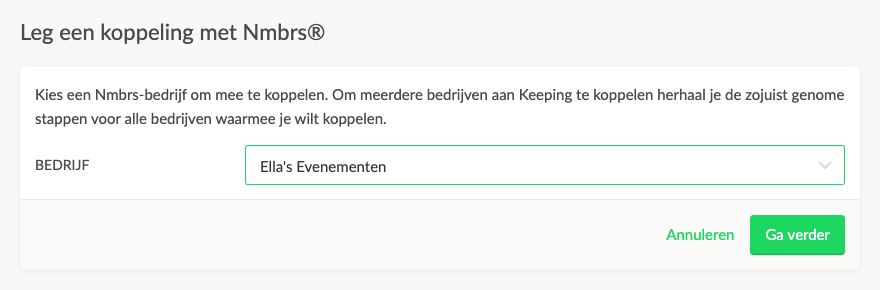 (Select a company and click Continue)
View Linked Nmbrs Companies in Keeping
After the connection has been successfully established, you will return to the overview page of the integrations. Here, you will see the companies that are currently connected to Keeping. Your Keeping organisation is now linked to your Nmbrs company. You can now process payroll for employees with flexible contracts based on hours worked in Keeping. With just a few clicks, you can forward all relevant worked hours to Nmbrs. You can read all about this on the Nmbrs page.
Can I also connect with multiple companies?
You can connect multiple companies to your Keeping organisation in the same way. You then determine which hours to send to which company.
If the connection works, but payroll processing does not?
If the connection to Nmbrs has been established, but when processing payroll you see a Connection Error with Nmbrs®, it may be that Keeping does not have access to your Nmbrs organisation. Check the API User Template settings in Nmbrs to ensure all permissions are properly set. The permissions the API user needs are:
CompanyService
- Company_GetCurrentPeriod
- List_GetAll
- Run_GetList
- Run_GetEmployeesByRunCompany
EmployeeService
- DaysFixed_GetCurrent
- DaysFixed_Get
- DaysVarWorked_GetCurrent
- DaysVarWorked_Get
- DaysVar_Set_Batch
- DaysFixed_Set_Batch
- HourComponentVar_GetCurrent
- HourComponentVar_Get
- HourComponentVar_ClearCurrent
- HourComponentVar_Insert_Batch
- List_GetByCompany
- PersonalInfo_GetAll_AllEmployeesByCompany
- Salary_GetAll_AllEmployeesByCompany
- Schedule_GetCurrent
- Schedule_Get

