New: Add notes to customers and projects
Easily and quickly add extra information to customers and projects, with the new notes functionality.
The notes functionality
With notes it is possible to add extra information to customers and projects. Easily add a note to record details of a project or work agreements, for example. This information is visible to team members with the role: coordinator and administrator via the Administration component.
Notes are directly available for every organisation or team with a Plus subscription.
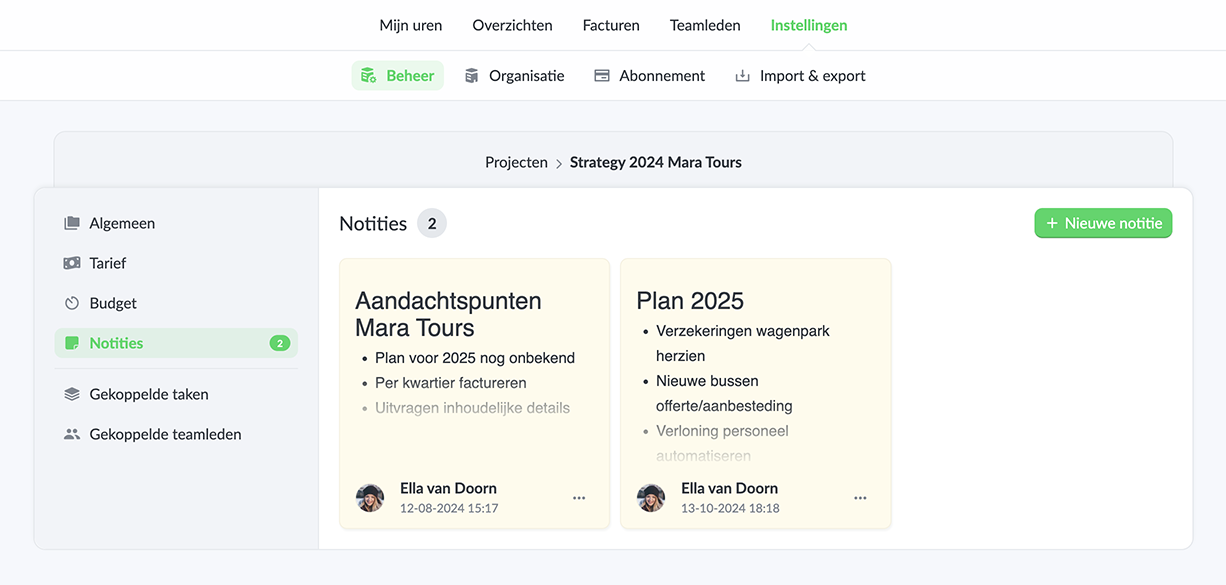
Quickly add and format
Notes can be quickly added on the settings page of a project or customer. Both within editing and quick adding there is access to various formatting options such as: lists, text formatting and titles.
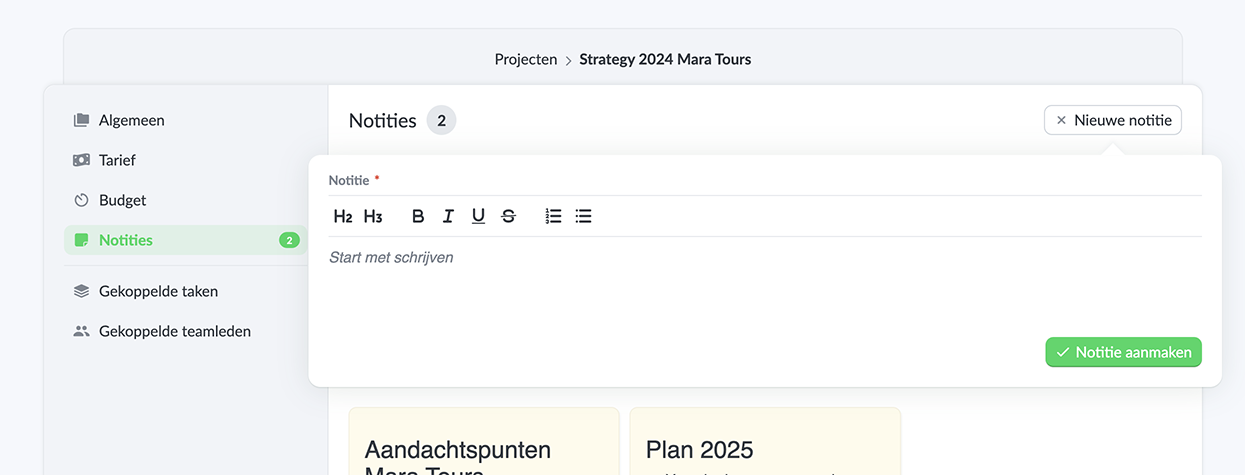
The benefits of using notes
- Easily add extra information; Within projects and clients.
- A central place; To share information with team members with the role coordinator and administrator.
Start tracking hours easily and save time today. Sign up for Keeping and enjoy the first 14 days of free use of the Plus or Pro subscription.

