Keeping Introduces the Browser Extension for Google Chrome
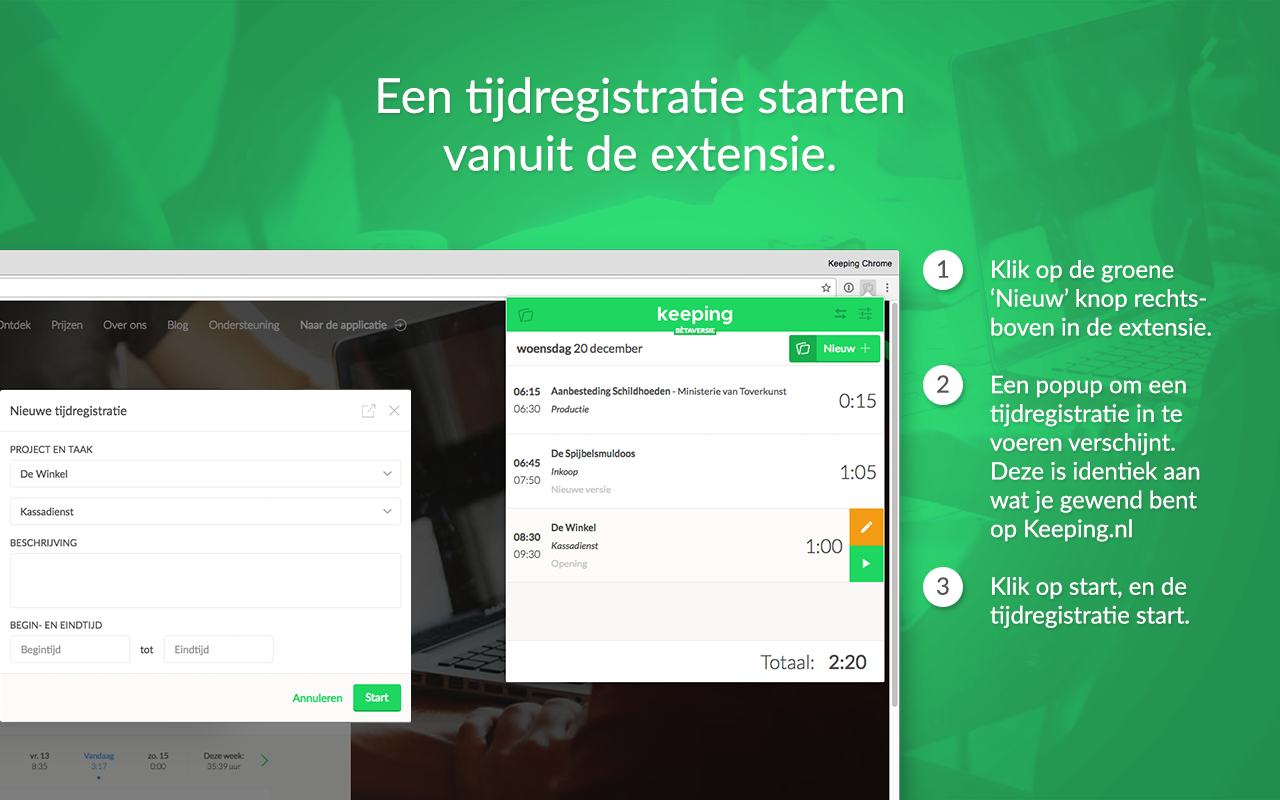
Now you can track time directly in your browser using the Keeping extension for Google Chrome. This extension brings smart time tracking to any page, so you no longer need to visit the Keeping website to log your hours.
After completely revamping the settings in Keeping, we’re excited to bring you yet another new feature.
A Smart Extension for Smart Time Tracking
With this smart extension, time tracking becomes even simpler. We’re thrilled about it here at Keeping because now your personal timesheet is always within reach. Download it here from the Chrome Web Store.
Track time from any page to support your workflow without interruption.
Start Time Entries Quickly with a Description
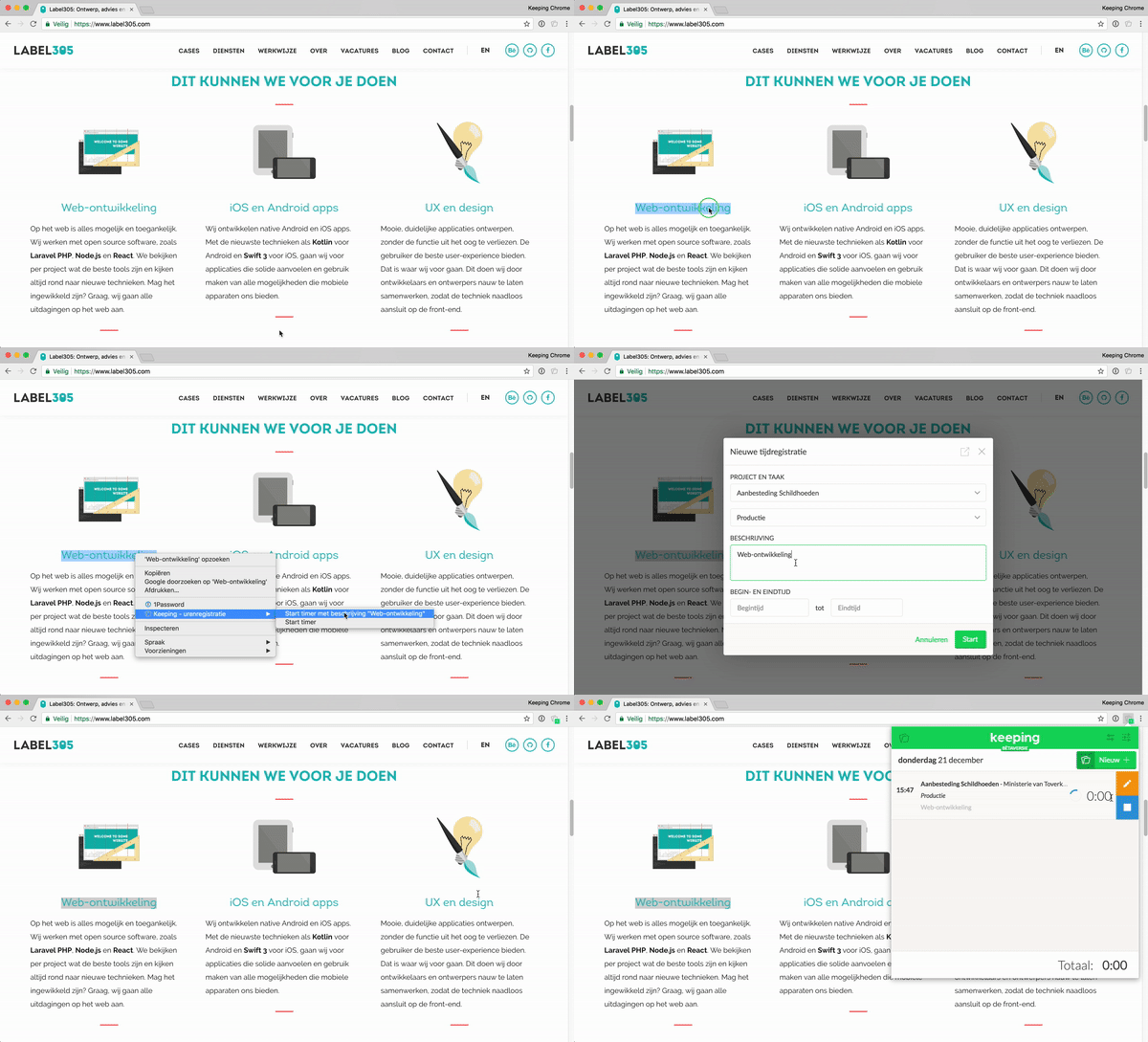
With the Keeping extension, we’re introducing a new way to log detailed hours. You can select text on nearly any page, right-click, and start a time entry in Keeping using the selected text as a description. This is especially useful for time tracking where detail matters. See an example below.
For more information on how to use the browser extension, please visit our support page.

