Greater Insight into Your Time Tracking
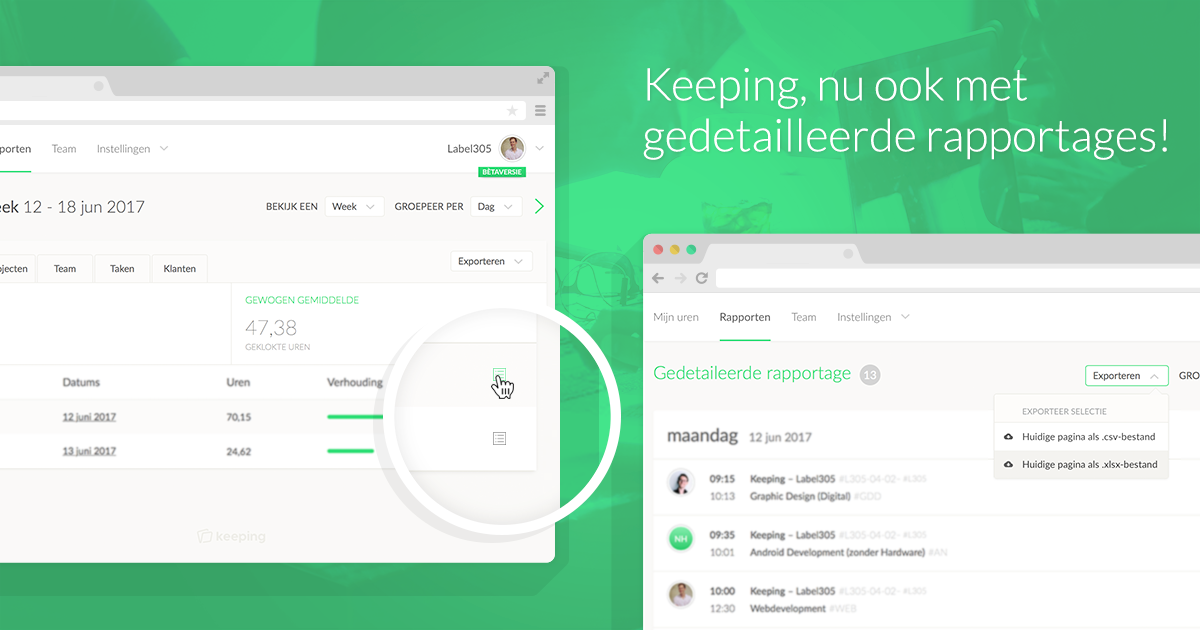
Over the past few weeks, we’ve been hard at work on a number of improvements to Keeping. One of these improvements is the new detailed reports. Starting today, you can easily click through a report to view the underlying time entries.
Update by Zgjim on 01-18-2018
Check out the updated pages for downloading reports and downloading detailed reports!
From Report to Time Entries
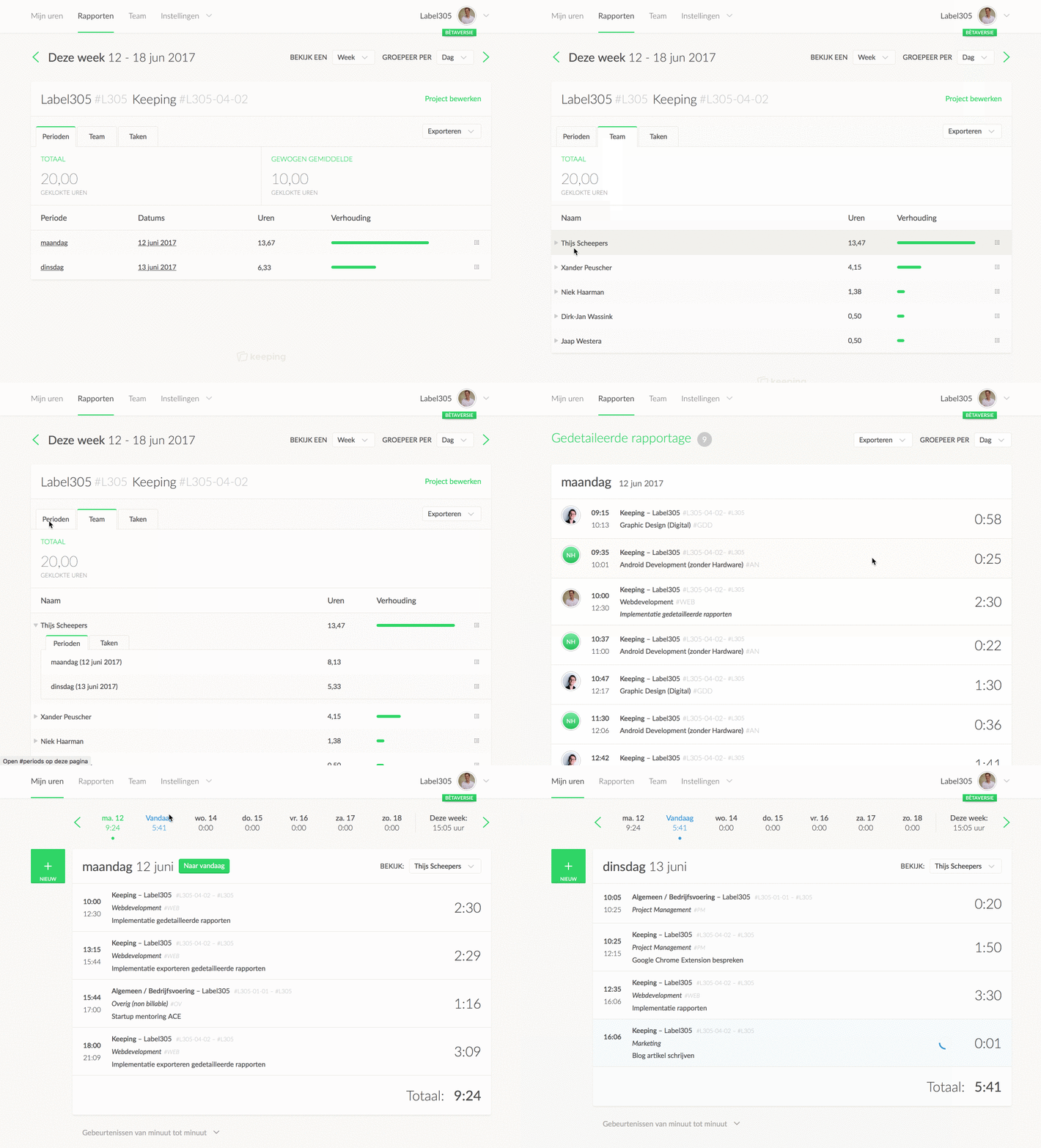
Sometimes you want to see exactly which time entries are behind a line in the reports. Starting today, this is possible with detailed reports. Simply click on the detail icon for any line in the reports, and you’ll immediately get an overview of all related time entries. This overview shows each individual time entry, including the associated note. Note that each report displays a maximum of 500 time entries at a time. If you need to see more, you can click to the next page at the bottom.
Now you can see which time entries are behind a report line!
Quickly Navigate to the Time Card
Suppose you want to make a few adjustments from within the detailed reports. Now it’s easy! Just click on a time entry to quickly go to the relevant time card.
Tip for Keeping: You can set up avatars via Gravatar, and if you want to see whose avatar it is, just hover over the image.
Export to .xlsx and .csv
You can also quickly export to an .xlsx or .csv file by clicking Export at the top. These exports are limited to 500 time entries per page. To export everything, use the export function in the settings menu.
Coming Soon in Detailed Reports
We’re actively working on expanding the reporting feature in the application. Soon, we’ll be adding the following functionalities:
- Creating detailed reports that include multiple projects, users, or tasks;
- Printing a report or detailed report;
- Downloading a PDF of a report or detailed report; and
- Adding a nice bar chart to the report overview.
Looking for Easy Time Tracking?
Keeping is a complete time tracking package, and it’s always free for freelancers! Experience the ease of effortless time tracking for yourself.

