Update: Our New Pro Subscription
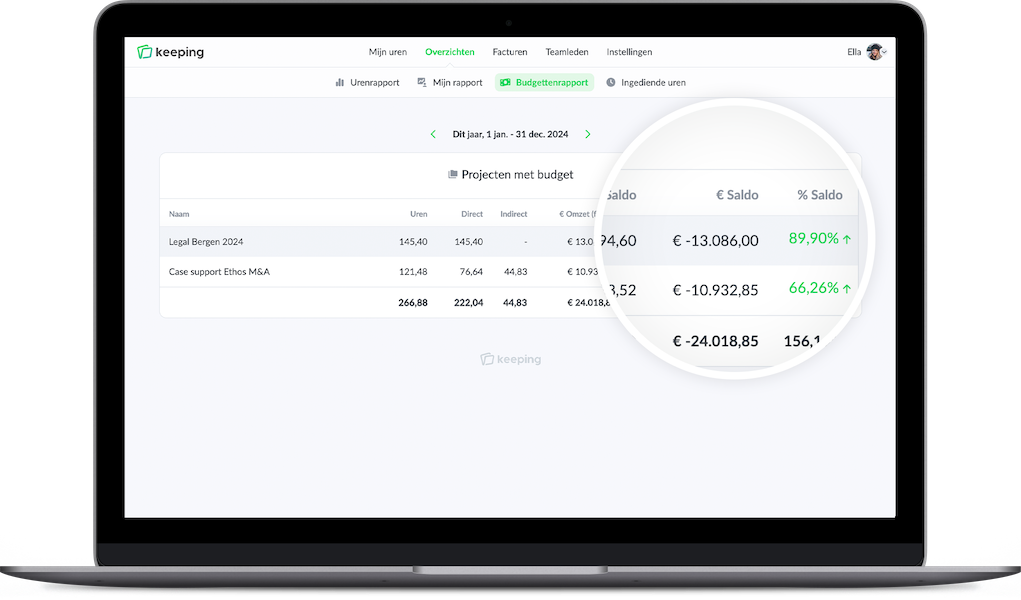
Did you know we recently launched a Pro subscription? This is a new plan specifically designed for larger organisations. With this plan, you can expand Keeping with features like tags, teams, time approval, detailed rates, an events log, and an extended budget report.
Over the past few years, we noticed that as teams grow, the requirements for Keeping also change. That’s why we recently introduced the Pro subscription. The Pro plan is ideal for teams, organisations, or companies and includes additional features over the Plus plan, which are useful when an organisation becomes larger. This article highlights some of these features.
Teams
As a team grows, it can be helpful to group team members or staff. This provides more structure in Keeping, and also allows you to link an entire team to a project at once as a “batch” action. This saves time since you no longer have to link team members individually to a project.
In the team members' overview, you can clearly see which teams they are linked to, so you can always quickly see within which teams your staff members are working.
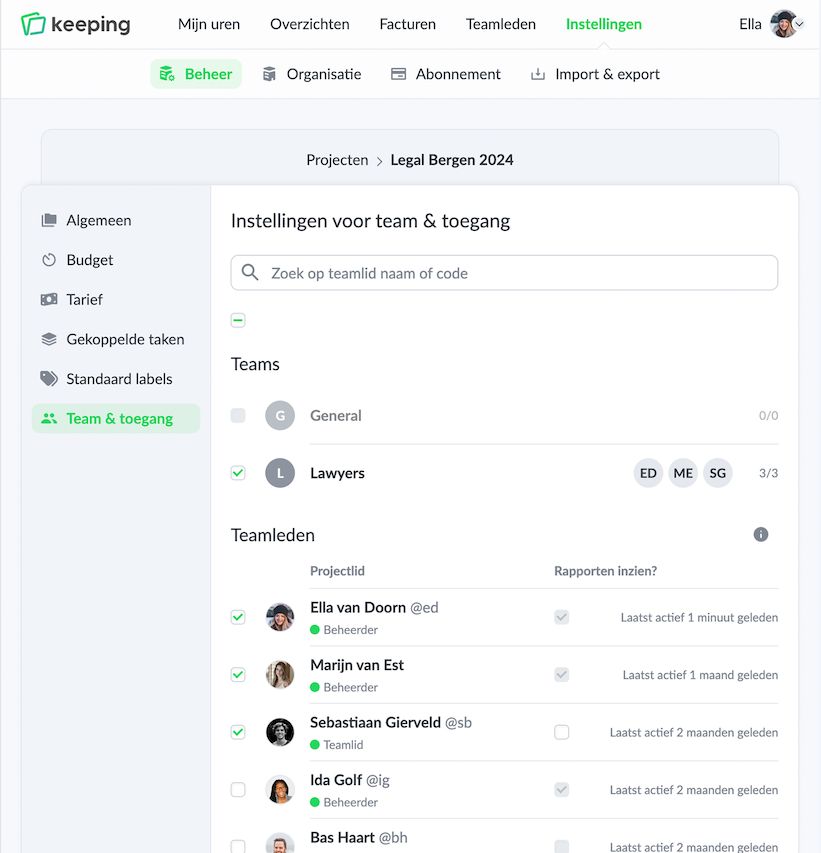 Team settings within a project
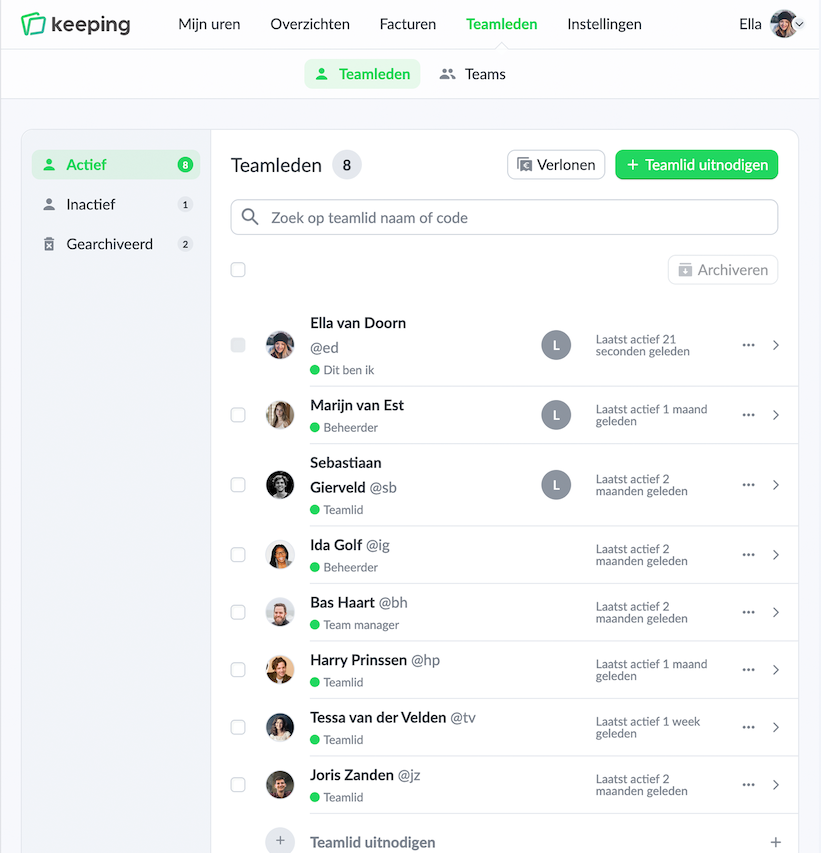 Display of teams in the team members page
Submit and Approve Time
In many organisations, it's common practice to approve hours before they are sent to payroll. As a manager or supervisor, you can easily approve or reject your team’s hours. If necessary, you can add a note for the staff member.
When submitting hours, a team or staff member can first save them as a draft. This way, they can review and adjust the submitted hours until they are ready to finalize them.
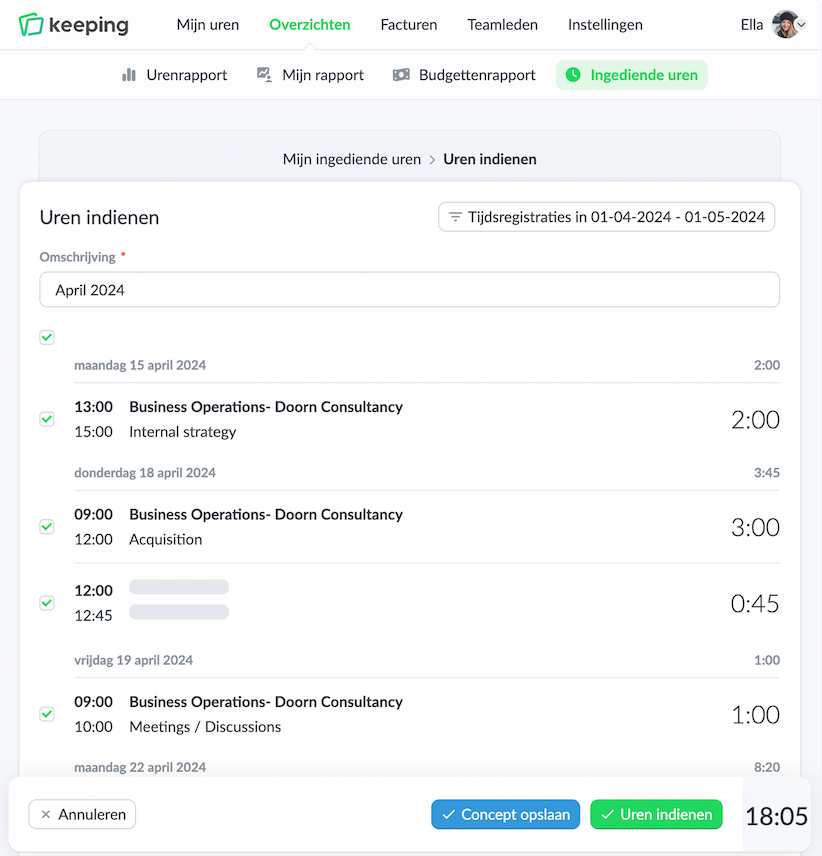 Submitting hours as a staff member
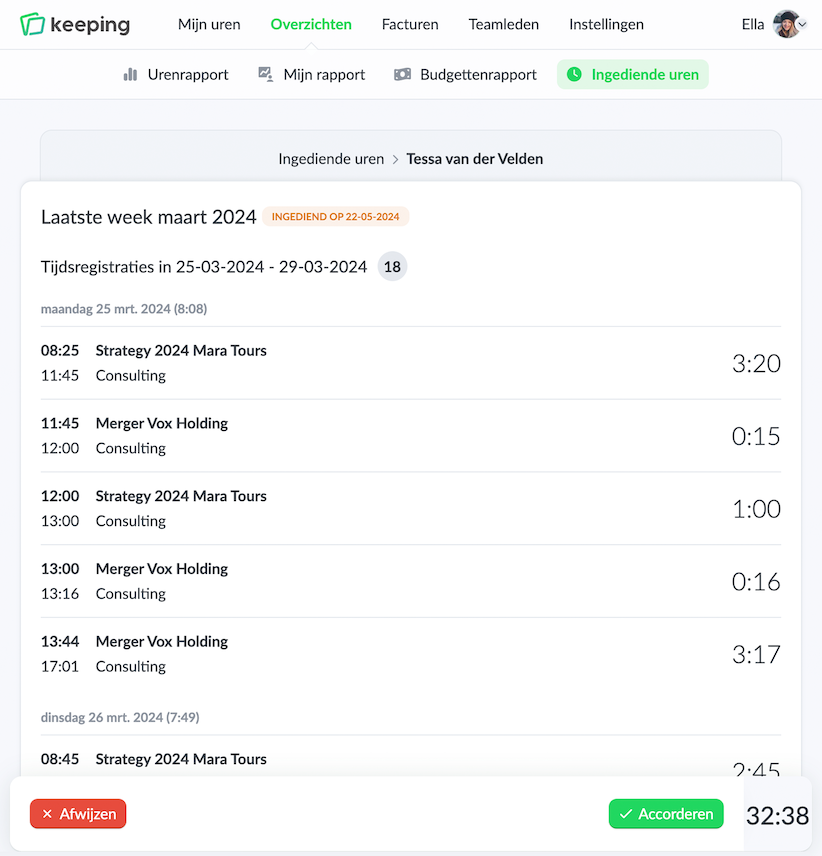 Approving hours as a manager or supervisor
Locking Submitted Hours
To ensure your company’s time records are accurate, submitted hours are locked. Team members can no longer make changes to these entries. This way, your time records always match the hours submitted for payroll.
Lock Time Entries
It may not always be desirable to allow time entries to be modified indefinitely. Therefore, you can set a limit so that time entries can only be changed within a set number of weeks in the past.
Budget Report
While Keeping is all about tracking hours, it can also be useful to express those hours in a budget to maintain a clear view of project progress. With the budget report, you can get a clear picture of (potential) revenue based on the set rates. You can distinguish between direct and indirect hours to get a clearer picture of a team member's efficiency. You can also add rate adjustments so that each period is calculated with the correct rate for that time.
Other Benefits of the Pro Subscription
- Easily add tags to entries and view cross client, project, and task reports.
- Easily manage rates per client, project, and task, including historical adjustments.
- Get insights into actions with the events log.
- Log in easily without a password using Single Sign-On via Okta's identity provider.
Start saving time today by keeping your hours organized with ease. Sign up for Keeping and enjoy a free 14-day trial of the Pro subscription.

