Direct and indirect hours with tasks
To differentiate between direct and indirect hours, you need at least a Plus subscription.
Distinguishing between Direct and Indirect Hours
You can differentiate between direct and indirect hours. Direct hours can be seen as billable or chargeable hours. If you use projects, you can adjust the settings for this on a per-project basis, but you can also specify for Tasks whether these are standard direct hours. You adjust this by navigating to Settings > Manage > Tasks and selecting the relevant task. In the Edit Task window, you can then indicate whether this is standard direct hours.
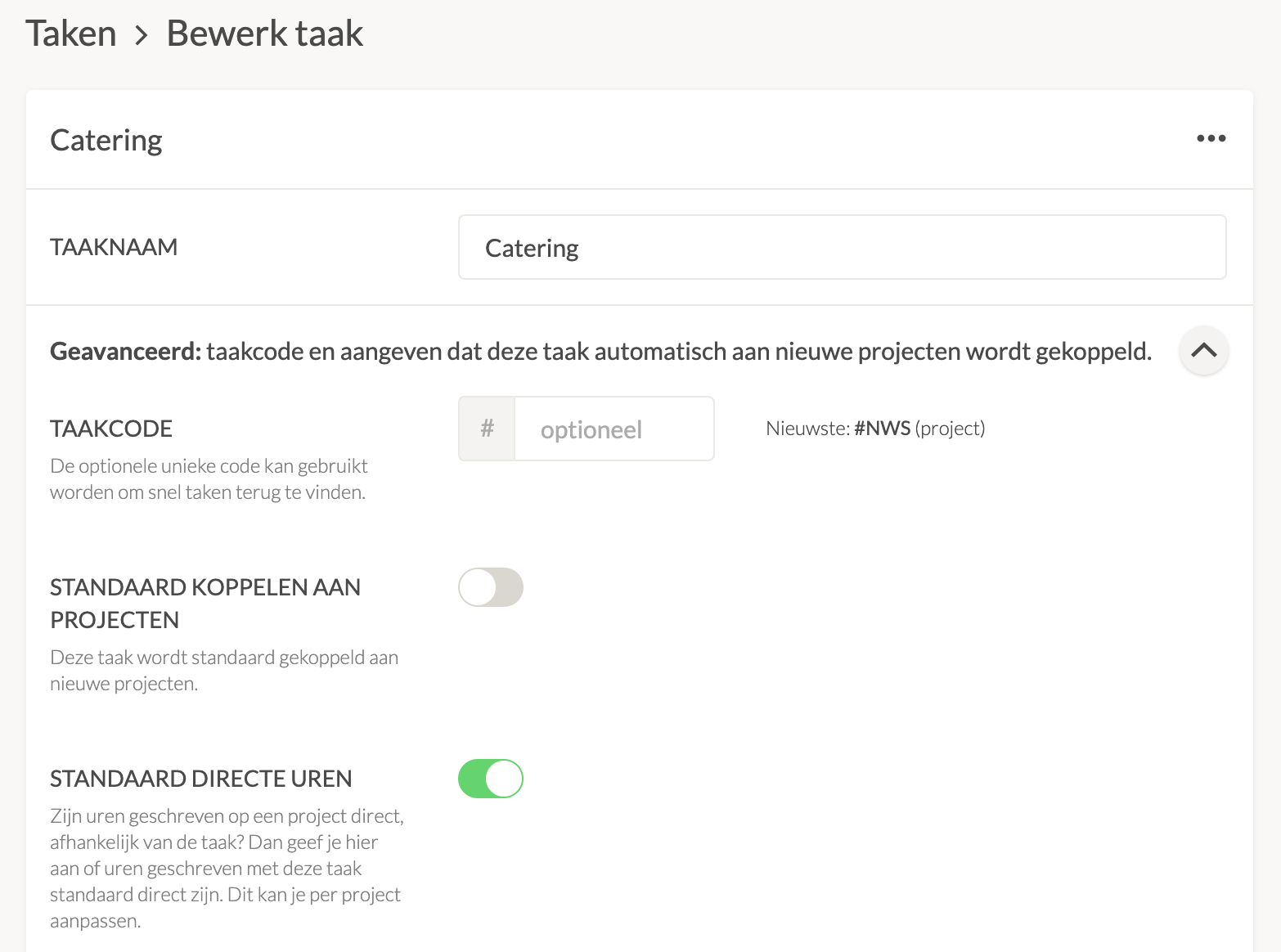 In the settings, you will see the options for direct hours under General.
If you choose to differentiate between direct and indirect on a task basis while using projects, you can specify how the task should be counted here for each task. Read more about direct and indirect hours in projects.

