Projects with direct and indirect hours
To distinguish between direct and indirect hours, you need at least a Plus subscription.
Distinguishing Between Direct and Indirect Hours
You can distinguish between direct and indirect hours. Direct hours can be considered billable or chargeable hours. This distinction between direct and indirect hours is reflected in the Reports. If you have enabled projects, there are three options for categorizing hours per project.
Indirect - All hours logged on this project are indirect hours.
Direct (task-dependent) - Hours logged on specific tasks are direct hours.
Direct - All hours logged on this project are direct hours.
You can determine how hours are classified for each project when creating it, or you can adjust these settings for existing projects. To do this, navigate to Settings > Manage > Projects and edit the settings for the specific project.
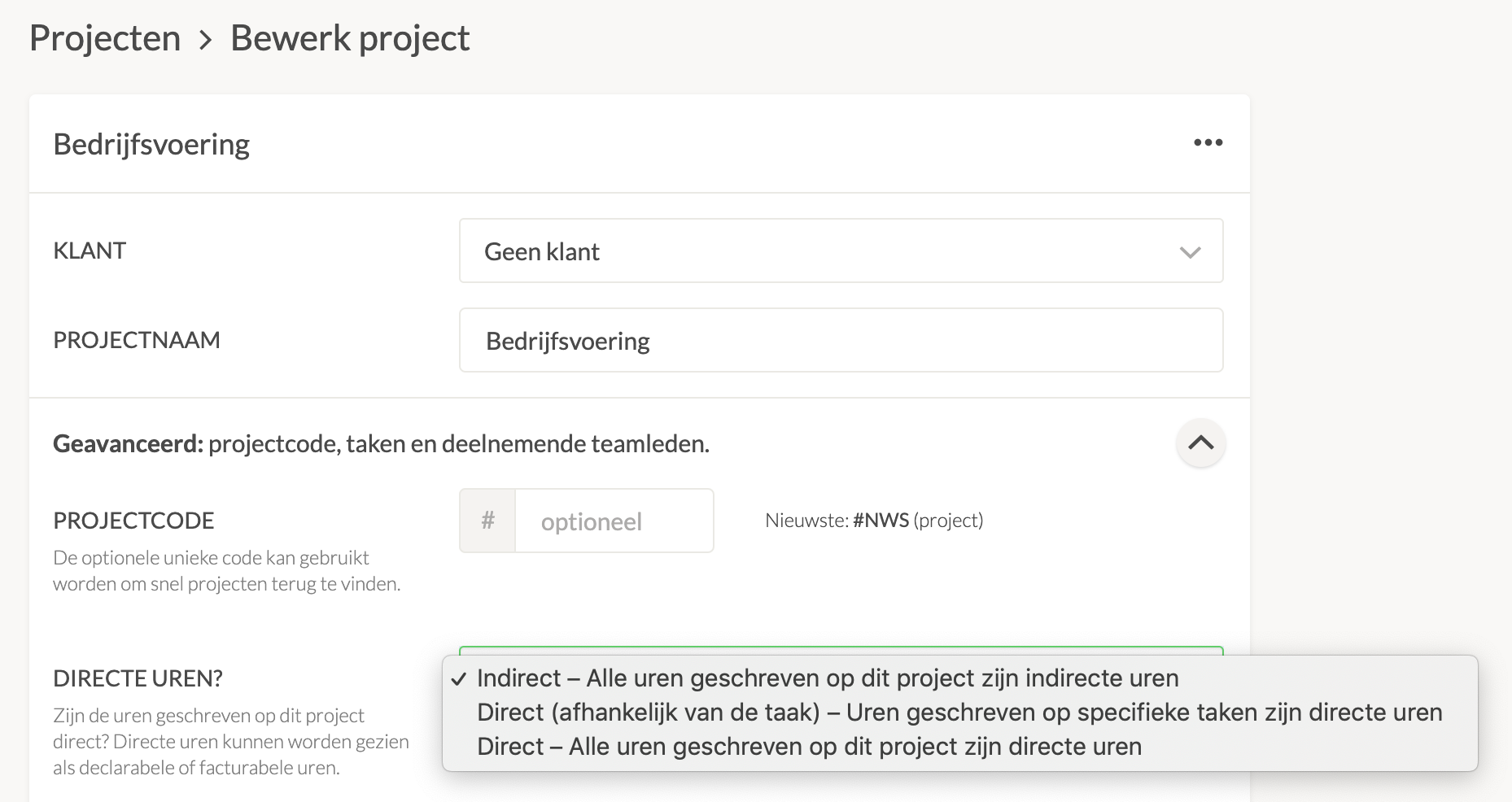
Under General in the settings, you’ll see the options for direct hours.
Direct and Indirect Hours and Tasks
You can specify per task whether it should be classified as direct or indirect. This can also be done without using projects. If projects are enabled, the classification of hours in the project setting Direct (task-dependent) will be based on the task settings. Learn more about enabling default direct hours.

