New: Set a Budget for Projects
When you’ve quoted a project based on a certain number of hours, it’s useful to work with a budget. With Keeping’s new budget feature, you can easily set a budget per project and receive timely notifications if the budget is at risk of being exceeded. Stay informed and see the benefits of effective time tracking.
Using a Budget within Projects
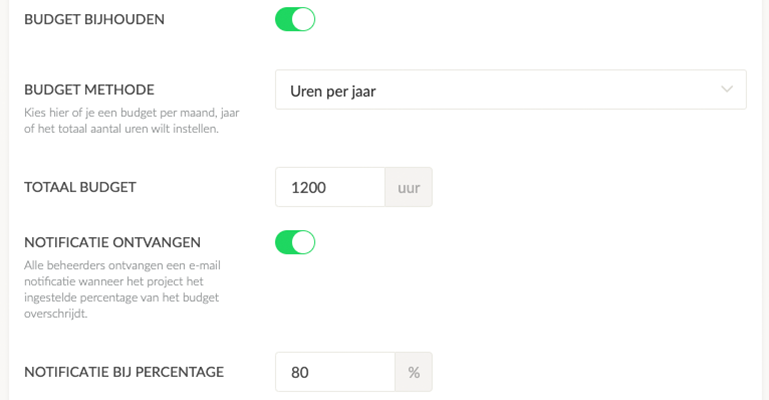
When you use projects within Keeping, you can set a budget per project. This budget can be applied in three different ways:
- A monthly budget;
- An annual budget;
- A total project hours budget.
The advantage here is that you have complete control over the time allocations within a specific project or contract. Convenient, right?!
Email Notification for Budget Overruns
Of course, you’re diligently tracking your hours in Keeping, but you’re not always checking reports. No problem. If needed, you can set up an email notification to alert you if the budget is or will be exceeded. This can be done by selecting the Receive Notification option as an administrator. You can also set a percentage of the budget at which you want to be notified for even better oversight.
- For a monthly budget, you’ll receive one notification per month;
- For an annual budget, one notification per year;
- For a total budget, you’ll receive a one-time notification.
Relationship to Reports
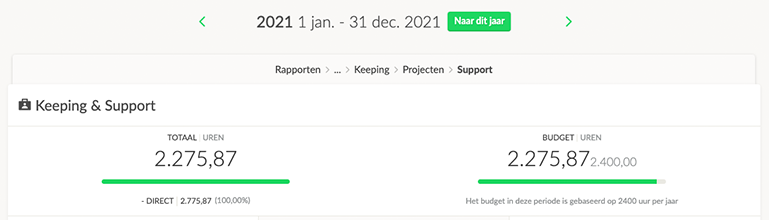
If you’re using the new reports, the set hours budget will be visible in a project report. The budget will align with the interval (annual, monthly, total budget) you’ve chosen under the budget method setting for that project.
How Does It Work in Practice?
The set budget will be calculated based on the number of hours available within the selected period. To clarify how budgets can be applied, here are some examples:
Monthly Budget
The project budget is set to 20 hours per month. In the report, I review a quarter, so the budget for this period is 20 x 3 = 60 hours.
Annual Budget
The annual budget for a project is set at 2,400 hours. In the report, I review one month, so the budget for this period is 2,400 / 12 = 200 hours.
The annual budget for a project is set at 2,400 hours. In the report, I review one year, so the budget for this period is 2,400 hours.
Available to Everyone
The new budget feature is available to everyone! It’s included in all plans, whether you’re on the free, Plus, or Enterprise plan.
Start tracking your hours today. Sign up for Keeping and enjoy a 14-day free trial of the Plus plan.

