Invoice Hours with Exact Online
Today we’re introducing the ability to invoice tracked hours with Exact Online directly from your Keeping environment, enabling you to get even more out of your time tracking with Keeping.
To link with an invoicing program, you need at least the Keeping Plus plan. Additionally, an Exact Online account is required. A separate Exact Online subscription may be necessary.
What is Exact Online?
Exact Online allows you to handle your company’s bookkeeping online. Exact Online promises that you can get more from your time by making accounting easier for your business. Known for its robust accounting software, Exact Online is well-suited for larger organisations and provides flexibility to scale with your company’s growth. While Exact Online offers a simplified time-tracking feature, our integration focuses purely on utilizing Keeping’s time-tracking data for creating invoices. With the Keeping integration for Exact Online, you gain precise time-tracking that supports the invoicing of all tracked hours.
Creating an Invoice Based on Keeping Hours
Since invoicing a client often requires customization, we’re excited to bring together Keeping and Exact Online. This integration lets you invoice tracked hours down to the minute with just a few clicks, while the rest functions as usual within Exact Online.
From now on, you can generate an invoice directly from your reports in just a few clicks. Use the selection options to organize your invoice as desired. Then click “Continue” to review and send your invoice within Exact Online.
And that’s it: your invoice, based on exact hours in Keeping, is now sent. Accurate and easy.
Associating Existing Invoices with Your Tracked Hours
You can also link existing invoices in Keeping to create a complete picture of your business operations. Do this by associating invoices with tracked hours. We’ve designed this process to work just like creating a new invoice, making it convenient.
View Your Invoiced Earnings in Your Reports
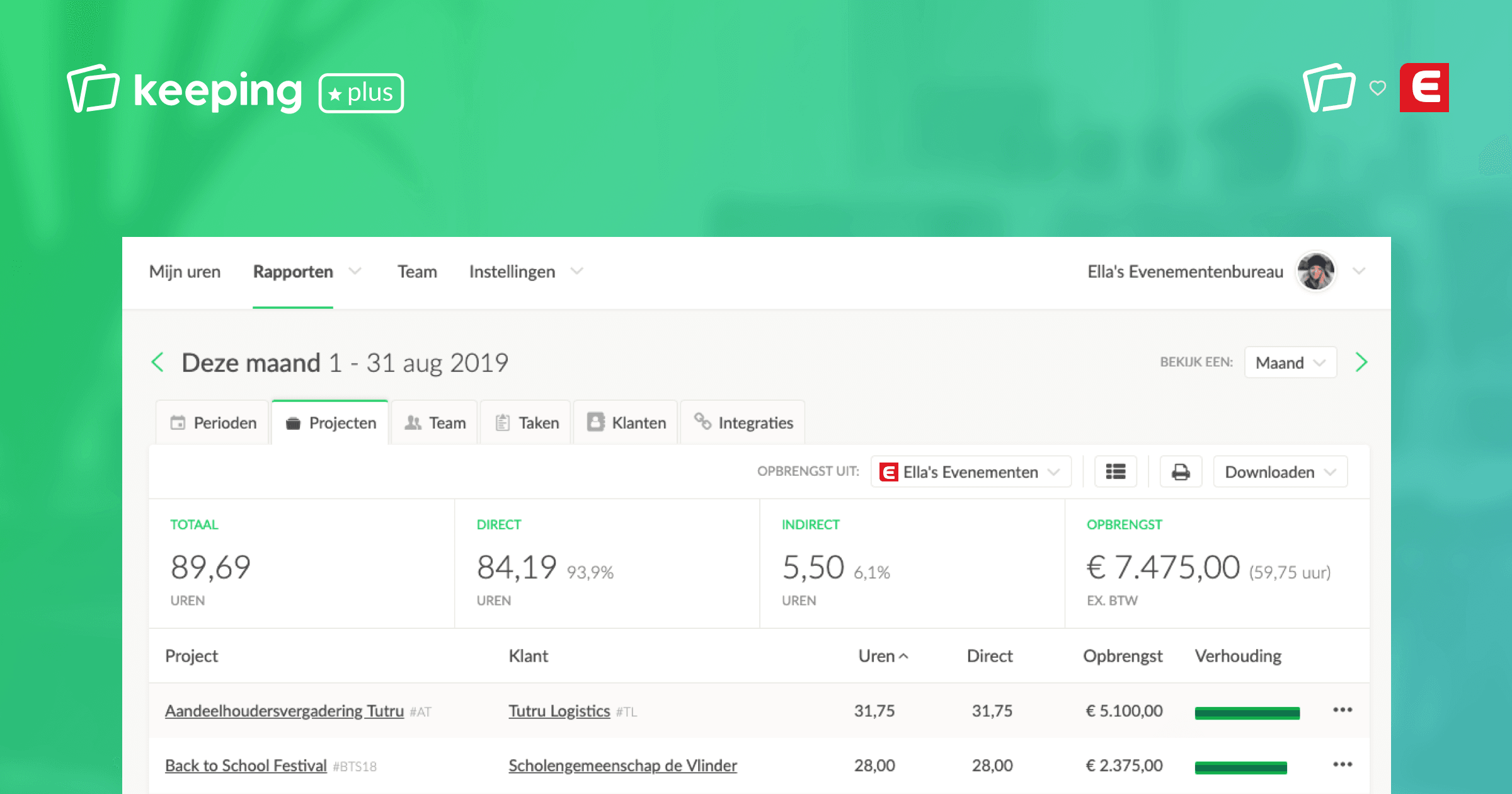
To complete the picture, your invoiced earnings appear directly in the reports within Keeping, making it easy to stay updated without switching between applications. You can also gain insights into the ratio of invoiced versus non-invoiced hours.
Refine Your Work with Direct and Indirect Hours
To enhance your invoicing workflow with Exact Online and Keeping, you can designate hours as either direct or indirect. This feature is useful for determining which hours should ultimately be invoiced and which shouldn’t. You can configure direct and indirect hours according to your preferences: set direct and indirect hours.
When creating and associating an invoice, you can choose whether to include only direct hours or add indirect hours to your invoice, offering more flexibility.
Linking Exact Online and Keeping
To link your Keeping organisation with your Exact Online administration(s), you can follow this simple step-by-step guide.

