Invoice hours worked with SnelStart
Keeping integrates with SnelStart so you can invoice your worked hours to clients even more easily. Directly from your Keeping time registration—reliable and fast.
To link with an invoicing program, you need at least Keeping Plus. Additionally, a separate SnelStart account with at least "inBalans" (or "inControle," "inZicht") is required. A SnelStart subscription is not included. Unfortunately, the integration does not work with SnelStart "inKaart," "inStap," and "Accountant" versions.
What is SnelStart?
SnelStart has been active in the accounting software industry for over 35 years. It’s designed to make accounting easy for every entrepreneur, providing flexible software that grows with your business and guides you in managing your finances. Now, this user-friendly accounting tool integrates with Keeping for even easier invoicing based on time tracking. Thanks to the Keeping integration with SnelStart, you can easily invoice all your worked hours.
Use your Keeping hours to create invoices
Custom invoices or billing by the hour? Often, a balance needs to be struck between the two. For this reason, we bring SnelStart and Keeping together, enabling you to invoice your worked hours precisely to the minute with just a few simple clicks. You can complete the rest of the invoicing process in SnelStart, as you’re used to.
Create a new invoice in just a few clicks based on your Keeping hours. Selection options help you format and organize your invoice as desired. Click "Continue" to view and send the invoice in SnelStart.
Your invoice based on hours from Keeping is now created and ready to send.
Use existing invoices to gain insights
Existing invoices in SnelStart can be associated with hours in Keeping to get a better understanding of your time allocation. Do this by associating invoices with hours. It works the same as creating a new invoice; however, this time, you only select the hours.
View invoice revenue in reports
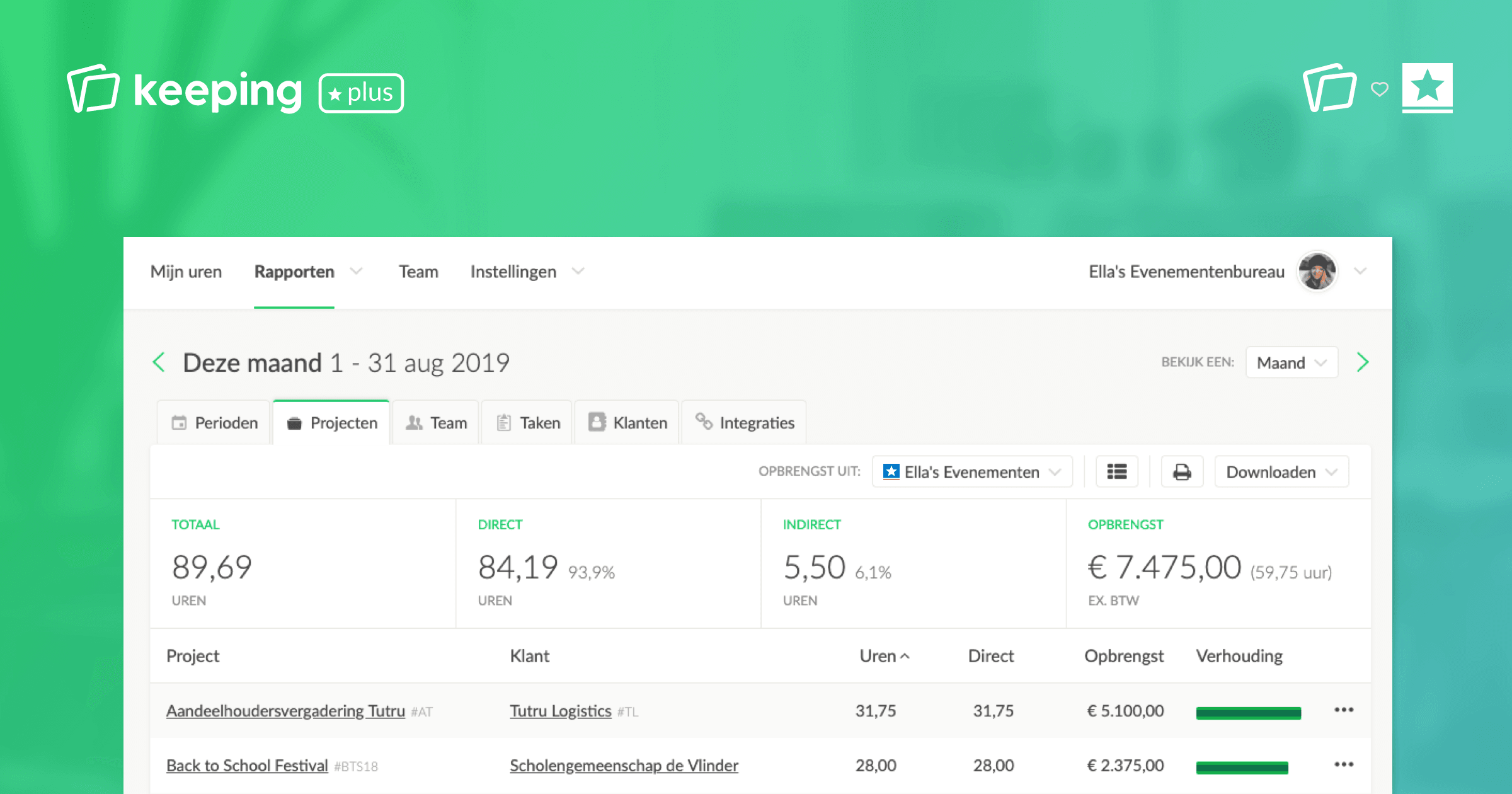
Revenue from invoiced hours linked to Keeping is immediately reflected in your reports. This is useful if you want to see the financial yield directly in your time tracking overview. This way, you don’t have to switch between applications often. You can also gain insights into the ratio between invoiced and non-invoiced hours, for instance.
Improve invoicing with direct and indirect hours
Accurate invoicing is a good practice, and you can further optimize your invoicing flow with the option to use direct and indirect hours. This is especially useful for determining which hours can or cannot be billed. You can set it up as you like—learn more at: setting up direct and indirect hours.
When creating and associating an invoice, you can choose whether to include only direct hours or to also add indirect hours to your invoice—adding flexibility.
Linking SnelStart and Keeping?
We’ve put together a simple step-by-step guide explaining how to link Keeping and SnelStart.

