Integrate with SnelStart
To link with an invoicing program, you need at least a Keeping Plus subscription. Additionally, a separate SnelStart account with at least 'inBalans' (or 'inControle,' 'inZicht') is required. The necessary SnelStart subscription is not included. The integration does not work with SnelStart 'inKaart,' 'inStap,' or 'Accountant'.
Keeping can be linked to one or more administrations in SnelStart, allowing you to easily connect time tracking in Keeping with invoicing in SnelStart.
Starting the Link
Navigate to the integration settings of your Keeping organisation via Settings → Features → Integrations. From the list of available invoicing integrations, choose SnelStart.
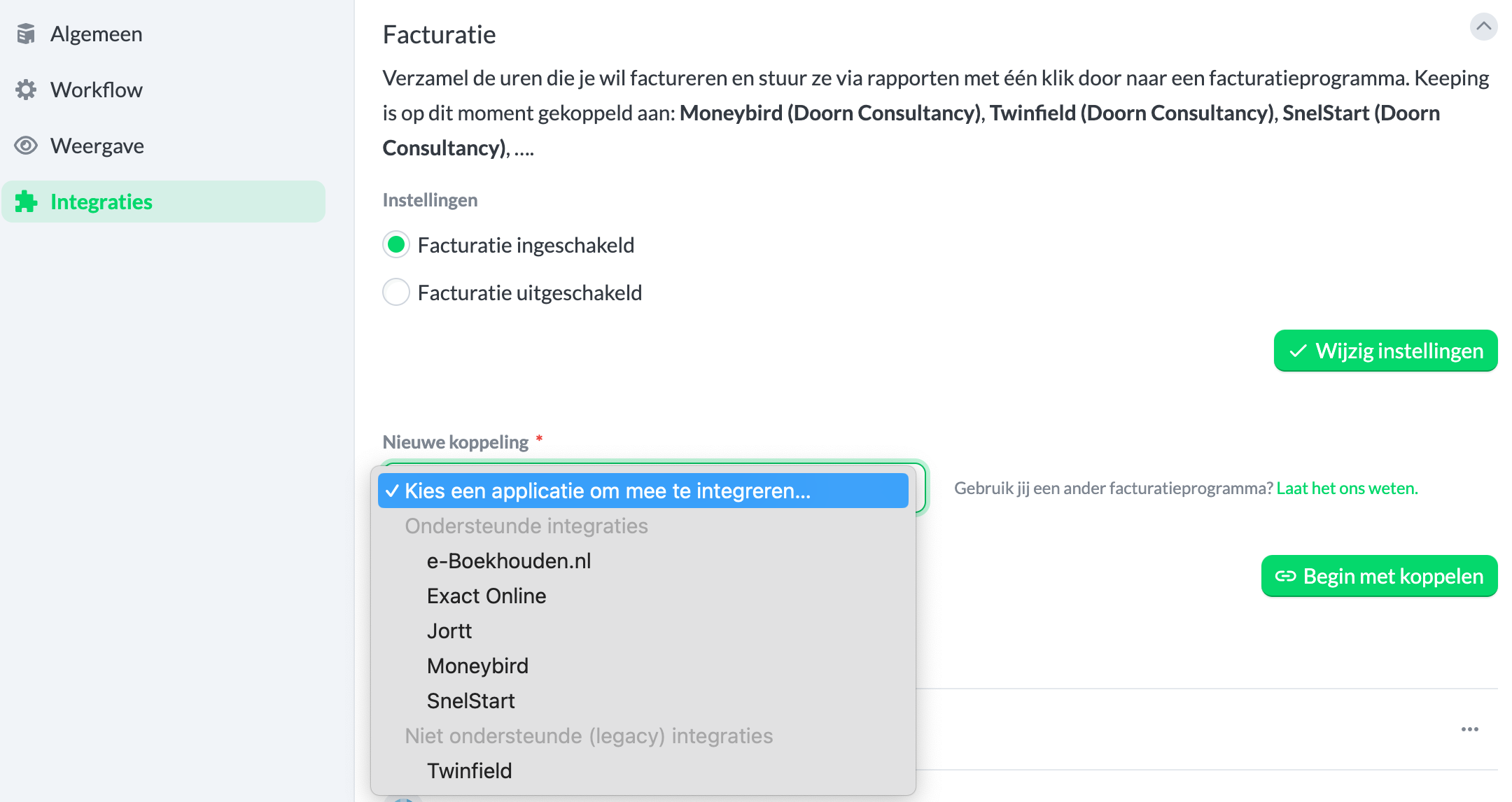
Authorization for the Link
After clicking the green "Start Linking" button, you'll be redirected to a new page where you can enter your SnelStart organisation details. Follow the instructions carefully to locate the correct information in your SnelStart environment.
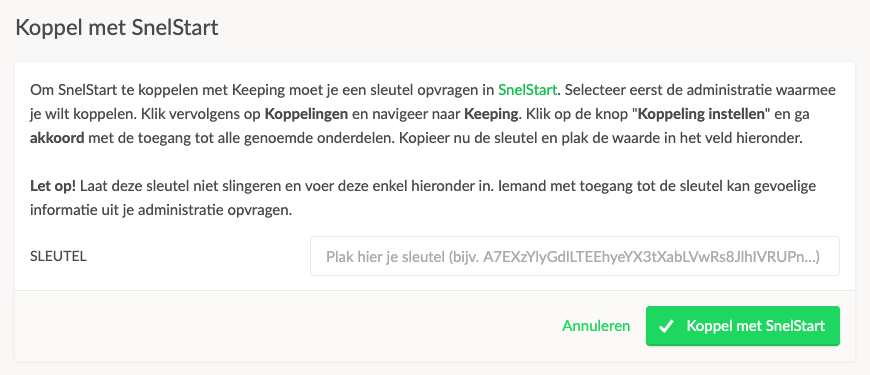 (Press the green Link with SnelStart button)
View Linked SnelStart Administration(s) in Keeping
You will then be automatically redirected back to your Keeping environment. Here, you can confirm that the link with SnelStart is successful by checking the Current Invoice Links overview. Congratulations! Your Keeping organisation is now linked to your SnelStart administration. You can now, for example, create an invoice in SnelStart based on hours in Keeping, or link an existing invoice from SnelStart to specific hours in Keeping.
Linking Multiple Organisations
If you want to link multiple administrations simultaneously, you can. Follow the steps from Starting the Link for the administration you wish to add as the second link.
For more information, visit the SnelStart page.

