Invoicing with Jortt and Keeping
Connect your Keeping organisation with Jortt for accurate and convenient invoicing. Make the most out of your time tracking.
To connect with an invoicing program, you’ll need at least the Keeping Plus plan. Additionally, a separate Jortt account with at least the Jortt Complete plan is required. The Jortt subscription is not included.
What is Jortt?
Jortt is an online accounting platform that enables you to manage your company’s bookkeeping. With Jortt, managing your business accounting is designed to be straightforward and enjoyable. Jortt is suitable for both freelancers and larger businesses, and it’s trusted by over 35,000 companies. Thanks to the Keeping integration with Jortt, you have a seamless time-tracking tool for invoicing all your billable hours.
Creating an Invoice Based on Your Keeping Hours
We brought Jortt and Keeping together because invoicing hours often requires customization. With this integration, you can accurately invoice tracked hours down to the minute with just a few clicks. The rest works as usual within Jortt.
Now you can create an invoice directly from your reports in just a few clicks. Use the selection options to organize and distribute your invoice as you wish. Then, click "Proceed" to review and send the invoice in Jortt.
And that's it: your invoice, based on precisely tracked hours in Keeping, is now ready. Accurate and simple.
Associate Existing Invoices with Your Recorded Hours
You can also associate existing invoices within Keeping to get a complete picture of your business activities. This is done by associating invoices with hours. We’ve made it work the same way as creating a new invoice – easy and efficient!
See Your Billed Revenue in Your Reports
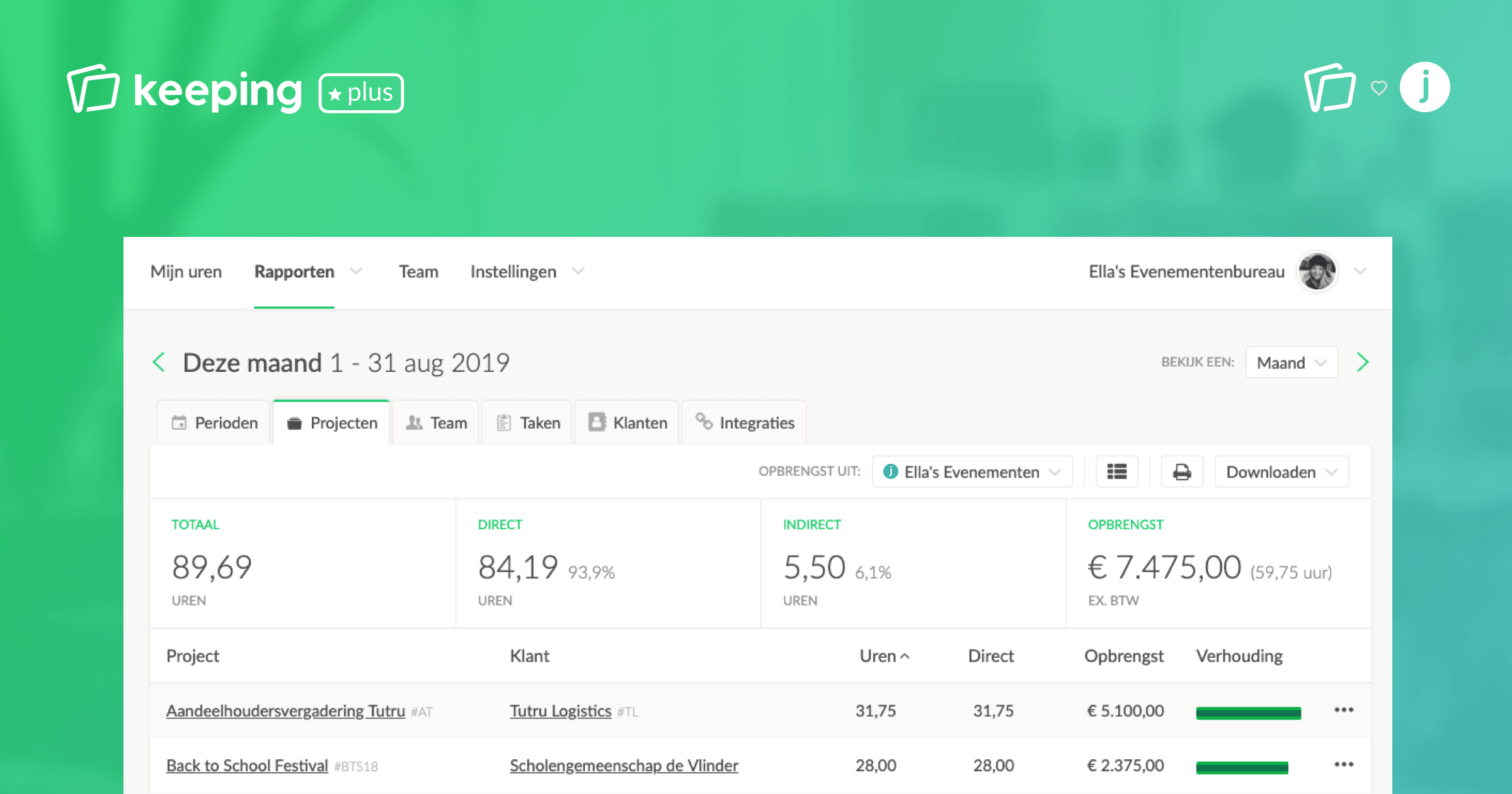
To streamline everything, you’ll see the revenue from your billed hours directly in Keeping’s reports. This keeps you informed without constantly switching between apps. You can also analyze the balance between billed and unbilled hours.
Refine Your Work with Direct and Indirect Hours
To enhance your invoicing flow with Jortt and Keeping, you can designate hours as direct or indirect. This is particularly useful when deciding which hours to invoice and which to exclude. You can set up direct and indirect hours however you like: setting up direct and indirect hours.
When creating or associating an invoice, you can choose to include only direct hours or add indirect hours to the invoice as well – keeping things flexible.
Ready to Connect Jortt and Keeping?
To link your Keeping organisation with your Jortt accounts, follow this simple step-by-step guide.
More Integrations Coming Soon
Don’t use Jortt? We’re currently finalizing integrations for e-Boekhouden, SnelStart, and Twinfield. By the end of January 2020, these integrations will be available.

