Integrate with Jortt
To link with an invoicing program, you need at least a Keeping Plus subscription. Additionally, a separate Jortt account with at least the Jortt Complete subscription is required. The necessary Jortt subscription is not included.
Keeping allows you to link your organisation to one or more administrations in Jortt, enabling quick connections between time entries in Keeping and invoices in Jortt.
Getting Started with the Link
Navigate to the integration settings for your Keeping organisation. Choose Jortt from the list of available invoicing integrations.
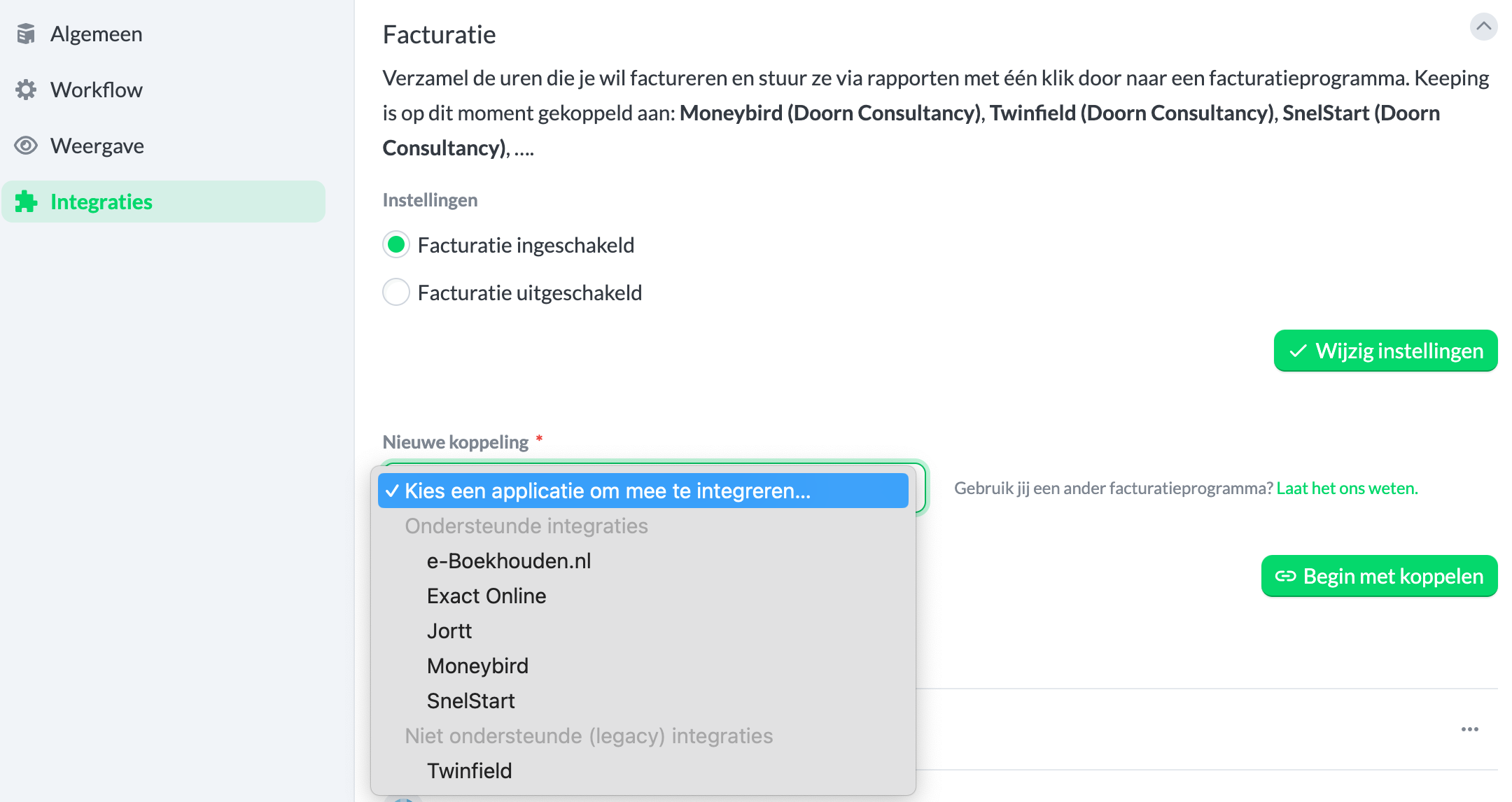 (Available under Settings → Features → Integrations)
Permission for the Link
After pressing the green "Start Linking" button, you will be redirected to a new page where you need to fill in the details of your Jortt organisation. Follow the instructions on the page carefully to find the required information.
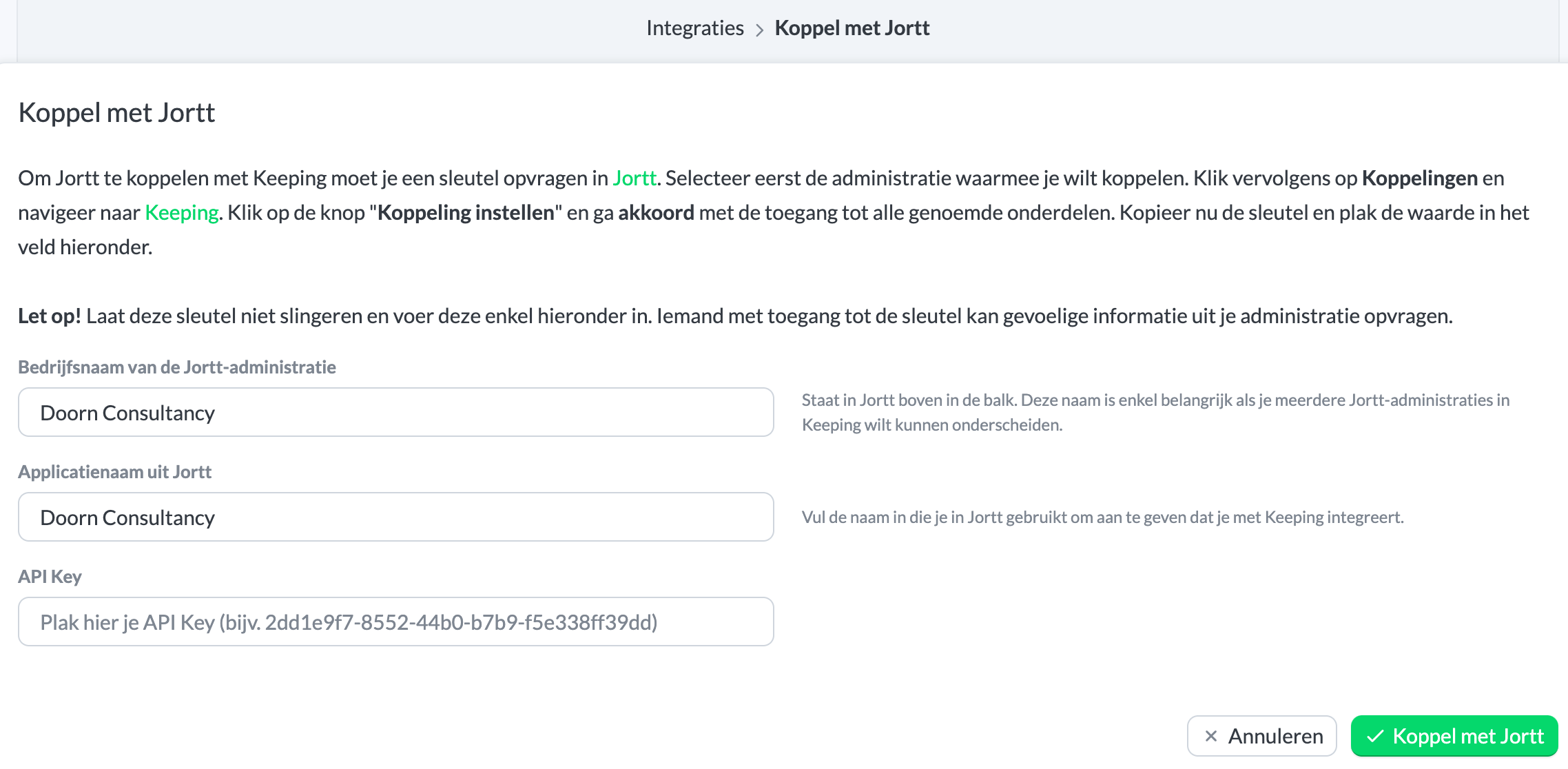 (Press the green Link with Jortt button)
Viewing Your Linked Jortt Organisation(s) in Keeping
You will then be automatically redirected back to your Keeping environment, where you’ll see that the connection with Jortt is successful. Confirm this by checking the overview under Current Invoice Links. Congratulations! Your Keeping organisation is now linked to your Jortt organisation. You can now create invoices in Jortt based on hours in Keeping, or link an existing invoice from Jortt to specific hours in Keeping.
Linking Multiple Organisations
If you want to link multiple administrations simultaneously, you can. Follow the steps from Getting Started with the Link for each additional administration you want to link.
For more information on the link with Jortt, visit the Jortt page.

