Track Exact Hours for Each GitHub Issue and Pull Request
GitHub is the world’s largest Git repository platform, trusted by millions of companies for source control and more. We’re thrilled to offer this integration for all software engineers to manage time tracking within GitHub using Keeping.
To connect with an external project management tool, you need at least the Keeping Plus plan. Additionally, a separate GitHub account is required. Any necessary GitHub subscription is not included.
GitHub Time Tracking Integration with Keeping
At Keeping, we’re big fans of Git repository services like GitHub – and we know you are too! That’s why we’ve been hard at work on the time tracking integration for GitHub. With this integration, you can log hours directly within GitHub for specific issues and pull requests, adding extra detail to your time tracking.
How Does It Work?
We’ve developed two browser extensions for Keeping: the Chrome extension and the Firefox add-on. Through these browser extensions, Keeping connects with external websites like GitHub by embedding a Keeping button directly in GitHub’s interface. In an issue list, you’ll see a Keeping button next to each issue, allowing you to log hours. For convenience, you’ll also see the Keeping button on the detail page of each issue or pull request.
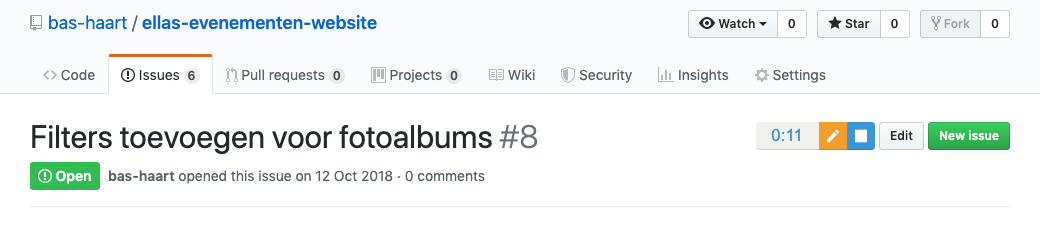
This is how the Keeping button appears in the detail view of an issue.
Time Logs Linked to GitHub Issues or Pull Requests
To make the GitHub integration even more powerful, all issues and pull requests where you log hours are directly reflected in your reports. For each individual time log, you can see which GitHub page it’s linked to. You can also view a GitHub issue or pull request and see the time logs linked to it. Learn more about how it works.
Ready to Track Hours for Your GitHub Issues and Pull Requests?
Start tracking your hours in GitHub today. Sign up for Keeping and enjoy the Plus plan free for the first 14 days.

