Install the Keeping extension for Google Chrome
Download here to get the Keeping extension directly from the Chrome Web Store.
Now, you can keep track of your hours directly in your browser with the Keeping extension for Google Chrome. This way, you always have your personal timecard at hand. Through this extension, you can manage your hours and track time on any page. See below for how it works.
How Do I Install Keeping for Google Chrome?
- Install and open the desktop version of the Google Chrome browser.
- Go to the Chrome Web Store via this link. From here, you can easily install the Keeping extension and other extensions.
- Click "Add to Chrome" in the upper-right corner.
- Now, Keeping for Google Chrome is added to your browser and ready for use.
- Open the extension by clicking on the Keeping icon next to the navigation bar.
- The extension will open in a pop-over, and you can log in via the green "Log in with Keeping" button.
- After logging in, select your organisation within Keeping in the extension.
- You’re now ready to track time directly from any page in your browser.
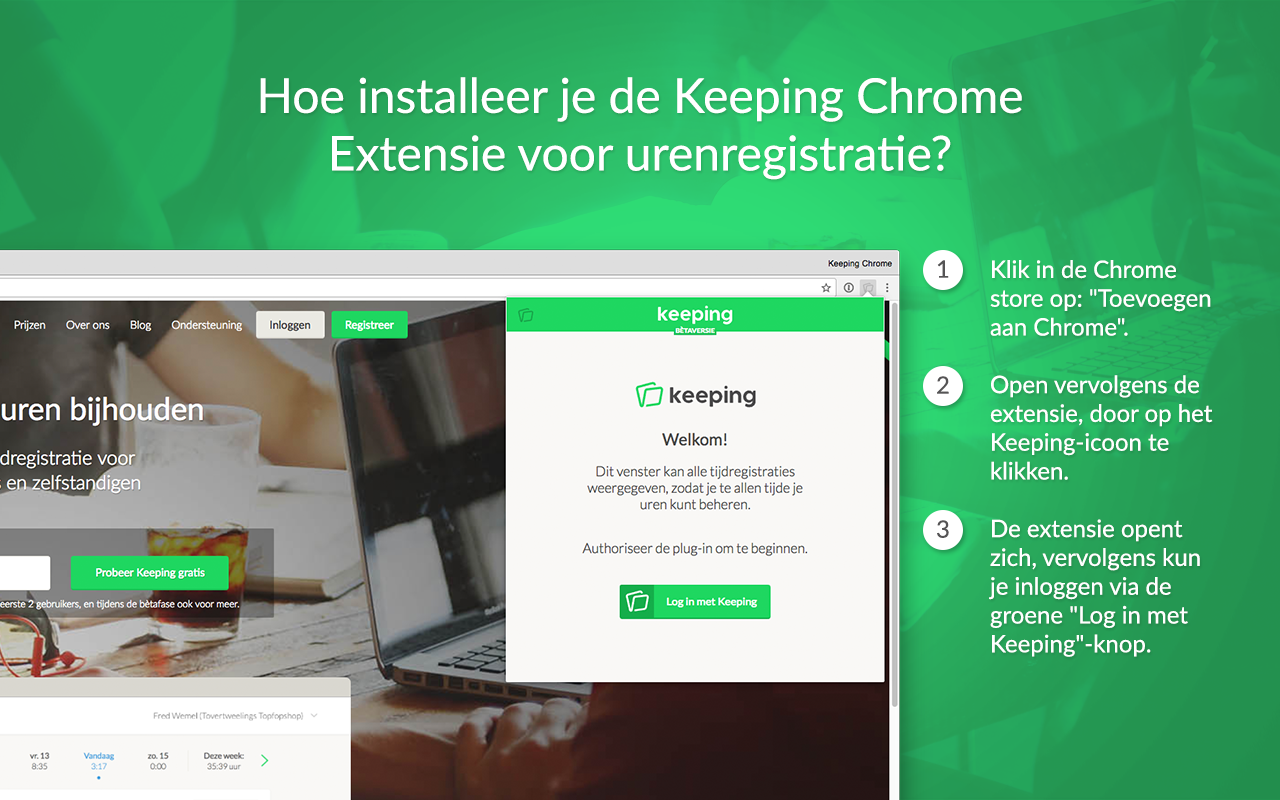
Above is the Chrome extension for Keeping.
See the blog post 'Keeping introduces the browser extension for Google Chrome' for more information.
Support
If you encounter any issues with the Chrome extension, you can contact us at [email protected].

