How is my subscription invoice structured?
To perform this action, first navigate to the subscription overview screen. Follow the steps below:
- Go to your organisation’s settings;
- Select the "subscription" section;
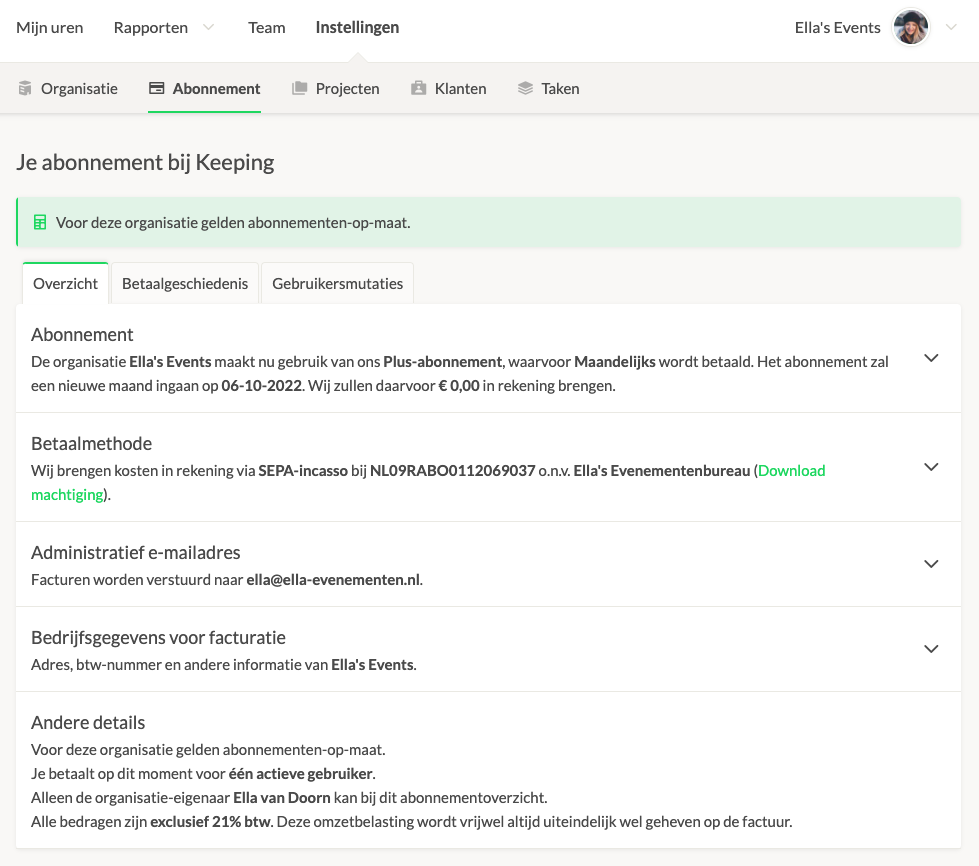
Your overview will look something like this:
How Is My Invoice Structured?
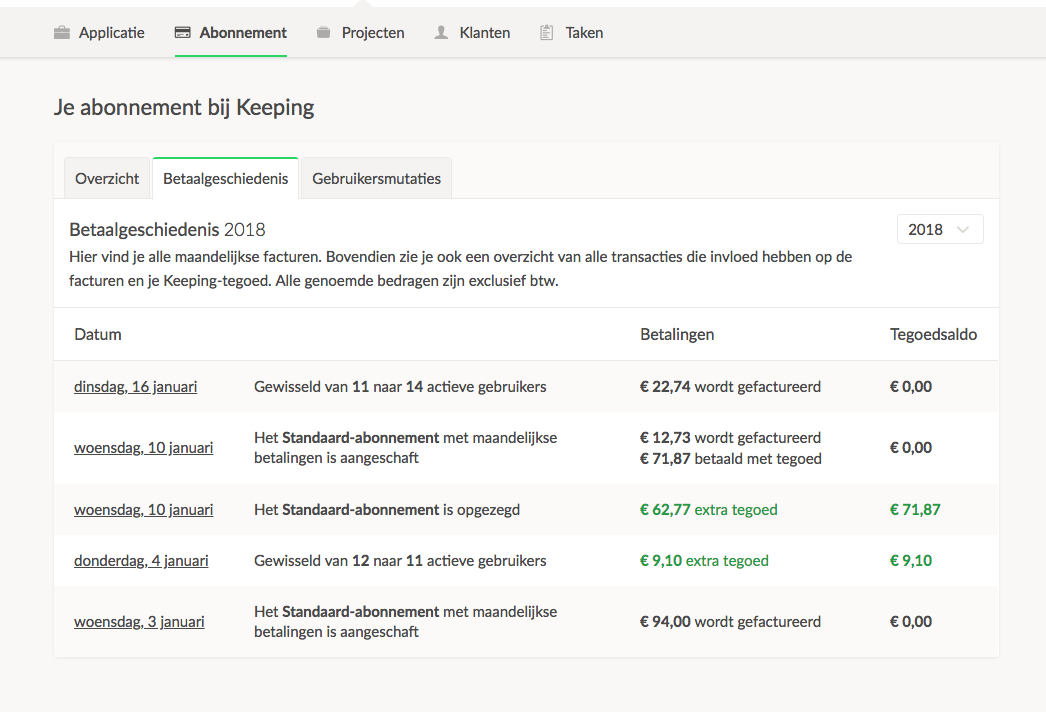
You can always view the structure of your invoice on the "payment history" page. This page includes an explanation, changes, and breakdown of costs alongside your invoice.
Keeping automatically scans your organisation daily to determine the number of active users. Any changes you make to your organisation are immediately noted and reflected in your next invoice. If you add a team member 5 days before the end of the month, thanks to the fair pricing model, you only pay for those final 5 days, not the entire month.
What’s Included on My Invoice?
Your invoice contains the following information:
- Organisation details, invoice date, etc.;
- Changes in the number of users (e.g., from 10 to 11 users);
- Subscription type (e.g., "Plus Subscription");
- Accumulated and credited balances;
- The period for the specified costs;
- Subtotal and total amount;
- Payment details and direct debit date.
If you have questions about your invoice, feel free to email us at [email protected].
Please include your invoice number and organisation details in your email.

