Accessibility
Quick start
Because the Keeping button appears directly next to each to-do in Todoist, you can start time tracking very quickly. The button automatically appears next to a to-do.

Used to keeping your tasks in Todoist? Now you can also track your hours directly from Todoist thanks to Keeping. Use the Chrome-extensie en Firefox add-on to track hours directly within Todoist with the Keeping button.

Accessibility
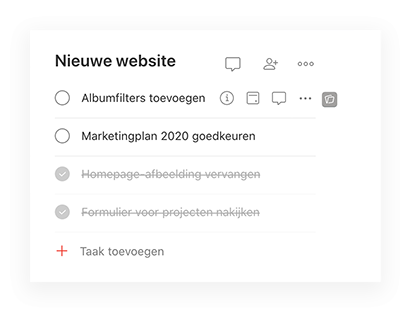
Because the Keeping button appears directly next to each to-do in Todoist, you can start time tracking very quickly. The button automatically appears next to a to-do.
Accuracy
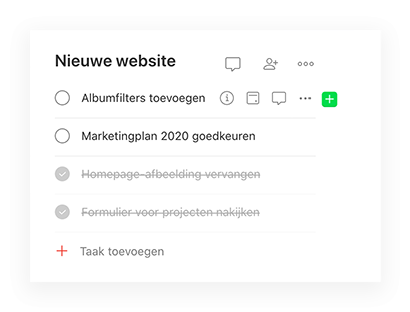
By making it easy to track hours directly within your Todoist environment, you gain a more accurate view of your time usage. You will benefit from this immediately.
Versatile
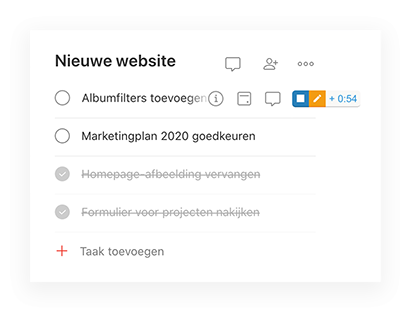
The Keeping is interactive and changes depending on the current state of your time tracking. This allows you to switch quickly for optimal use of your time tracking.
In-depth integration
The time entries you process in Todoist are always synchronized live with your account in Keeping. This way, you have access to your time entries both through Todoist and the Keeping website. Additionally, you can clearly see within your projects and tasks which Todoist items the time entries belong to.

This is the linked item for the specific time entry. The link remains active so you can quickly navigate to the specific page in Todoist.
You can automatically use the Todoist integration. Make sure your organization has the Plus subscription and that you have installed the Chrome extension or Firefox add-on.
Chrome-extensie en Firefox add-on
With the external references from Keeping, you add depth to your time administration. You link specific time entries within projects and tasks to items within Todoist, making it clearer where the focal points of the project lie.
The Chrome extension gives you a clear overview of your current day directly in your browser.

Widely applicable
Keeping has integrations that allow you to easily track your hours or forward them to an accounting program.
Over 25.000 entrepreneurs are already using Keeping to make time tracking easier for them and their team. Sign up below and start using Keeping for free.