Adjust existing invoice association
To link with an invoicing program, you need at least a Keeping Plus subscription. A separate invoicing program account is required.
Discrepancy in Your Records
If you modify an already associated invoice later in your invoicing program, Keeping might not always capture this change. The system is then alerted to a discrepancy between the invoice in the invoicing program and the invoice in Keeping.
You’ll see the following notification in your invoice overview. In this example, we’re using Moneybird, but the same applies to other invoicing integrations.
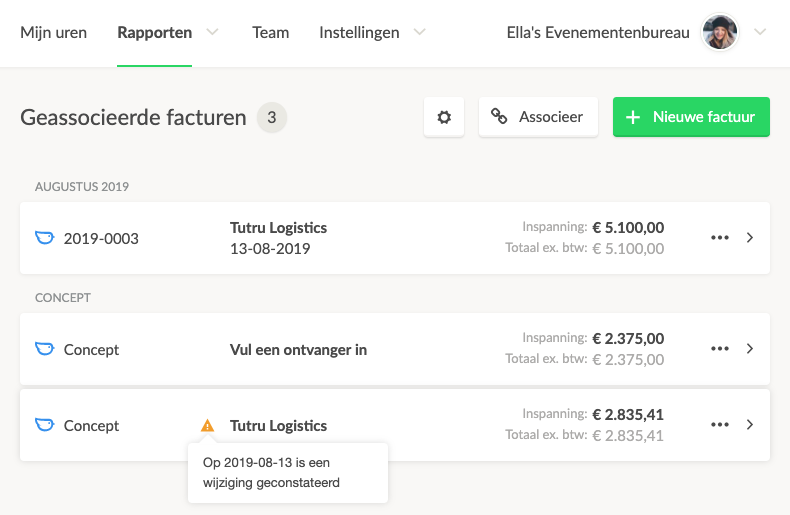 (Located under Reports → Invoices)
Adjusting the Invoice Association
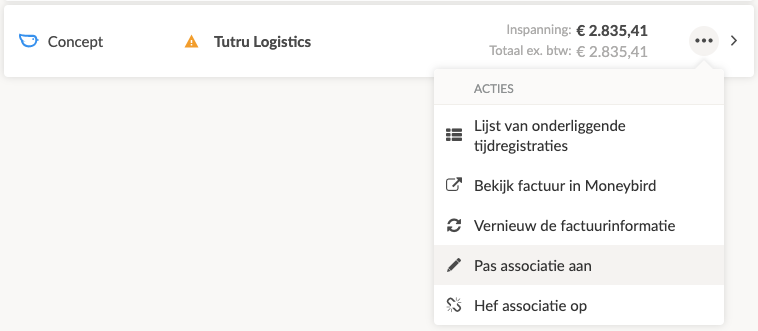
To adjust the association of the invoice, you can use the options button (···) and then click on Adjust association.
The Modified Invoice Line(s)
Keeping will directly show where the exact change has occurred, displaying the specific invoice line that was modified. The time selection specification (date range & time choice) is shown in dark gray and cannot be modified without first disconnecting the invoice.
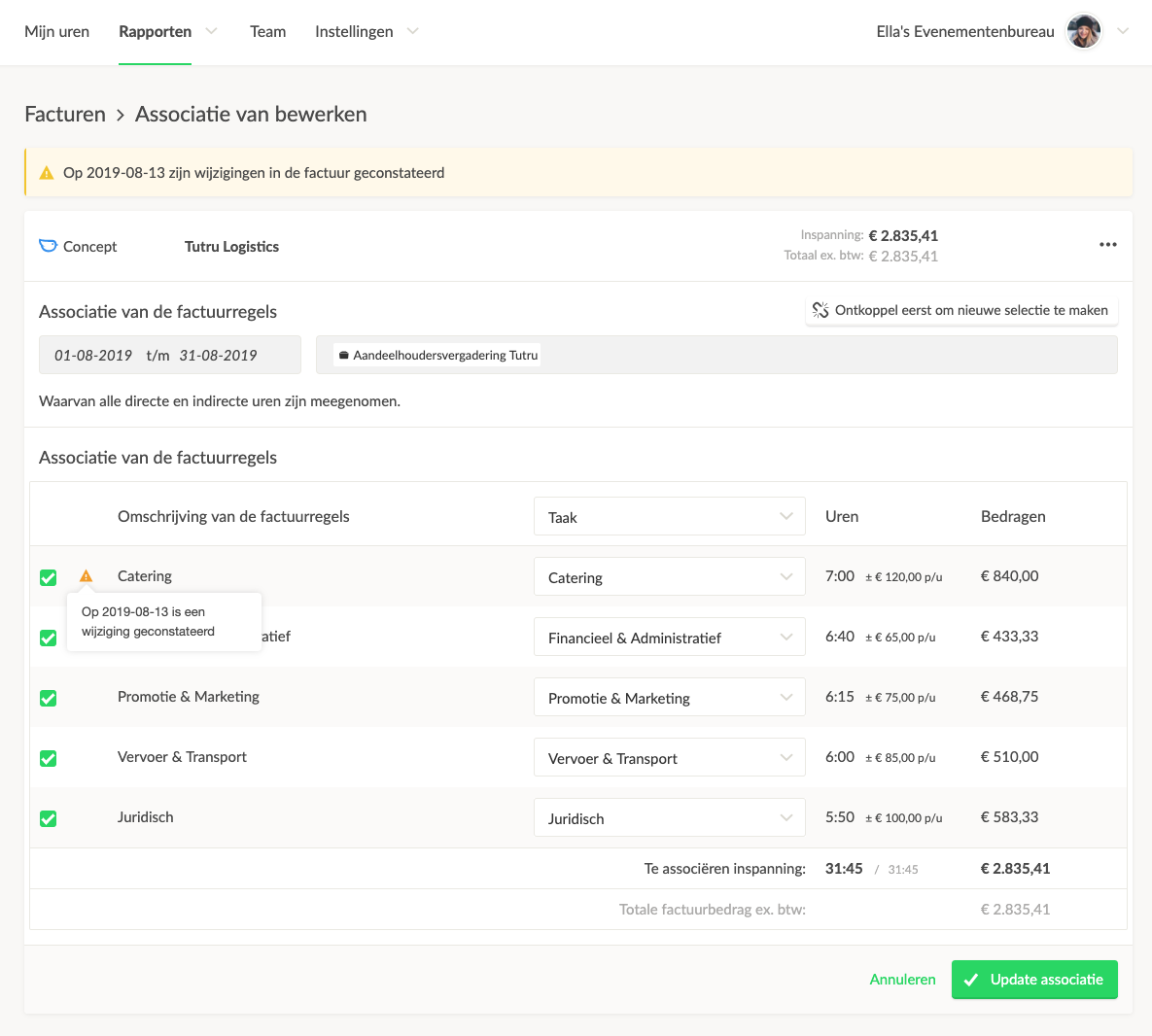 To view the exact change in Moneybird, you can use the options button (···) and then click on View invoice in Moneybird, or click on the Moneybird icon in the top left.
Saving the Association
Once you have the invoice aligned, click on the green Save association button. This synchronizes the updated data with the invoicing program, and the notification will disappear.
Can I Change an Invoice Association Without a Discrepancy?
Absolutely! You can adjust the association as needed if, for instance, you missed something or want to make a different selection. Just make sure the invoice in your invoicing program matches your new selection!
Read more about our integrations with invoicing programs!

