Integrate with Twinfield
As of May 1, 2024, the integration with Twinfield has been phased out. The integration can still be used, but no support will be provided.
Note: The integration with Twinfield currently only works with Twinfield Classic invoices. Twinfield does not yet provide developers the option to write integrations for the modern invoices.
For this integration, you will need a Word template configured in your Twinfield environment. Set this up via Sales → Word Templates. Download a sample Word template here to see an example of a valid Word template.
Ensure that a VAT code VH is available for sales invoices. Keeping also expects an invoice type in Twinfield with the code UREN for invoices excluding VAT. Both the VAT code and invoice type are standard in new Twinfield administrations.
To link with an invoicing program, you need at least a Keeping Plus subscription. Additionally, a separate Twinfield account is required, and the necessary Twinfield subscription is not included.
Keeping can be linked to one or more administrations in Twinfield, allowing you to quickly connect hours from Keeping with invoices in Twinfield.
Starting the Link
Navigate to the integration settings of your Keeping organisation via Settings → Features → Integrations. Choose Twinfield from the list of available invoicing integrations.
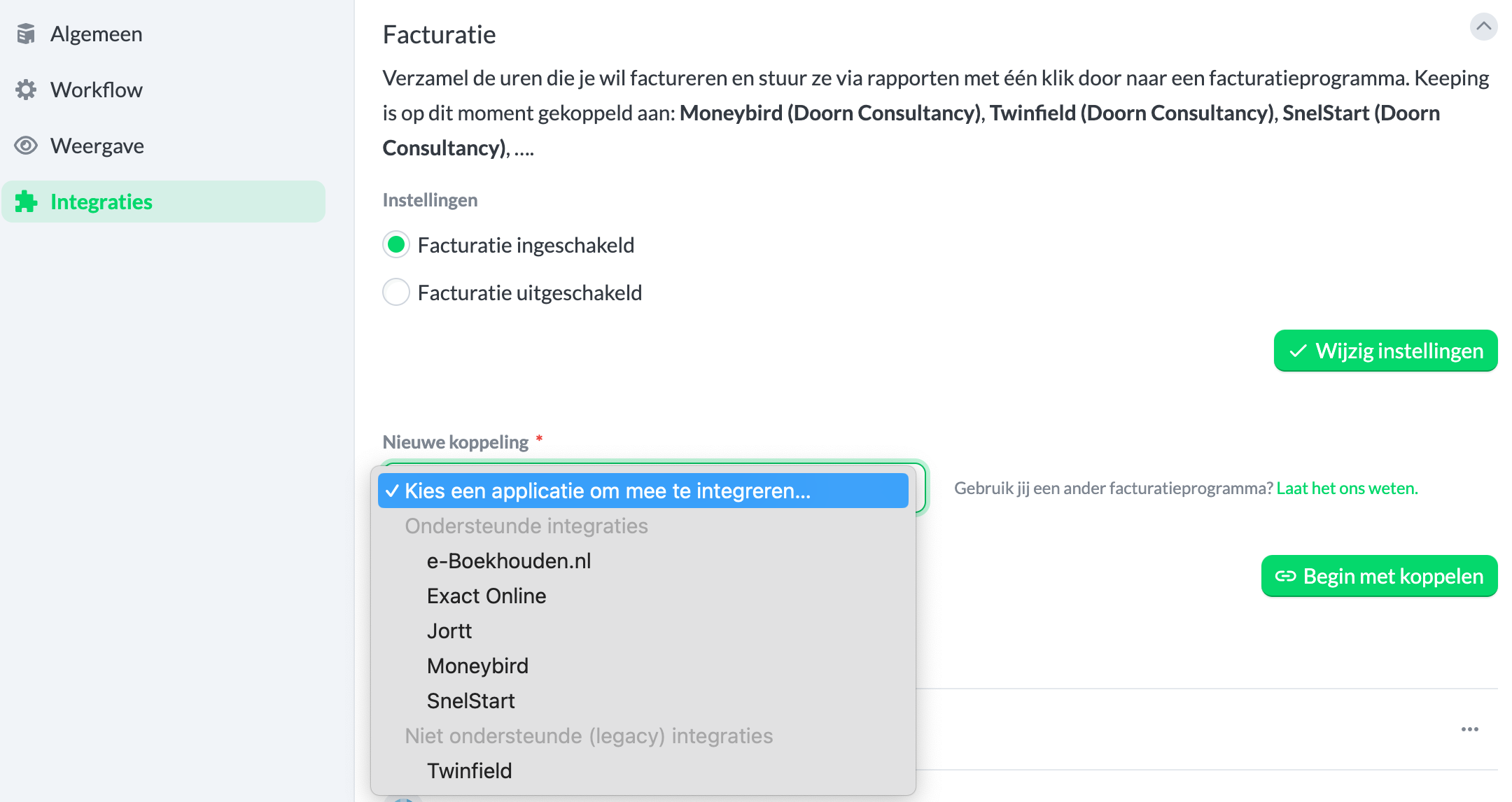
Authorization for the Link
After clicking the green "Start Linking" button, you will be redirected to a new page where you can grant permission to link with your Twinfield organisation. Note: The link will not be successful without authorization.
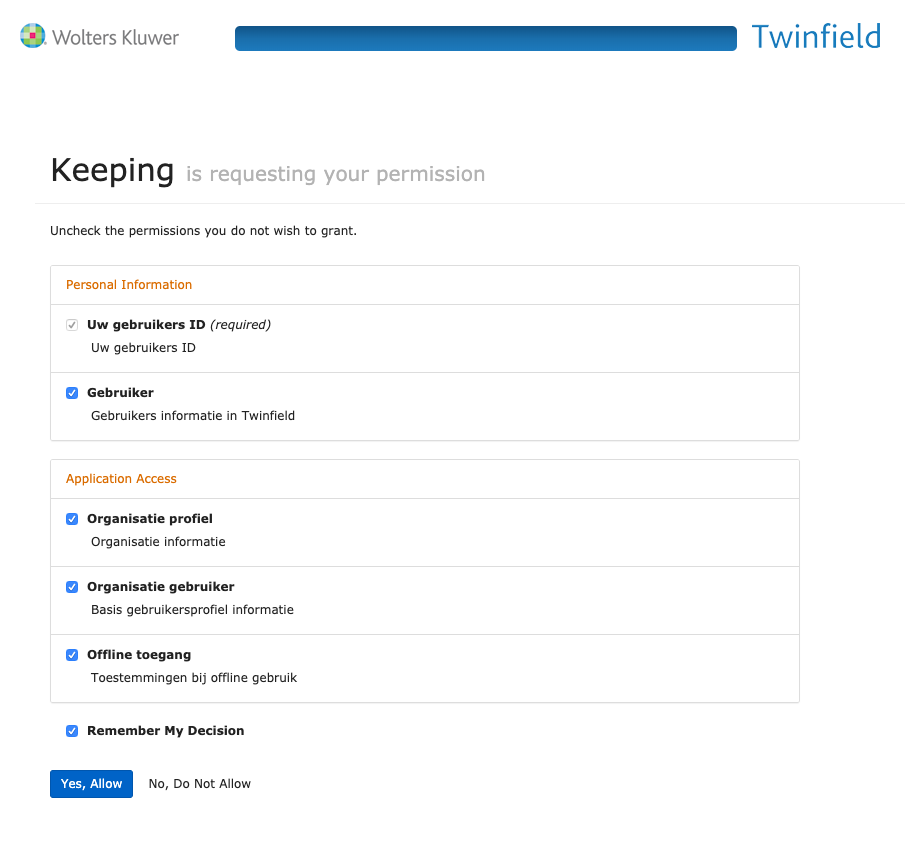 Check the options and click the blue button.
Choose Your Twinfield Administration
Once you have granted Keeping permission to link with Twinfield, you can select the administration that Keeping should link to for the invoicing integration.
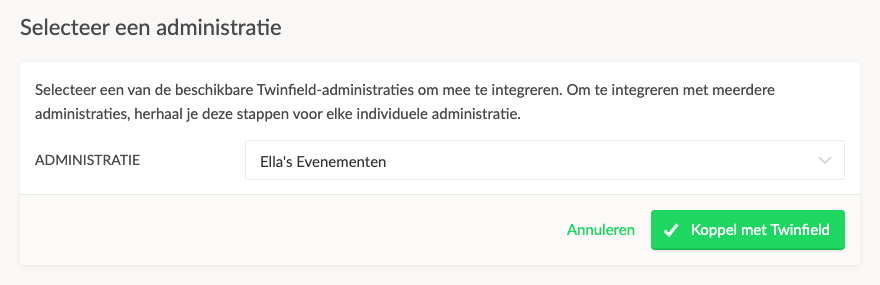 Then click Link with Twinfield.
View Your Linked Twinfield Organisation(s) in Keeping
Afterward, you will automatically be redirected back to your Keeping environment. Here, you can confirm that the link with Twinfield is successful by checking the Current Invoice Links overview. Congratulations! Your Keeping organisation is now linked to your Twinfield organisation. You can now, for example, create an invoice in Twinfield based on hours in Keeping or link an existing Twinfield invoice to specific hours in Keeping.
Linking Multiple Organisations
If you want to link multiple administrations simultaneously, you can do so. Follow the steps from Starting the Link for the administration you wish to add as the second link.
For more information, visit the Twinfield page.

